
Step 1 of 8
Build the Demonstration Around a User Task
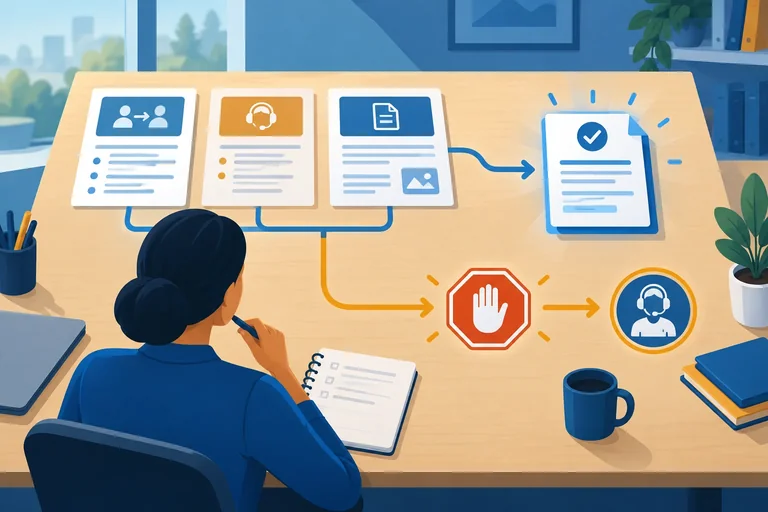
Plan a concise demonstration around one stakeholder task, a visible bounded outcome, and the decision the demonstration is meant to inform.

Learning path · Level 10 · Tutorial 4
Present the solution through a short demonstration or narrated text walkthrough, then prepare a handover brief another person could use. Explain its value, design choices, acceptance evidence, limitations, operating instructions, and remaining risks without submitting files.

 Build the Demonstration Around a User Task
Plan a concise demonstration around one stakeholder task, a visible bounded outcome, and the decision the demonstration is meant to inform. 2 min
 Make Claims the Evidence Can Support
Turn an attractive demonstration into an evidence-calibrated explanation of benefit, tradeoff, and acceptance status. 3 min
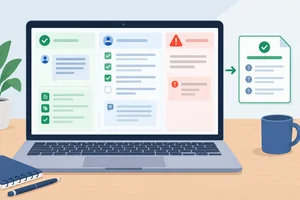 Deliver a Transparent Walkthrough
Rehearse a concise demonstration or text walkthrough that accurately labels execution mode and exposes important boundaries. 3 min
 Organize a Version-Linked Handover Brief
Structure a recipient-facing handover brief that keeps candidate identity, evidence, dependencies, and authority boundaries explicitly connected. 2 min
 Write Instructions Another Person Can Follow
Create a self-contained Operate section that lets a recipient run one permitted Harbor Helpdesk task and stop at the correct authority boundary. 3 min
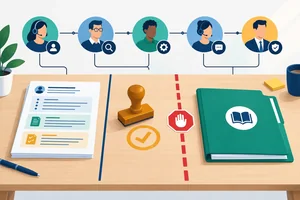 Make Risks, Ownership, and Authority Explicit
Turn known limitations into clear operating boundaries, assign ownership, and separate a review-ready handover from permission to launch. 2 min
 Replay the Handover as the Recipient
Replay a routine task and an exception using only the recipient’s brief, then distinguish an instruction clarification from a behavior-changing repair. 3 min
 Present and Close the Handover
Deliver the final demonstration and handover summary, clearly stating what the recipient can do next and what remains unauthorized or unresolved. 3 min
Step 1 of 8
Plan a concise demonstration around one stakeholder task, a visible bounded outcome, and the decision the demonstration is meant to inform.
A useful demonstration is not a feature tour. It follows one stakeholder-relevant task from a real difficulty to a visible, bounded outcome.
For Harbor Helpdesk, focus on this question: can an Operator turn a permitted internal support request and an approved FAQ source into a draft that an Output reviewer can check?
That focus helps the audience decide whether the candidate supports this narrow task. It does not claim that every request, exception, or operating condition has been shown.
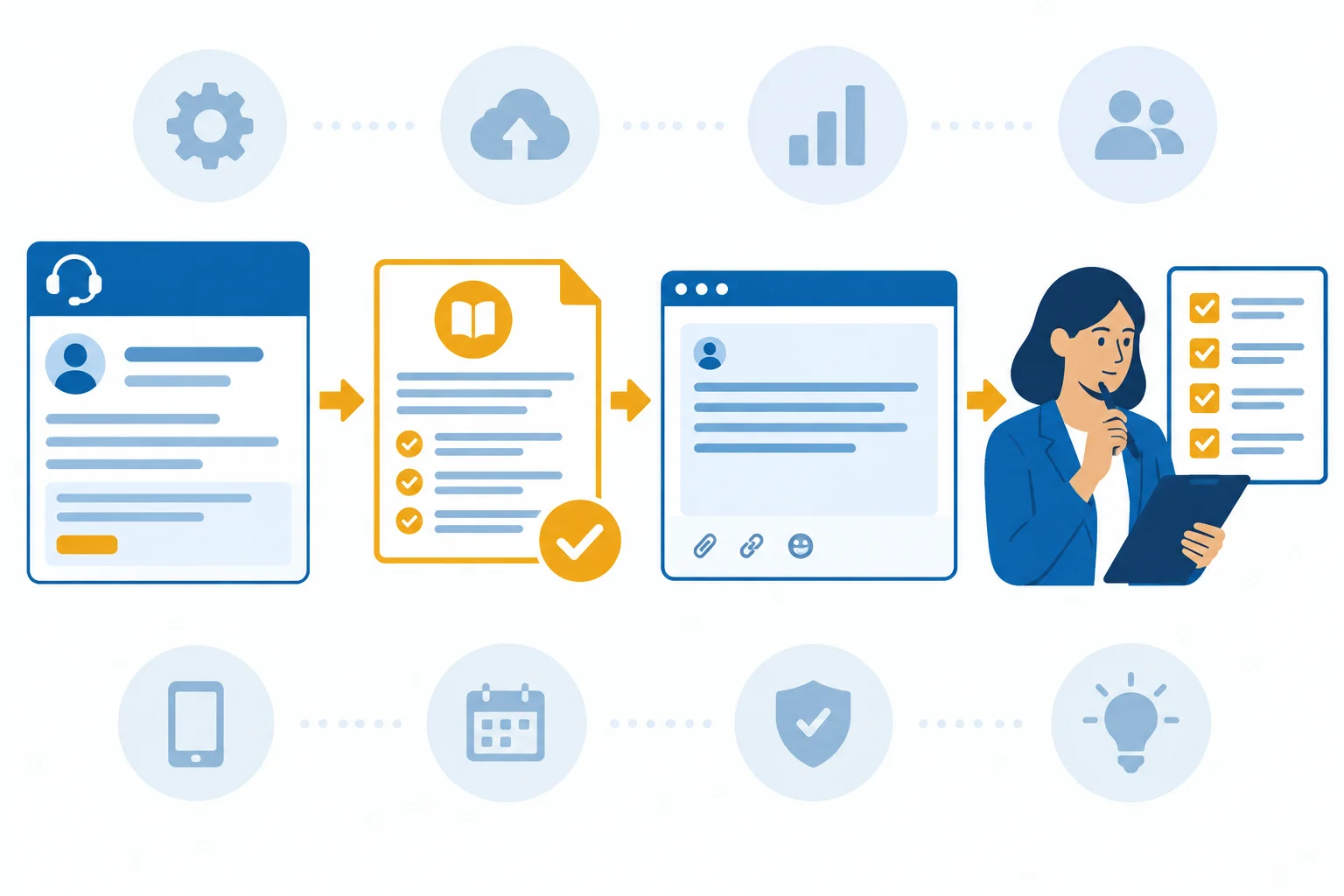
Show the path the stakeholder cares about: permitted input, visible behavior, human review, and a usable draft.
Use a compact five-part narrative:
Keep the narrative tied to one task. Name the boundary as part of the story: Harbor Helpdesk drafts replies; it does not send messages or change accounts.
Example
User difficulty: An Operator needs to answer an internal request about access after a team transfer without inventing a policy.
Permitted input: The Operator provides the request and the relevant passage from approved source collection FAQ r3.
Visible behavior: Harbor Helpdesk v1.2 produces a concise draft that directs the requester to the documented next step.
Human checkpoint: An Output reviewer compares the draft with the FAQ passage and checks that it does not promise an account change.
Usable output: A reviewable internal support-reply draft is ready for the team's separate process.
Choose a task that is representative in a limited sense: it should contain a real permitted input, make the intended benefit visible, and include the required review checkpoint.
Do not treat one clean routine task as proof that every condition works. Its job is to make the proposed workflow understandable. Cases with missing sources, unusual requests, or service interruptions may need separate attention.
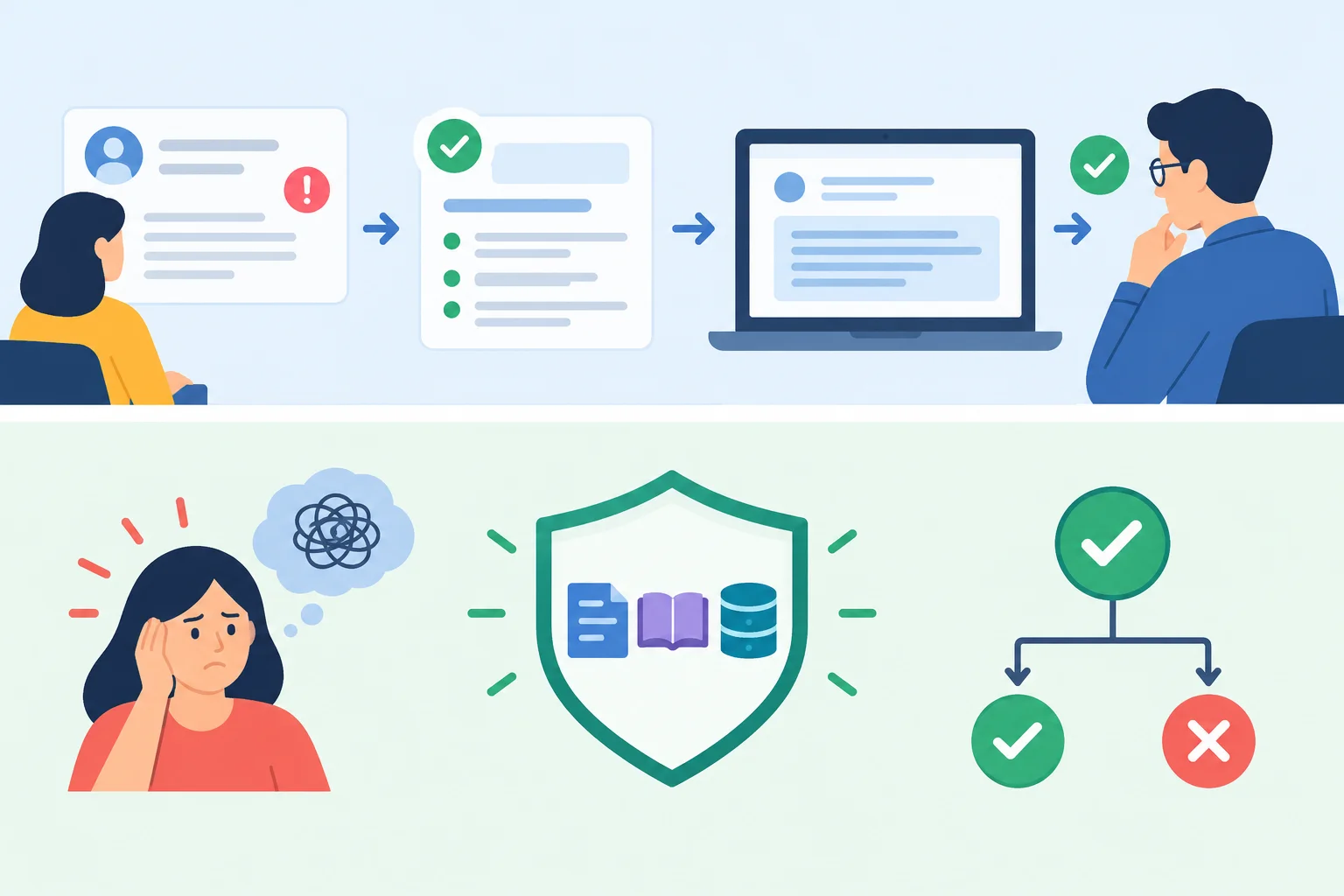
The audience sees the request, source, draft, and review. You explain why the task matters, why the input is permitted, and which decision the demonstration is intended to inform.
Tip
Before presenting, make a two-column map:
This prevents a common gap: expecting viewers to infer the purpose from screens alone.
Create a task-led outline for this fictional case. Write five numbered lines in the most useful demonstration order, then add one sentence beginning Stakeholder decision:.
Harbor Helpdesk candidate: v1.2
Approved source: FAQ r3
Request: “I moved to a new team and cannot open the Procurement portal. What should I do?”
Approved FAQ excerpt: “After a team transfer, the employee’s manager submits Access Form P-17 for Procurement portal access. Support does not alter permissions.”
Draft response: “Please ask your manager to submit Access Form P-17 for Procurement portal access. Support cannot change permissions directly.”
Acceptance summary — Illustrative data: 10 of 12 scenarios pass; 1 of 12 fails for missing-source escalation; 1 of 12 is marked Untested for outage handling. Acceptance decision: Revise.
Arrange these elements: the Operator’s difficulty; permitted request and FAQ r3 excerpt; the draft behavior; the Output reviewer’s check; the usable bounded output. State the stakeholder decision that this demonstration is meant to inform, rather than repeating the acceptance decision.
Write at least 300 characters (0/300).

Step 2 of 8
Turn an attractive demonstration into an evidence-calibrated explanation of benefit, tradeoff, and acceptance status.
A polished draft from one routine task is an illustrative run: it shows what happened once under those conditions. It does not, by itself, prove speed, coverage, or safe handling across other requests.
For a broader claim, name the evidence set, the comparison condition, and what it does not cover. This keeps a demonstration useful without turning it into an unsupported promise.
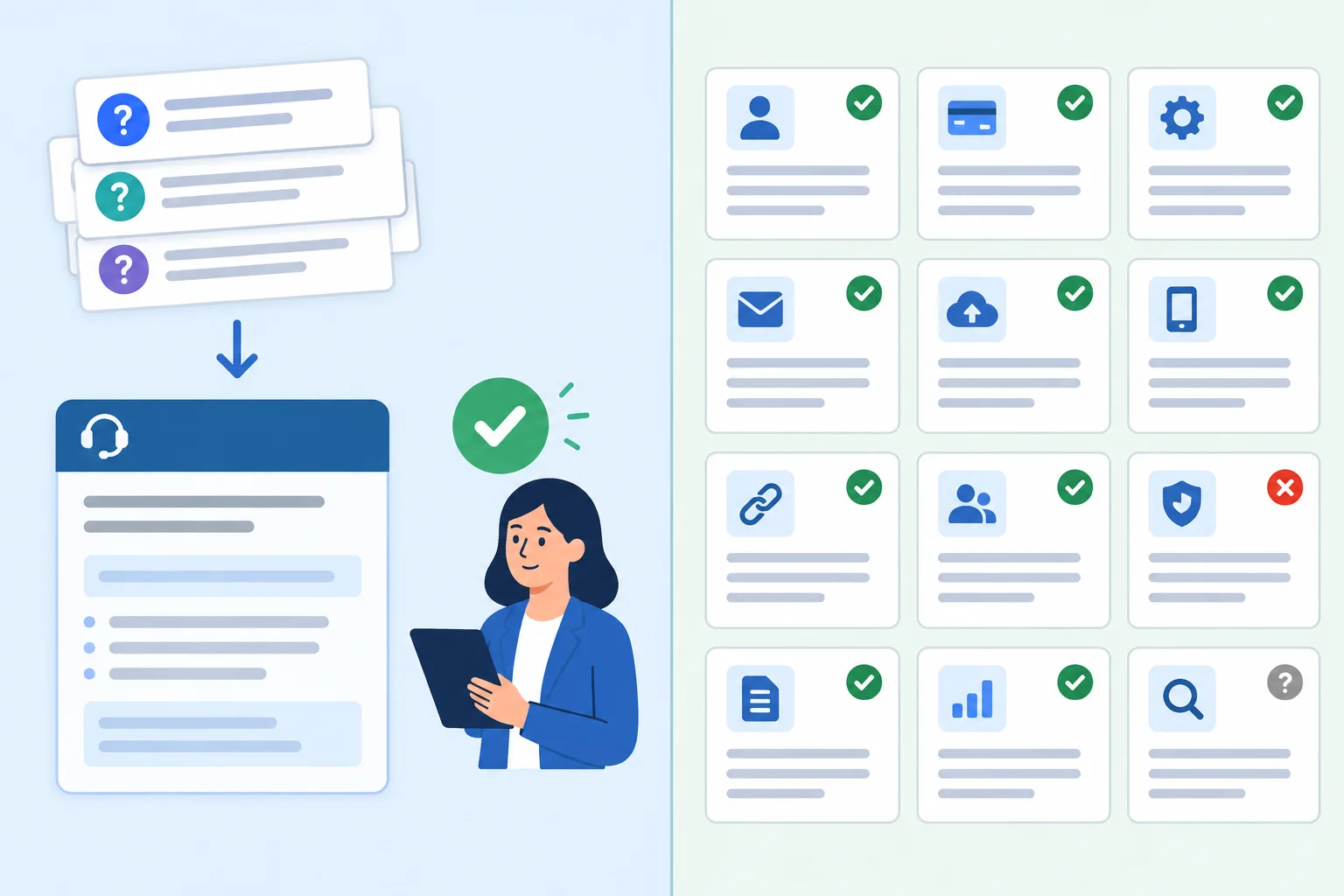
Use a single run to make behavior visible; use the acceptance record to bound wider claims.
Illustrative data for Harbor Helpdesk
| Evidence | A supportable statement | Not established |
|---|---|---|
| Six paired routine tasks: median 6.0 min/task baseline; 4.0 min/task including human review | A faster median under these six paired routine tasks | Performance for every request type |
| 10 of 12 scenarios passed | Ten tested scenarios met their recorded criteria | All scenarios passed |
| Outage handling: Untested | No execution evidence for outage handling | Safe outage handling |
A concise value statement has three parts:
For Harbor Helpdesk, the timing comparison covers six paired routine tasks only, and the 4.0 min/task result includes human review. Say exactly that.
Chosen approach: draft internal replies only from approved FAQ r3, then require an Output reviewer.
Rejected alternative: automatically send replies to requesters.
Practical consequence: review takes time, but a person can reject a draft before any message is sent.
Remaining limitation: human review does not turn a missing source into a resolved answer. The missing-source escalation case still failed.
Example
A calibrated statement could be:
“Across six paired routine tasks, Harbor Helpdesk reduced the median handling time from 6.0 min/task at baseline to 4.0 min/task including human review. It favors FAQ-grounded drafts and an Output reviewer over automatic sending, which preserves a review checkpoint but retains review effort. This limited timing sample does not show the same result for every request.”
Illustrative data: acceptance record for candidate v1.2 using FAQ r3
| Status | Recorded result | What to say |
|---|---|---|
| Pass | 10 of 12 scenarios | Ten scenarios passed their criteria |
| Fail | 1 of 12: missing-source escalation | This exception needs revision |
| Untested | 1 of 12: outage handling | No execution evidence yet |
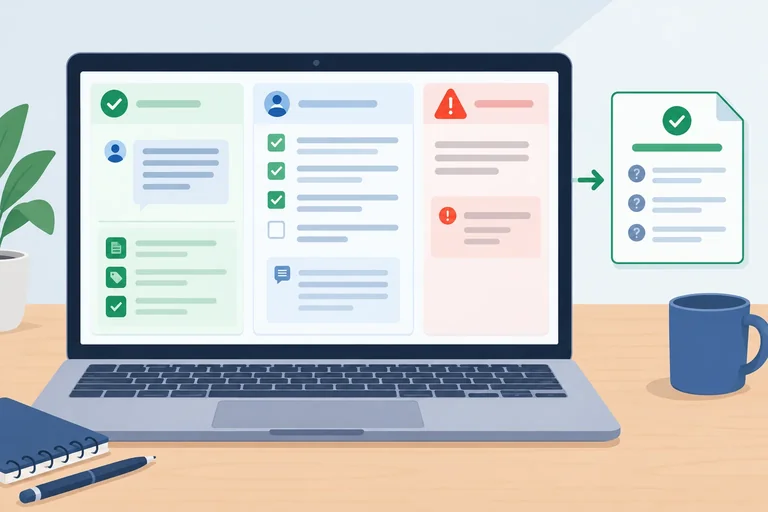
| Acceptance decision | Revise | Do not present the candidate as accepted |
Match each claim to its evidence status.
Tap an item and then its matching pair.
Write a short, audience-ready statement of 2–4 sentences about Harbor Helpdesk.
Include all of the following:
Use counts and units accurately. Do not claim that every request is faster or that outages were tested.
Write at least 300 characters (0/300).
Step 3 of 8
Rehearse a concise demonstration or text walkthrough that accurately labels execution mode and exposes important boundaries.
A transparent walkthrough is a short, task-led story—not a feature tour. In roughly 90 seconds, show:
Name the execution status at the moment you show each segment. A useful audience should never have to guess whether it is watching a live run, a person standing in for a step, or a saved result.
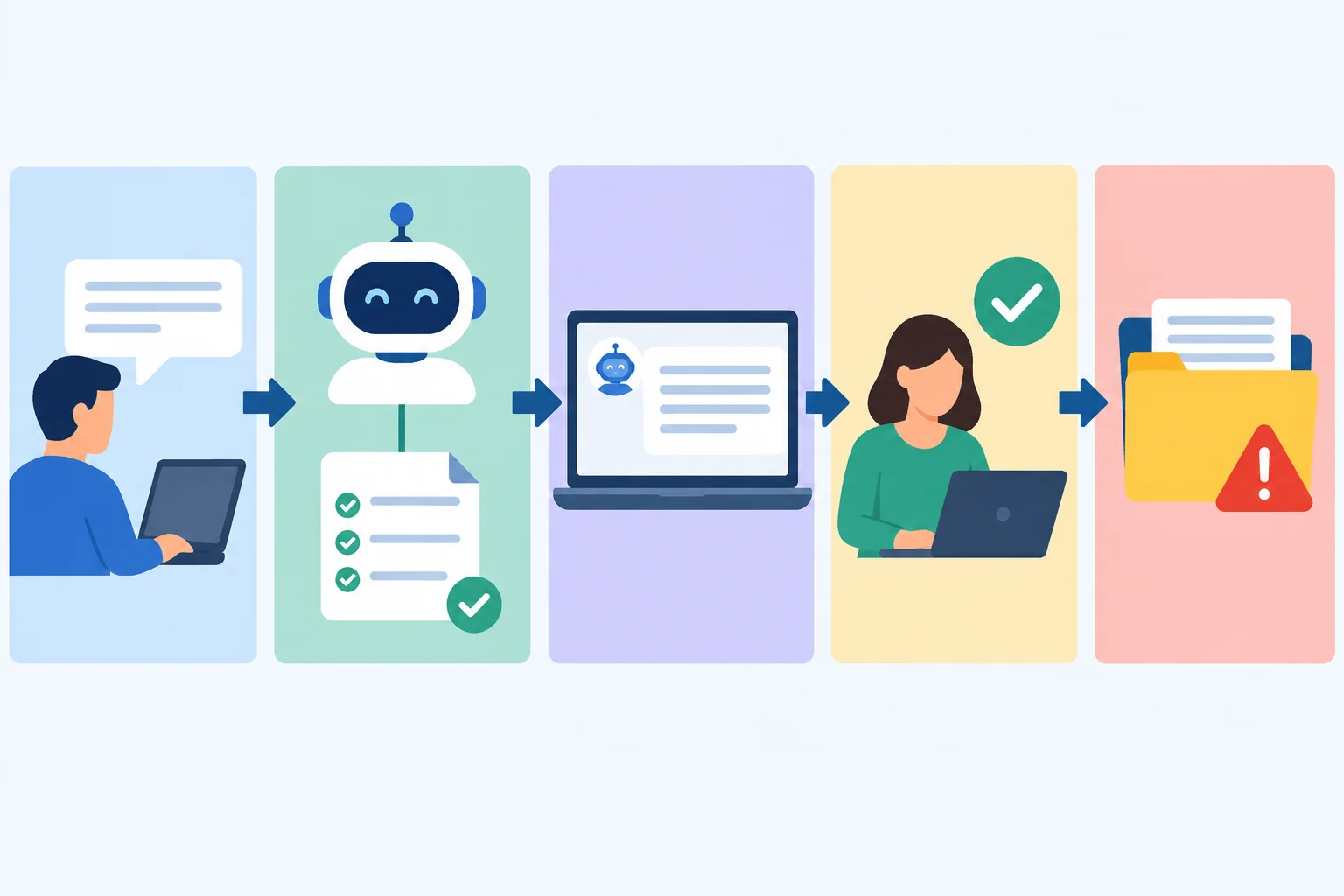
Narrate the task, visible draft, review checkpoint, and evidence boundary in that order.
Use execution labels as factual statements, not quality ratings.
A walkthrough can be mixed-mode. For example, you may show a Recorded result for draft generation and a Manual simulation for the reviewer’s decision. Say the label aloud and place it beside the segment when possible.
Choose the label that matches what occurred, then state the consequence honestly.
| Label | What actually happened | Safe narration |
|---|---|---|
| Live execution | The tool is run now | “Live execution: I submit this request now.” |
| Manual simulation | A person stands in for a step | “Manual simulation: the reviewer checks this draft.” |
| Recorded result | A saved, identified run is shown | “Recorded result: this draft came from candidate v1.2.” |
| Untested | No run supports the capability | “Untested: outage handling has no execution evidence.” |
Warning
Do not turn an unresolved exception into a success story. For Harbor Helpdesk, say: “Recorded result: the missing-source escalation scenario failed. Stop and route it for human handling; no repair is being demonstrated.”
If live access is unavailable, switch explicitly to a Recorded result or a text walkthrough. Never describe that fallback as a successful live run.
A presenter cannot access Harbor Helpdesk live. They show a saved draft and role-play the Output reviewer’s check. Which narration is misleading?
Use the following self-contained material for a text-only rehearsal. No account, recording, upload, or paid feature is required.
Task: An employee writes, “I reset my password, but VPN still rejects it. What should I do?” Harbor Helpdesk may draft an internal reply for human review only.
Example
FAQ r3 — VPN access after a password reset
Example
Using only FAQ r3 below, draft an internal support reply to the employee. Do not invent steps. If the source does not answer the request, begin the draft with: “Source unavailable—escalate for human handling.” State that the assistant drafts only and does not send messages or change accounts.
[Paste FAQ r3 here]
Example
Hello,
Please wait five minutes after using the Password Reset Portal, then try signing in to VPN again. If VPN still rejects the sign-in, contact the IT Service Desk and include your employee ID and the time of the error.
This is a draft for human review. Harbor Helpdesk does not access accounts, reset passwords, or send messages.
Write a concise narrated walkthrough of about 110–170 words using the material on the previous screen. It must:
Write as if you are speaking to a stakeholder. Do not claim that the candidate sends messages, changes accounts, handles outages, or successfully repaired the failed escalation.
Write at least 550 characters (0/550).

Step 4 of 8
Structure a recipient-facing handover brief that keeps candidate identity, evidence, dependencies, and authority boundaries explicitly connected.
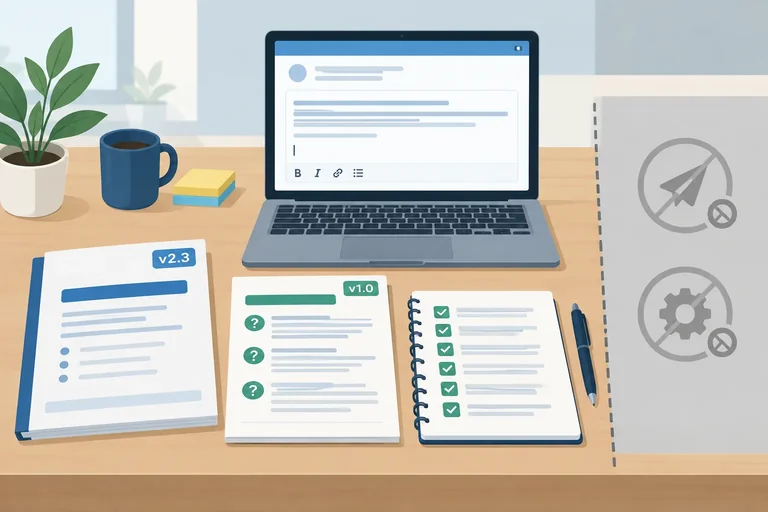
A handover brief is the recipient’s entry point—not a presentation script or a folder of disconnected notes. It lets the recipient identify what they received, what it can be used for, and what evidence applies.
Use these headings consistently:
Keep the purposes separate. Operate is for the material needed to use the solution. Design rationale explains significant choices. Evidence and limitations records what was evaluated and what remains uncertain. Handover status states the decision and authority boundaries.
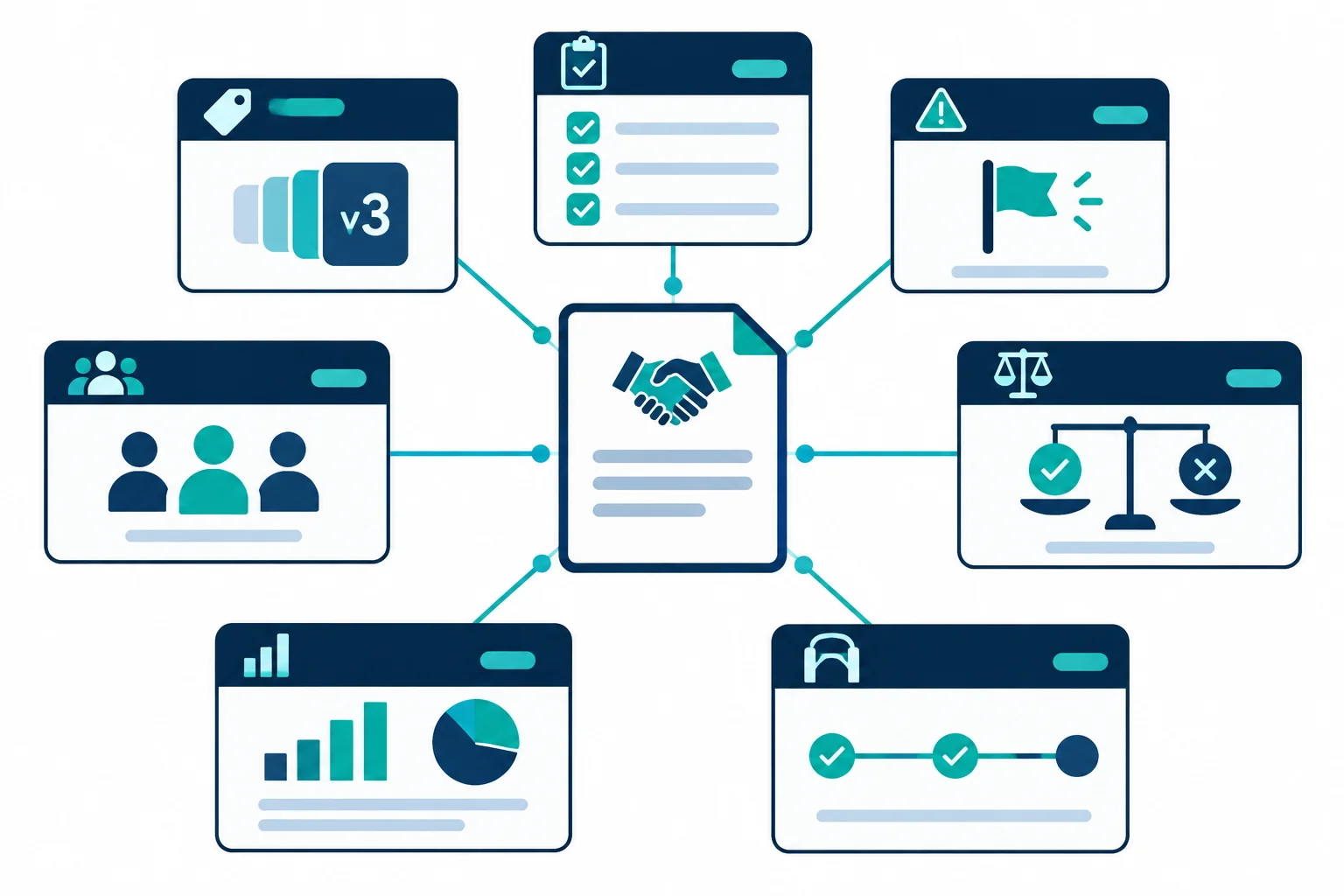
A usable brief separates instructions, rationale, evidence, ownership, and status instead of blending them into one narrative.
Every important statement needs an explicit link to the same candidate. Do not infer that a result, source collection, or instruction applies merely because the names look similar.
For Harbor Helpdesk, the identity chain is: candidate v1.2, source collection FAQ r3, acceptance evidence for v1.2, and handover document Brief r1. The recipient should be able to trace this chain without asking the presenter.
This map makes version links visible before the recipient relies on the brief.
| Record | Explicit reference | What it establishes |
|---|---|---|
| Demonstrated candidate | Harbor Helpdesk v1.2 | The solution being handed over |
| Approved source | FAQ r3 | The source collection for v1.2 |
| Acceptance evidence | Illustrative data for v1.2: 10 of 12 scenarios pass; 1 of 12 fails for missing-source escalation; 1 of 12 is Untested for outage handling | The observed boundaries of this candidate |
| Timing evidence | Illustrative data: six paired routine tasks; median baseline 6.0 min/task versus 4.0 min/task including human review | A limited comparison, not a universal claim |
| Handover document | Brief r1 | The recipient-facing record linked to v1.2 |
Tip
An instructions-only update may create Brief r2 while candidate v1.2 and its evidence remain unchanged. A change to the candidate’s behavior requires a different candidate version; earlier acceptance evidence must not be silently reused as proof for that changed candidate.
A complete transfer can be review-only. For the reference case, state these fields separately:
This lets a recipient inspect the candidate and its records without mistaking the transfer for permission to launch it. The failed missing-source escalation and Untested outage handling remain visible limitations, not issues hidden by the demonstration.
Before handover, check that the recipient can obtain every dependency through the brief itself or through a genuinely accessible resource. A presenter’s private workspace is not an accessible resource.
| Needed item | Acceptable in the brief | Not sufficient |
|---|---|---|
| Candidate identity | Harbor Helpdesk v1.2 named explicitly | “The current assistant” |
| Source basis | FAQ r3 text or a recipient-accessible location identified clearly | “Use my source folder” |
| Operating material | Required text included in the brief or an explicit accessible route | “Use the prompt I showed” |
| Evaluation record | Candidate-specific results and limitations summarized in the brief | “It passed testing” |
| People and boundaries | Named role and review-only status | “Ask the team if needed” |
Match each record to the section or handling it requires. One record intentionally contains a candidate–evidence version mismatch; do not silently treat it as valid evidence.
Tap an item and then its matching pair.
Step 5 of 8
Create a self-contained Operate section that lets a recipient run one permitted Harbor Helpdesk task and stop at the correct authority boundary.
In the brief’s Operate section, write a route that an Operator can perform without your memory, private workspace, or hidden setup. It must identify the applicable candidate and source, then make the permitted task and its boundary unmistakable.
For Harbor Helpdesk, this route applies to candidate v1.2 using FAQ r3. It permits one task: drafting an internal support reply from an approved FAQ for human review. It excludes sending messages, changing accounts, inventing instructions, and treating a draft as an approved or sent response.
State the access need, required input, and starting state. For the text-only route, the Operator needs a chat assistant, a blank chat, and the complete reusable prompt plus FAQ r3 text included in the brief. The required input is an internal support question that FAQ r3 answers.
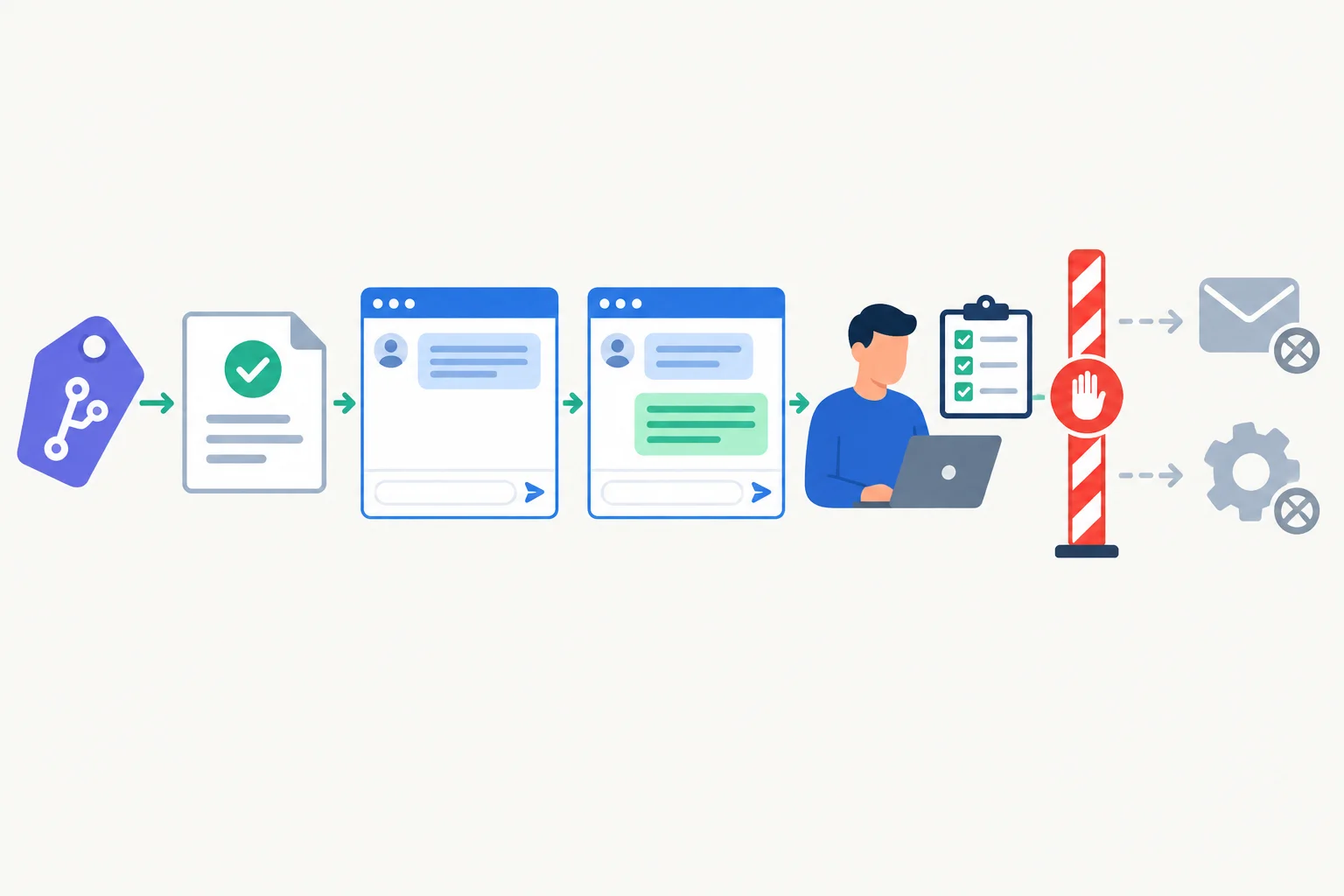
An operating route supplies the materials and visible checkpoints needed to reach a reviewed draft; it does not silently extend the solution’s authority.
Tip
Replace “review carefully” with observable checks and a decision. For example: “The Output reviewer compares every instruction in the draft with FAQ r3, confirms that the draft does not claim Harbor Helpdesk can access accounts, reset passwords, or send messages, then either approves it as a draft or rejects it for correction.”
Name the endpoint precisely. A generated draft is not yet an approved output. An approved output is still an unsent draft: sending it or changing an account remains outside Harbor Helpdesk’s authority.
A source name alone is not an operating route. Put the full reusable prompt and the source text needed for the route in Operate so the recipient does not need to find an unpublished file or ask what to paste. This routine task uses the same v1.2 text walkthrough material shown earlier.
Copy this entire block into a blank chat for the routine text-only route.
Using only FAQ r3 below, draft an internal support reply to the employee. Do not invent steps. If the source does not answer the request, begin the draft with: “Source unavailable—escalate for human handling.” State that the assistant drafts only and does not send messages or change accounts.

FAQ r3 — VPN access after a password reset
• Use the Password Reset Portal to reset a password. Wait five minutes, then sign in again.
• If VPN still rejects the sign-in after that wait, contact the IT Service Desk. Include the employee ID and the time of the error.
• Harbor Helpdesk drafts support replies only. It does not access accounts, reset passwords, or send messages.

Internal support question:
“I reset my password, but VPN still rejects it. What should I do?”Hello, Please wait five minutes after using the Password Reset Portal, then try signing in to VPN again. If VPN still rejects the sign-in, contact the IT Service Desk and include your employee ID and the time of the error. This is a draft for human review. Harbor Helpdesk does not access accounts, reset passwords, or send messages.
This is the expected routine-task draft for the supplied VPN question. It does not establish that missing-source escalation works: Illustrative data for v1.2 records 1 of 12 scenarios as a failure for missing-source escalation.
Run this routine route in order. The Output reviewer makes the approval decision; Harbor Helpdesk does not make it.
| Action | Expected visible result | Required decision |
|---|---|---|
| Confirm candidate v1.2 and FAQ r3 | Both identifiers match the brief | Continue only when they match |
| Open a blank chat and paste the complete supplied block | The prompt, FAQ r3, and internal question are visible | Submit the prompt |
| Read the returned result | A source-grounded draft is visible | Do not treat the draft as approved |
| Output reviewer checks the draft against FAQ r3 | Instructions are sourced and authority limits are stated | Approve as a draft or reject it |
| Keep an approved item as an unsent draft | A human-reviewed internal reply is available | Do not send it or change an account |
Warning
Keep the missing-source boundary honest. The prompt instructs v1.2 how to begin a draft when the source does not answer, but that does not prove the exception was handled successfully. Illustrative data records 1 of 12 scenarios failed for missing-source escalation. If the Operator lacks source support, they must stop rather than invent a reply or claim that the candidate repaired the failure.
Put the Harbor Helpdesk routine operating actions in the only workable order.
Complete this compact operating section for the reference case. Use only the routine route established in this step.
Scope and version
Candidate: …
Source: …
Operate
Preserve the recorded missing-source limitation: do not claim that missing-source escalation passed.
Write at least 700 characters (0/700).
Step 6 of 8
Turn known limitations into clear operating boundaries, assign ownership, and separate a review-ready handover from permission to launch.
A limitation tells the recipient what remains uncertain or constrained. A stop condition tells the operator when they must not continue.
For Harbor Helpdesk, outage handling is Untested: the recipient must not describe recovery behavior as proven. By contrast, a needed fact missing from the approved source collection is an observable condition that prevents a supported draft. The operator stops, does not fill the gap from memory, and follows escalation.
Make this distinction visible under Evidence and limitations and Exceptions and escalation. Clear boundaries are more useful than vague cautions such as “review carefully.”
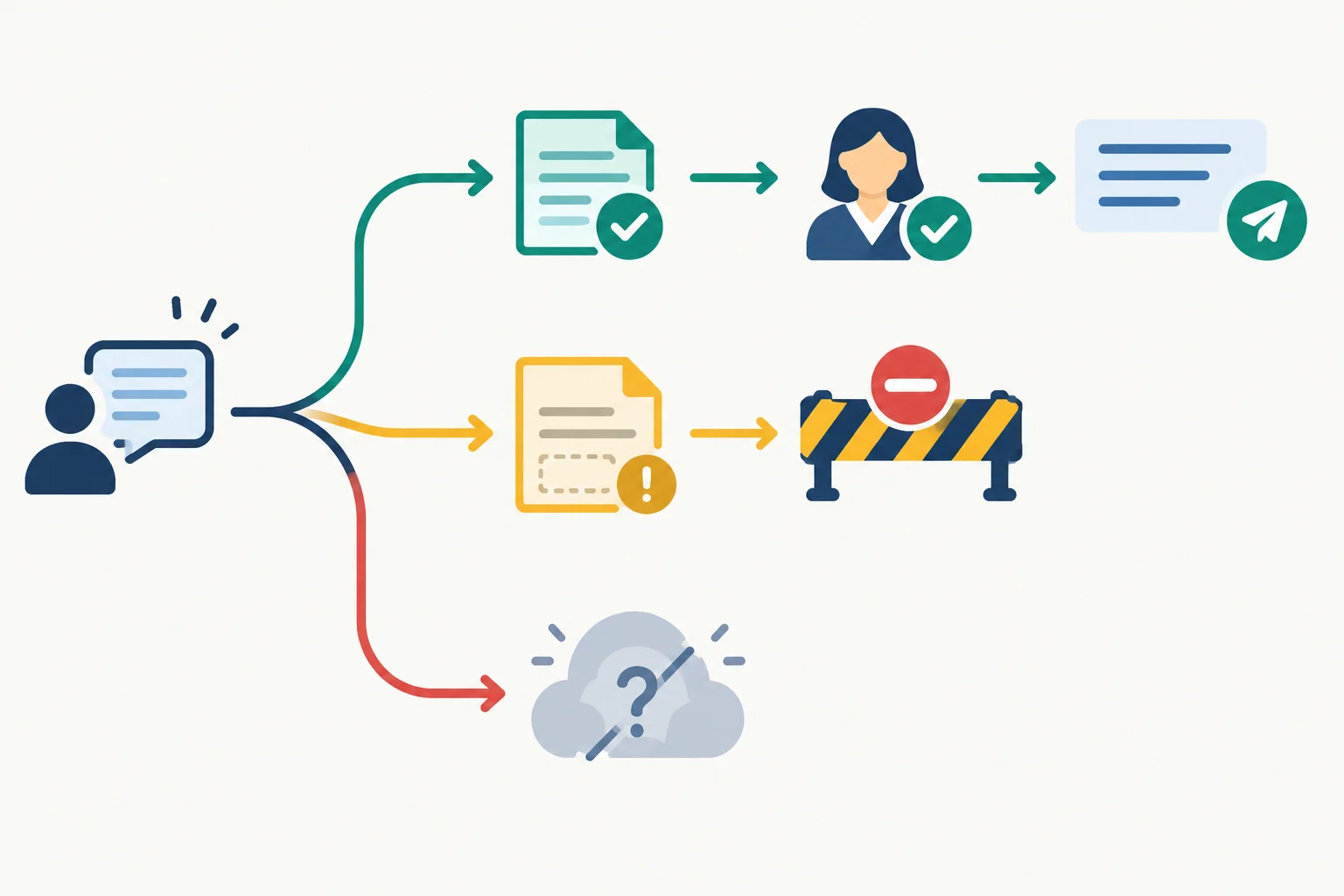
A source gap is a stop-and-escalate trigger. An untested condition is a limitation that must remain visible, not a claimed capability.
An exception entry should let an unfamiliar operator act without guessing. Write four operational parts:
The entry describes a response to a condition. It does not quietly repair the candidate or convert a failed scenario into a pass.
Use this structure in the Exceptions and escalation section of Brief r1.
| Entry field | Brief r1 content |
|---|---|
| Observable trigger | A needed claim is not supported by FAQ r3 and no approved source is available. |
| Stop action | Stop drafting that reply. Do not invent, infer, or add an unsupported claim. |
| Fallback | Request an approved source or route the request for manual handling. |
| Support contact | Support lead |
| Minimum diagnostic information | Candidate v1.2; FAQ r3; missing topic; timestamp; request reference without unnecessary personal data; exact stop message. |
Name responsibilities by role so the recipient knows who acts, but never put passwords, tokens, or private access routes in the brief. The role assignment is an operating boundary: it does not grant the Operator authority to update sources, approve a launch, or bypass review.
Record the responsible role and its decision boundary.
| Role | Responsibility |
|---|---|
| Operator | Runs only permitted drafting tasks and stops on documented exceptions. |
| Output reviewer | Checks the draft against FAQ r3 and decides whether it is suitable for onward use. |
| Source maintainer | Maintains approved source content and confirms source updates. |
| Support contact | Support lead; receives exception reports and coordinates support. |
| Launch approver | Service owner; alone decides whether launch authorization is granted. |
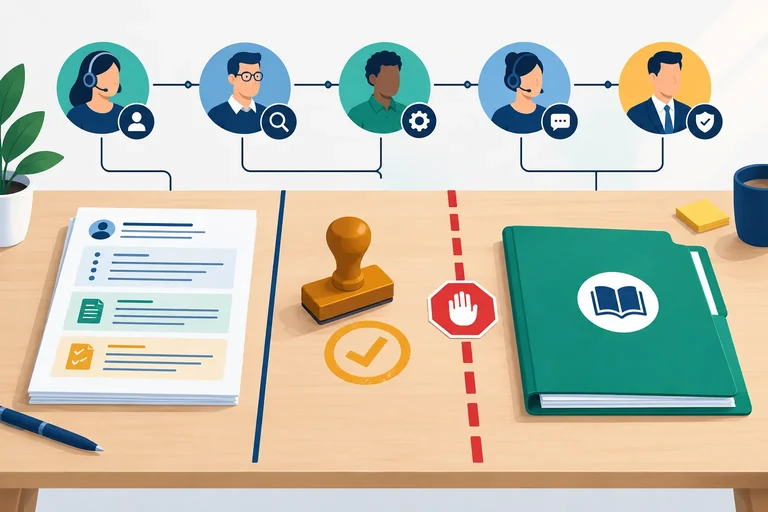
A handover can be complete for review even when the candidate is not ready to launch. Keep these fields separate in Handover status:
An instructions-only revision may become Brief r2 while still applying to candidate v1.2 and FAQ r3. It clarifies documentation; it does not change behavior, erase a failure, or create outage evidence. A behavior change needs a different candidate version and relevant new acceptance evidence.
Example
Evidence and limitations
Illustrative data: 10 of 12 scenarios passed. 1 of 12 scenarios failed because missing-source escalation did not meet the acceptance expectation. 1 of 12 scenarios was untested for outage handling.
Handover status
Acceptance decision: Revise
Handover readiness: Ready for review-only handover
Launch authorization: Not granted
The brief communicates the unresolved result honestly; it is not permission to launch Harbor Helpdesk.
Using the Harbor Helpdesk reference case, write the Exceptions and escalation entry for missing-source evidence. Include the observable trigger, stop or fallback action, support contact, and minimum diagnostic information.
Then write the three labeled Handover status fields for Brief r1. Preserve the documented failed missing-source outcome and the untested outage outcome; do not treat the brief as a behavioral repair.
Write at least 300 characters (0/300).
Step 7 of 8
Replay a routine task and an exception using only the recipient’s brief, then distinguish an instruction clarification from a behavior-changing repair.
A recipient-perspective replay asks: “Could I complete this task using only what the brief explicitly makes available?” Start as if you have not seen the build, test workspace, or presenter notes.
Use the named brief and only materials it tells you how to access. A source named without an access route is unavailable for the replay. Run two short paths:
Record where you cannot proceed, where a decision is vague, and what consequence follows. A self-replay is a handover check; it is not independent user validation.
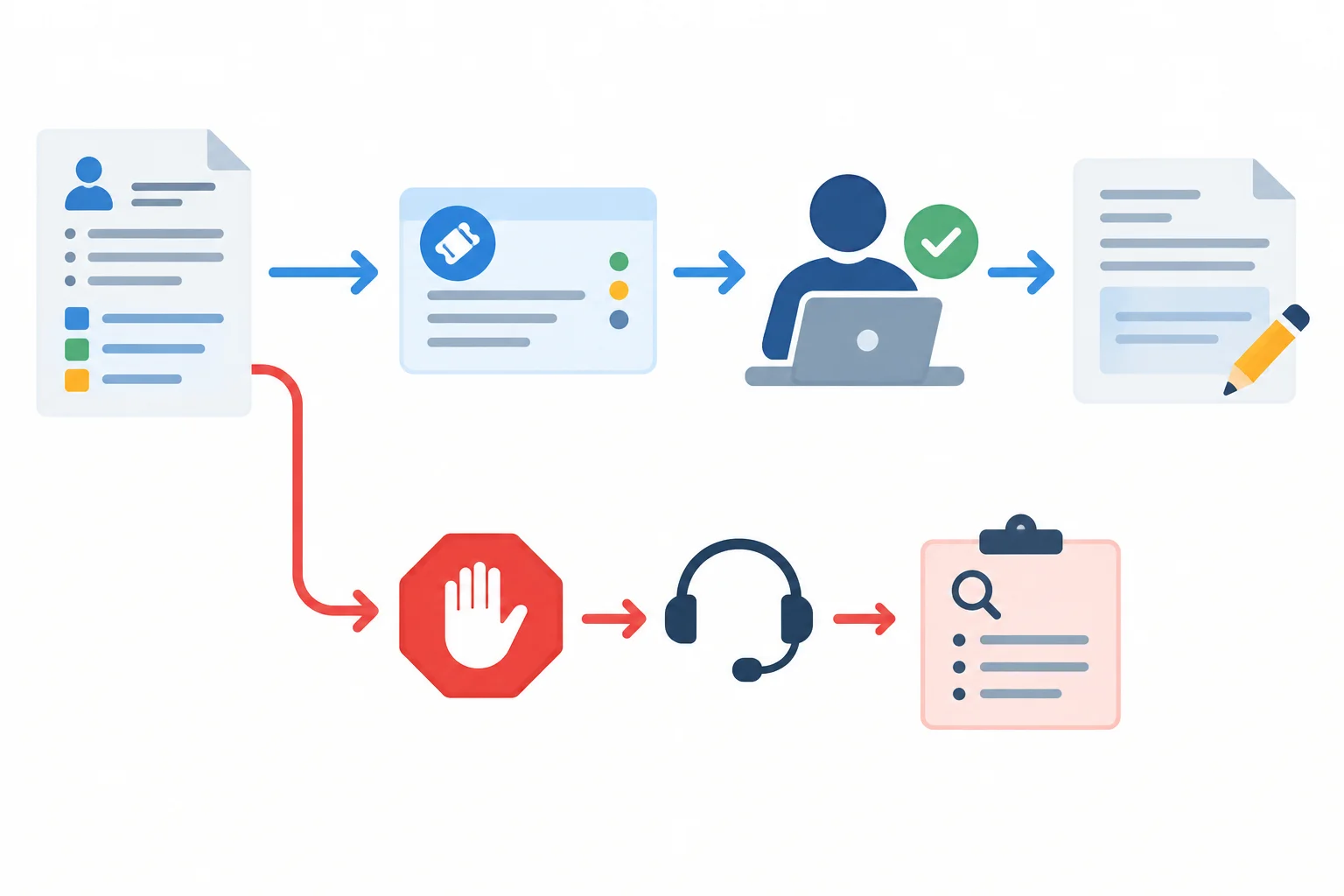
Replay both the normal route and the exception route using the brief alone.
Tip
Do not fill a gap with knowledge from the person who wrote the brief. If you know where a source lives but the brief does not say, record that as a documentation gap.
Use this intentionally flawed excerpt if you are not replaying your own brief.
Scope and version
Candidate: Harbor Helpdesk v1.2
Source collection: FAQ r3
Document: Brief r1
Operate
“Operator: paste a permitted internal support request into Harbor Helpdesk. Use the approved FAQ and review the draft carefully.”
Exceptions and escalation
“If a needed source is missing, handle it appropriately.”
Ownership
Output reviewer: check the draft.
Source maintainer: FAQ r3.
Support contact: Support lead.
Handover status
Acceptance decision: Revise
Handover readiness: Review-only
Launch authorization: Not granted
Illustrative data — use these four fields for each replayed path. The record makes a vague instruction observable and gives the writer a focused revision target.
| Record field | What to capture |
|---|---|
| Attempted action | The exact action the recipient tried to take |
| Missing or ambiguous instruction | What the brief did not make usable or clear |
| Consequence | What could not be done, checked, or decided |
| Proposed clarification | A precise instruction, expected result, or stop route |
| Replay result | Whether the affected action now works using the revised brief |
Example
An instruction-only clarification can identify the approved source and version, state a check the Output reviewer must perform, and tell the Operator when to stop and contact the Support lead. These additions create Brief r2 while the candidate remains Harbor Helpdesk v1.2; its v1.2 evidence still identifies the same behavior.
A change that makes the assistant retrieve another collection, route a request automatically, or send a message changes behavior. It needs a new candidate version and affected acceptance evidence must be reconsidered. Do not describe that as a mere Brief r2 clarification.
Using the supplied excerpt or your own brief, write a recipient-perspective replay log.
Include:
Do not assume access to an unstated folder, tool setting, or presenter knowledge.
Write at least 350 characters (0/350).

Step 8 of 8
Deliver the final demonstration and handover summary, clearly stating what the recipient can do next and what remains unauthorized or unresolved.
A strong close is not a feature recap. It gives the recipient one connected, honest route from a real task to a controlled next step.
Use this sequence:
Do not let an attractive routine-task demonstration imply that every exception works. The close must make both the useful next action and the boundary of authorization unmistakable.
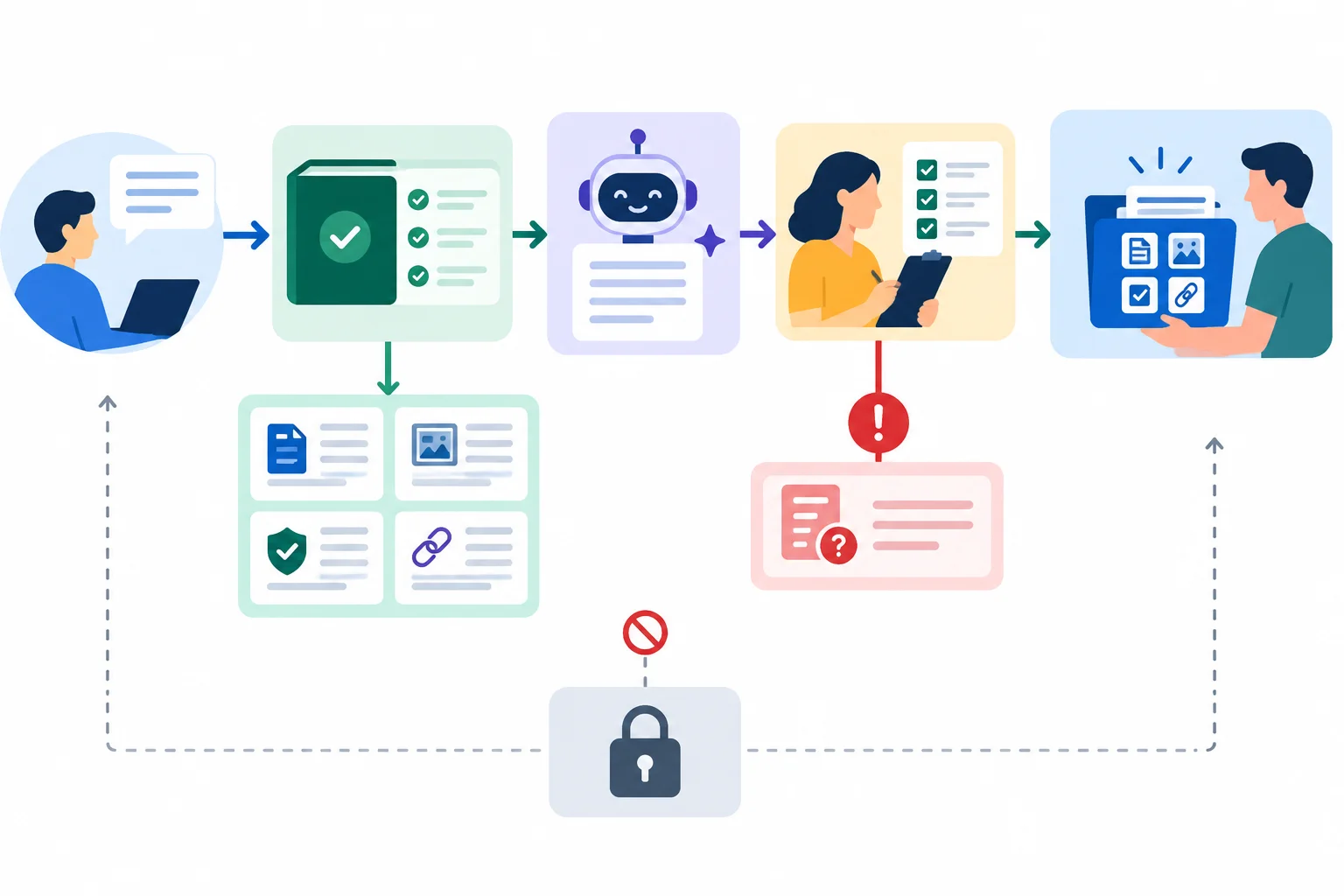
Use the flow to connect behavior, review, evidence, operating instructions, and the separate decision about launch.
Before you close, trace every reference in your spoken walkthrough and brief. A revision to instructions can create a new brief revision without changing the candidate. A behavior, prompt, source, or configuration change creates a different candidate version and requires the relevant evidence to be reconsidered.
Use these sections as the compact spine of the final handover summary.
| Brief section | Reference to state | Final check |
|---|---|---|
| Scope and version | Candidate v1.2; source collection FAQ r3; Brief r2 | Brief r2 is an instructions-only revision for v1.2. |
| Operate | Internal FAQ-based reply drafting only; draft then human review | It does not send messages or change accounts. |
| Exceptions and escalation | Missing-source stop and escalation; outage handling is Untested | Operator records minimal diagnostics; Support contact is Support lead. |
| Ownership | Operator runs; Output reviewer approves drafts; Source maintainer maintains FAQ r3 | Service owner is the Launch approver. |
| Design rationale | Approved-FAQ grounding limits unsupported content | Tradeoff: narrower coverage; source gaps remain a limitation. |
| Evidence and limitations | Illustrative data: six paired routine tasks, 6.0 min/task baseline and 4.0 min/task including human review | 10 of 12 scenarios pass; 1 of 12 fails missing-source escalation; 1 of 12 is Untested for outage handling. |
| Handover status | Acceptance decision: Revise; Handover readiness: Ready for review-only transfer; Launch authorization: Not granted | A usable review handover is not permission to launch. |
Write your final delivery for Harbor Helpdesk in two compact parts, using only your completed brief.
Part A: write a short walkthrough that identifies the permitted task, visible draft behavior, required human checkpoint, and the accurate execution or evidence label for each segment. Include an evidence-calibrated benefit statement, one significant tradeoff, and the acceptance decision with its failed and untested boundaries.
Part B: write the handover close. Identify the aligned candidate, source, and brief versions; tell the recipient where to start, how to operate, and when and how to escalate. Mention the replay-driven instruction revision, remaining risks and unresolved work, the responsible roles, and separate labeled statements for acceptance decision, handover readiness, and launch authorization.
Keep it concise enough to present aloud. Do not claim production readiness or a successful repair that the evidence does not support.
Write at least 750 characters (0/750).
Summary
Use this last review after drafting your delivery.
Congratulations! You completed: Demonstrating and Handing Over an AI Solution
20 XP
You completed the path
Congratulations! You went through every tutorial in this path.
Thousands of online courses in video, ebooks and audiobooks.
To test your knowledge during online courses
Generated directly from your cell phone's photo gallery and sent to your email

Download our app via QR Code or the links below:.



Carry knowledge in your pocket.
Download the Cursa app.
There are hundreds of free courses available, with a free certificate of completion that is saved in your mobile image gallery.
Download the app to access the Course Completion Certificate for Free.


+ 10 million
students

Free and Valid
Certificate

60 thousand free
exercises

4.8/5 rating in
app stores

Free courses in
video and ebooks