Step 1 of 8
Learning to Denoise
See how deliberately adding noise to examples gives a diffusion model a training task: learning predictions that support denoising.

Learning path · Level 2 · Tutorial 5
Explain diffusion-based image generation and recognize why a visually convincing result may still misrepresent relationships, lettering, or recurring details. No image-generation tool is required.
 Learning to Denoise
See how deliberately adding noise to examples gives a diffusion model a training task: learning predictions that support denoising. 2 min
 From Random Noise to an Image
Follow a simplified diffusion generation attempt from random noise to a generated image, and distinguish it from training. 2 min
 How Guidance Steers the Image
Learn how conditioning from a text description or supported reference image steers denoising without guaranteeing exact compliance. 2 min
 Why the Same Description Can Look Different
See why two images can differ even under the same guidance. 2 min
 Checking Counts and Spatial Relationships
Compare illustrated outputs with a requested scene to identify count and spatial mismatches. 2 min
 When Lettering Looks Right but Is Wrong
Check rendered lettering against the exact requested word and describe a mismatch precisely. 2 min
 Keeping Details Consistent Across Images
2 min
 Explain the Process and Check the Result
Bring together learned denoising, random starts, conditioning, and concrete checks for image-output failures. 2 min
Step 1 of 8
See how deliberately adding noise to examples gives a diffusion model a training task: learning predictions that support denoising.
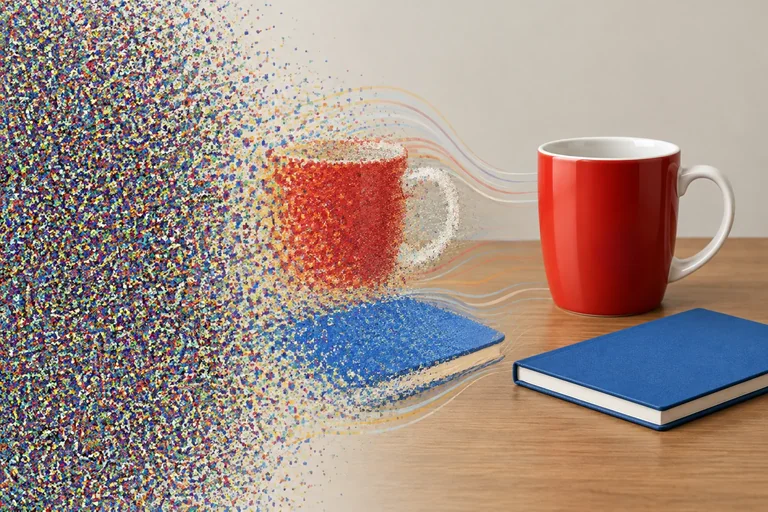
Diffusion is a common approach to image generation, not the only kind of image-model architecture. During training, a diffusion model practices working from deliberately corrupted examples.
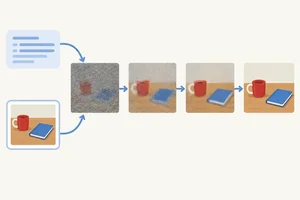
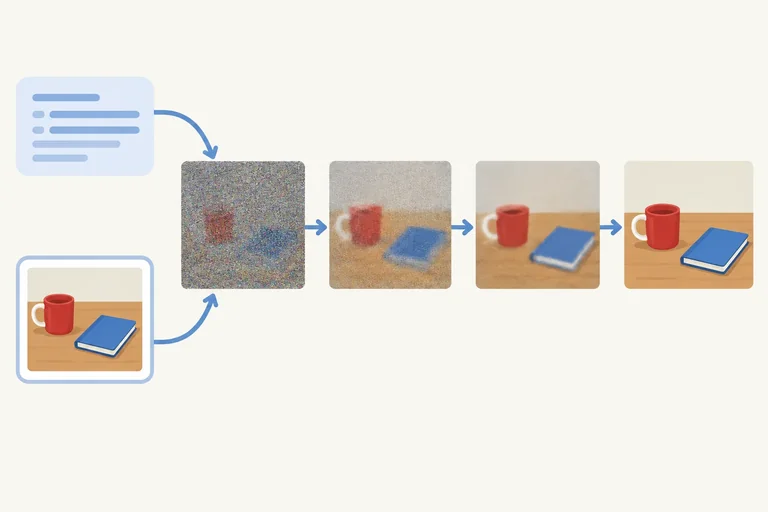
Here, noise means random visual disturbance added to an image representation. As more noise is added, recognizable structure becomes harder to see. The visible pictures below are a simplified way to show the idea.
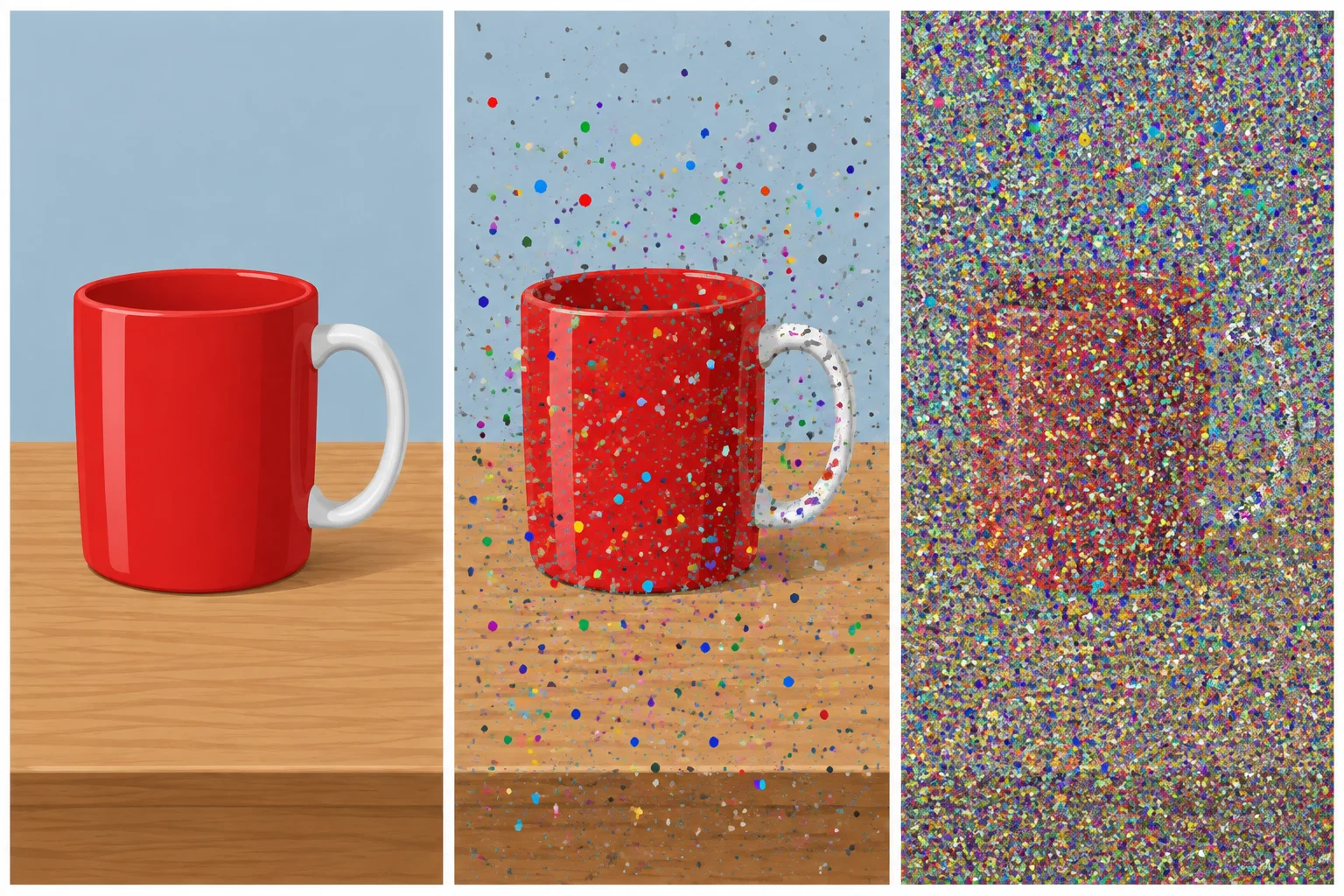
Illustrative example: clean representation → add noise → noisy representation.
Training uses examples at different noise levels. For each example, the original representation and the added noise are known. That provides a learning signal: the model can compare its prediction with the known added noise and adjust what it learns.
Often, the model learns to predict the added noise. Those predictions can then support denoising—reducing noise from a representation. It is learning a useful pattern across many corrupted examples, not storing a fixed sequence of finished pictures.
Tip
A noisy picture is only a teaching illustration. Many diffusion models work on compressed image representations rather than directly on visible pixels. The central idea is the same: training supplies deliberately corrupted examples and feedback about the noise that was added.
Example
Known clean representation + known added noise → compare with the model's prediction → adjust the model during training.
A later image-making attempt is not simply a hidden finished photograph waiting to be revealed.
Which statement best describes the diffusion model's training task?

Step 2 of 8
Follow a simplified diffusion generation attempt from random noise to a generated image, and distinguish it from training.
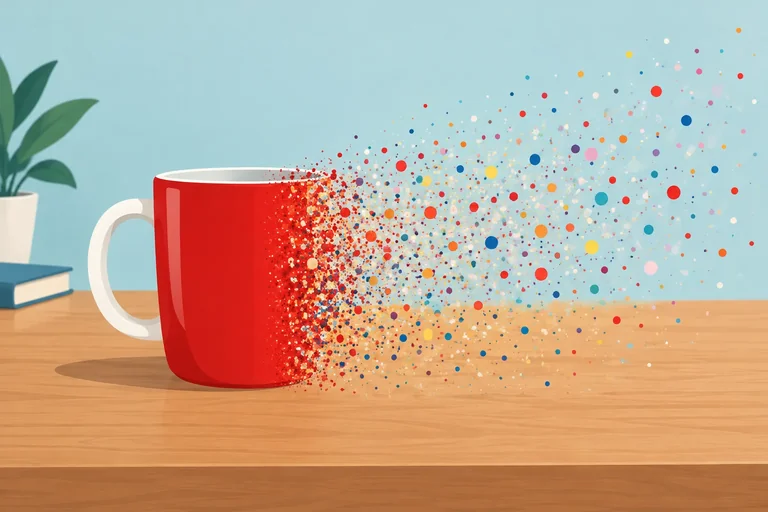
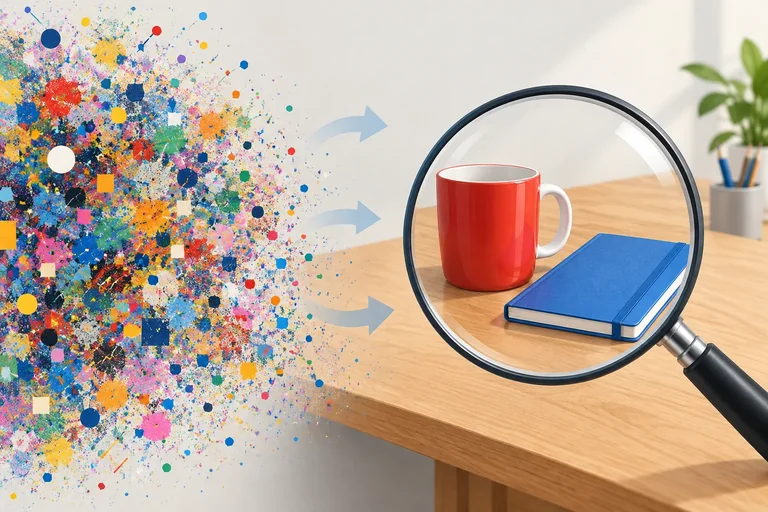
In generation (inference), a text-to-image diffusion system often begins with a random noise representation—not with a hidden original photograph.
The trained model repeatedly makes a denoising prediction. Each prediction is used to change the current representation. Across many updates, visible image structure can emerge from noise.
This is not a fixed process of adding one object at a time. An update may affect broad shapes, colors, edges, or fine details together.
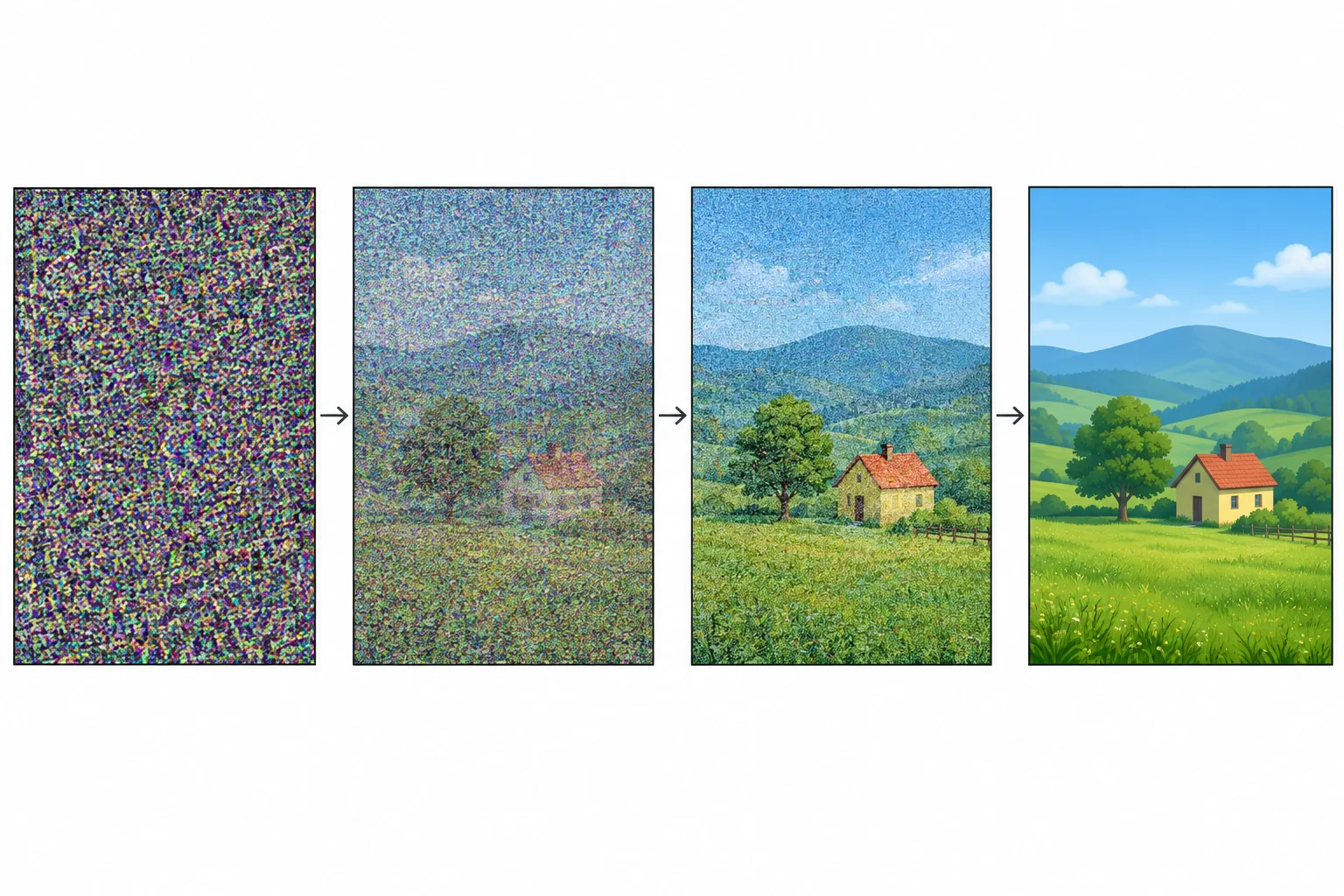
Illustrative example — Start → Update 1 → Update 2 → Final image.
Tip
These are selected illustrative snapshots, not a claim that generation always uses two updates. Real generation uses repeated denoising updates, and a later update does not guarantee that every detail improves.
The model uses an ability learned earlier during training. During an ordinary generation attempt, that learned ability is applied to the developing representation; the model is not retrained for each image.
So there are two different things that can change: training changes the model itself, while generation changes the image representation being developed.
Compare the two processes.
| Process | What changes | What stays fixed |
|---|---|---|
| Training | The model's learned parameters | A particular generation attempt is not being developed |
| Generation | The current image representation | The model's learned parameters |
Put the overall process in order. Include both the training change and the changes during one generation attempt.
Step 3 of 8
Learn how conditioning from a text description or supported reference image steers denoising without guaranteeing exact compliance.
Conditioning is information supplied to a model to steer denoising toward a requested kind of image. It provides direction while the developing image is being updated; it is not a label attached after the image is finished.
A text description can guide requested objects, their appearance, and their relationship throughout generation. It influences the result, but it does not function as an exact rule checker.
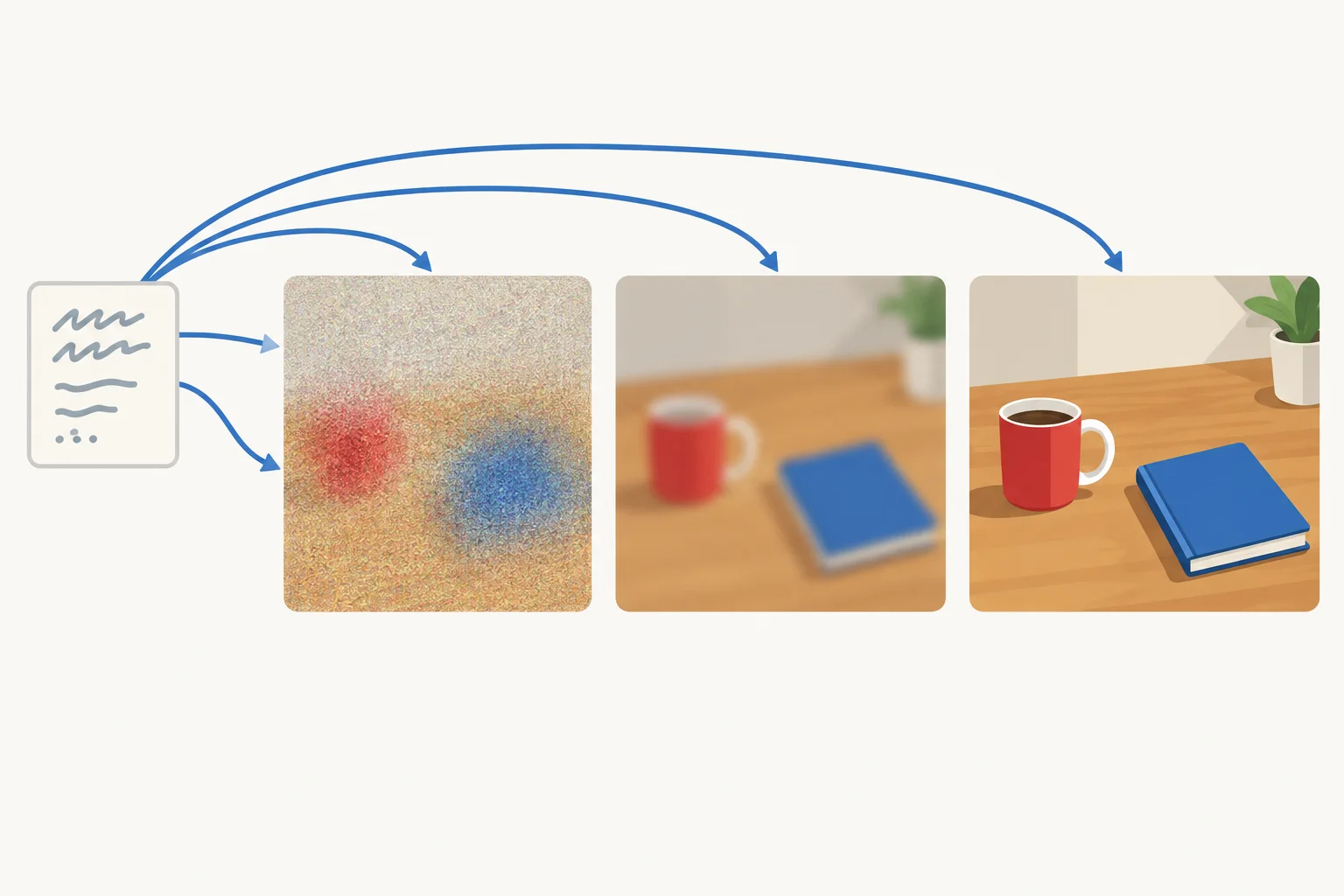
The text description supplies guidance throughout denoising. The arrows show influence, not a guarantee that every requested detail will be exact.
A system may also support a reference image as conditioning. When supported, a reference image can guide aspects such as appearance or composition. Its role depends on the particular system.
Not every image-generation system accepts a reference image, and a supported reference image still does not turn the request into a set of enforced rules.
Example
Illustrative example
Text description: One red mug to the left of one blue notebook on a wooden desk. The mug has a white handle and the word TEA.
This description steers generation toward those requested properties. It does not promise that every property will appear exactly as requested.
If a particular system supports a reference image, that image can provide additional guidance. The model still generates through denoising; the reference image is guidance, not a guaranteed copy or a universal feature.
Which statement is accurate?
Step 4 of 8
See why two images can differ even under the same guidance.
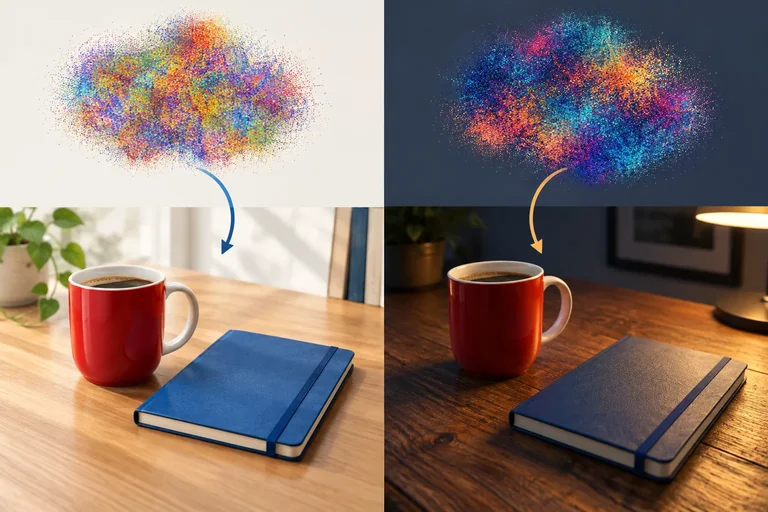
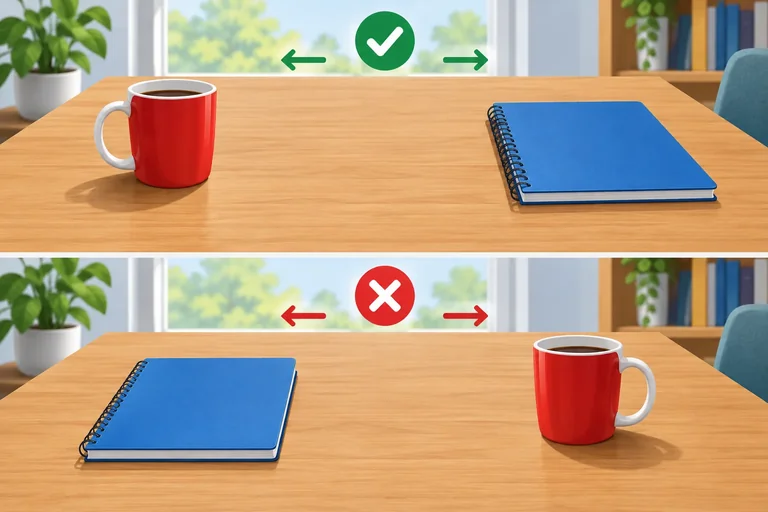
A text description can guide generation, but it does not specify every visual choice. Consider this same description for two separate attempts:
One red mug to the left of one blue notebook on a wooden desk. The mug has a white handle and the word TEA.
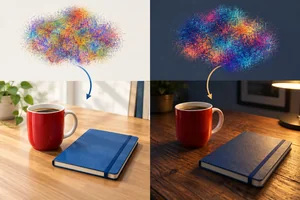
Both attempts can use that identical conditioning and still begin from different random noise representations. As denoising develops each start, the resulting images can differ in choices the description leaves open, such as lighting, viewpoint, wood grain, or the notebook’s angle.
A new attempt is generation, not new training: it changes a developing image representation, not the model’s learned parameters.
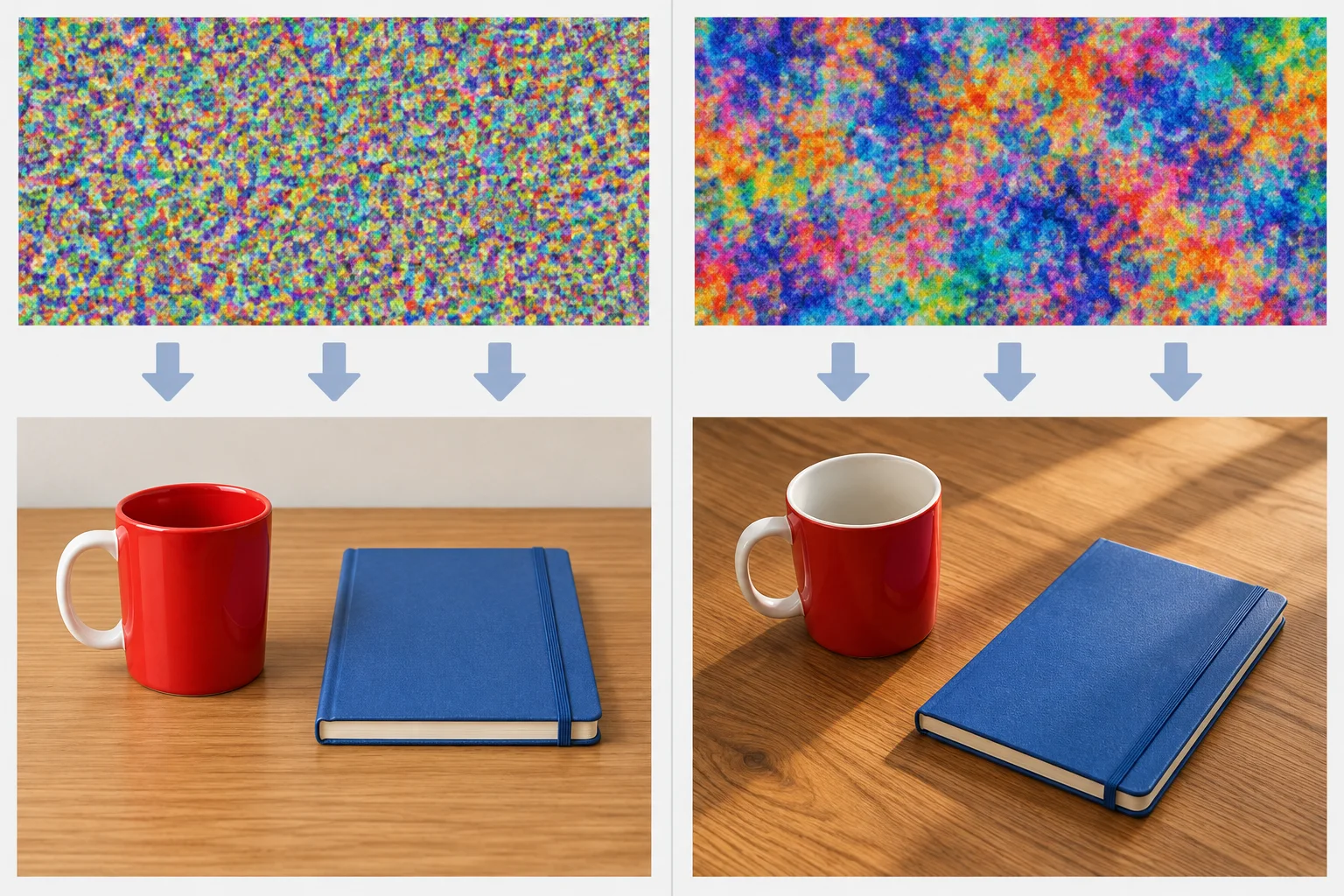
Illustrative example. Run 1 produces Image A; Run 2 produces Image B. The text description, model, and generation settings are the same. The random start differs.
To identify one cause of variation, compare a controlled pair. Hold the text description, model, and generation settings constant, then change only the random start. That comparison supports a limited conclusion: the changed start can lead to a changed output.
In other comparisons, a different model or different generation settings can also affect the result. Do not attribute every difference to randomness unless the comparison controlled those other factors.
Use the controls to decide what the pair demonstrates.
| Factor | In the illustrative pair | Interpretation |
|---|---|---|
| Text description | Held constant | The guidance did not change |
| Model | Held constant | A model difference does not explain this pair |
| Generation settings | Held constant | A settings difference does not explain this pair |
| Random start | Changed | It can account for different outputs |
| Separate comparison | Model or settings may change | These can also cause variation |
Run 1 and Run 2 use the same text description, model, and generation settings, but produce different images. What is the best-supported explanation?
Illustrative example: Run 1 produces Image A and Run 2 produces Image B. The text description, model, and generation settings were held constant.
Write 2–3 sentences explaining why the outputs can differ. State what changed, what did not need to change, and whether the second generation means the model learned from the first one.
Write at least 120 characters (0/120).
Step 5 of 8
Compare illustrated outputs with a requested scene to identify count and spatial mismatches.
A convincing image can still miss a stated arrangement. Check the request as separate facts, not as a general impression.
Requested scene:One red mug to the left of one blue notebook on a wooden desk. The mug has a white handle and the word TEA.
For this step, check three facts from the viewer’s perspective:
Recognizable objects and an attractive wooden desk do not prove that these facts are correct.
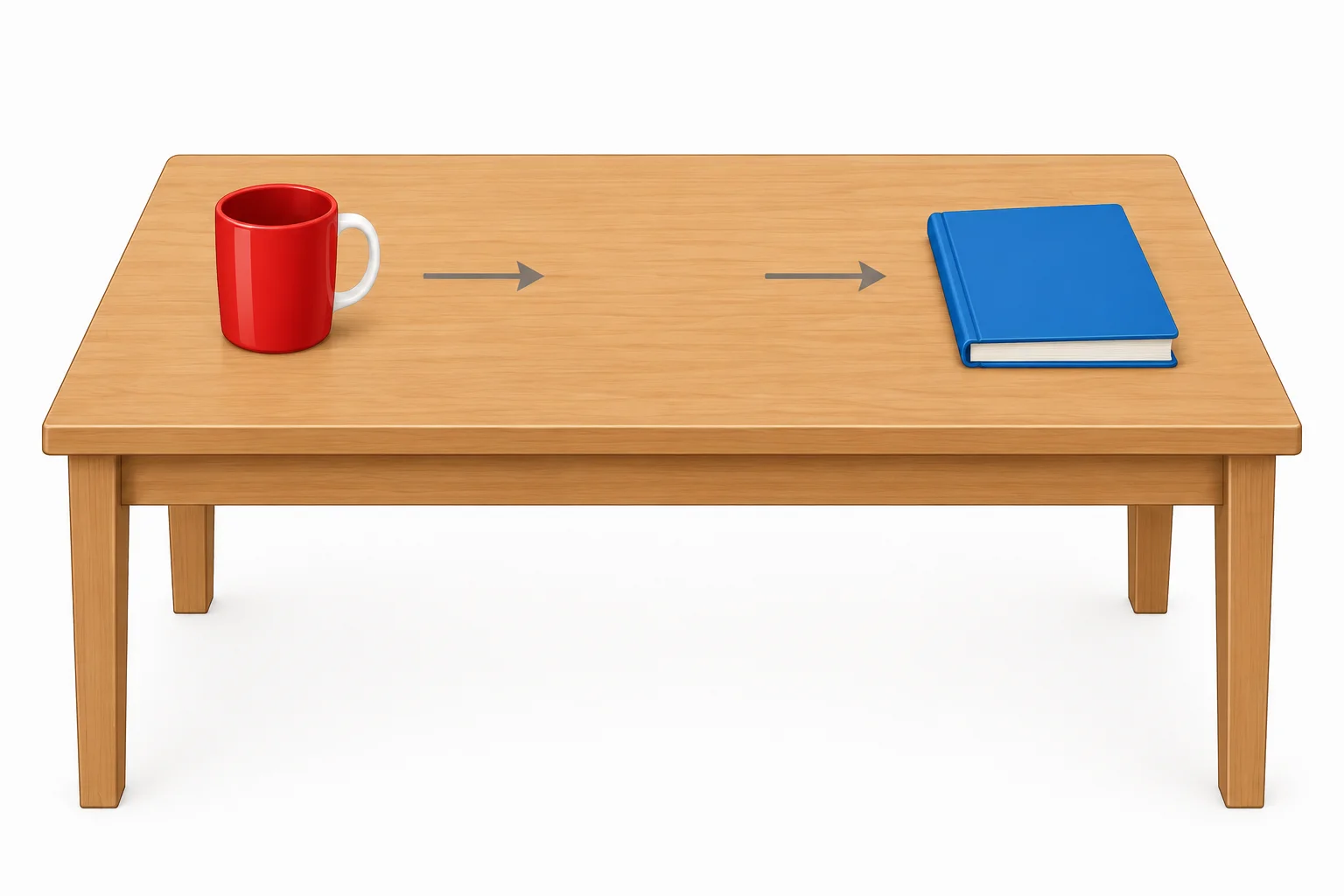
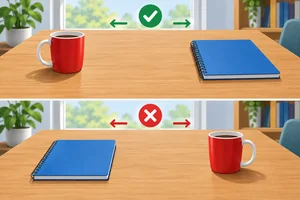
Read left and right from the viewer’s perspective: the mug is left of the notebook.
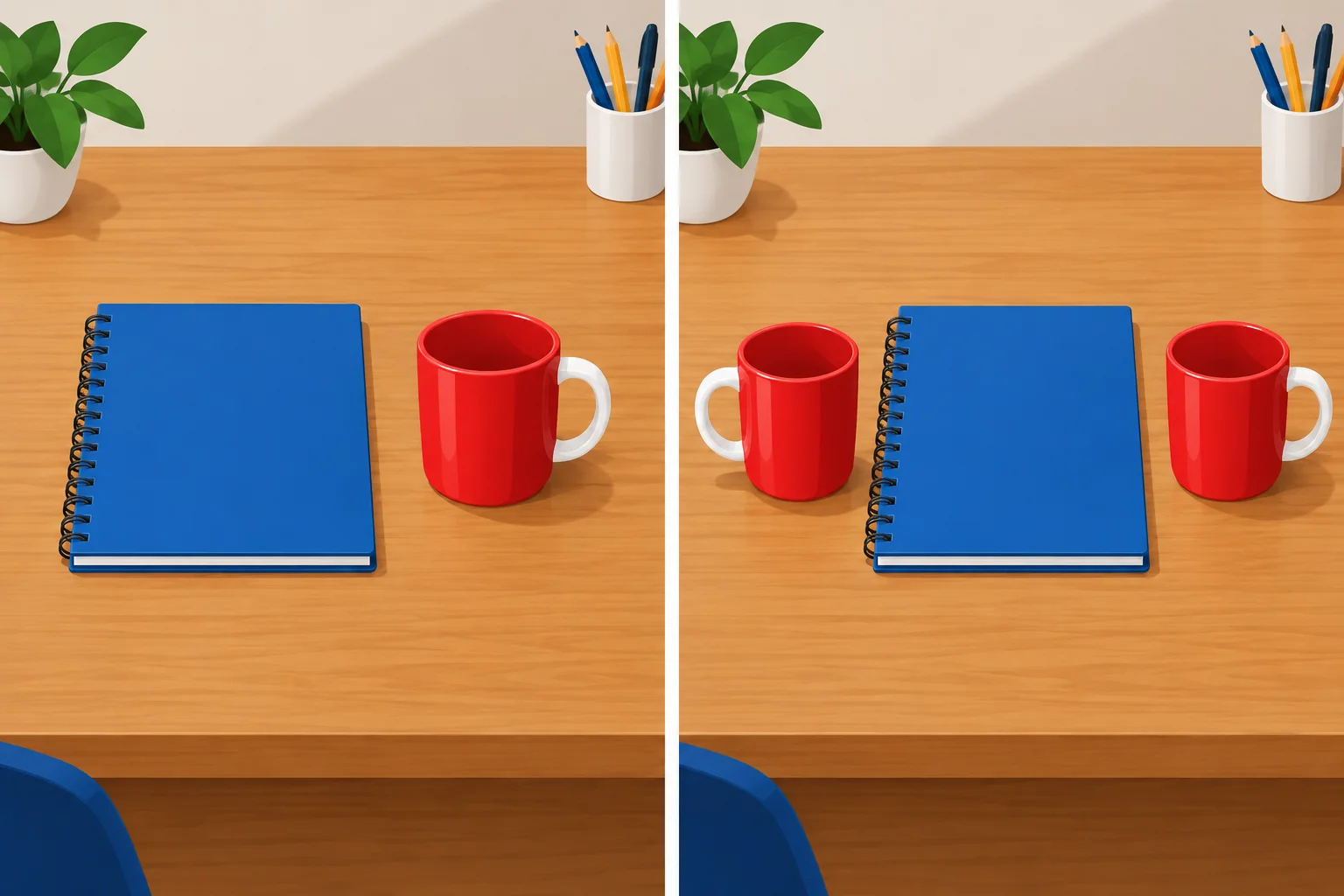
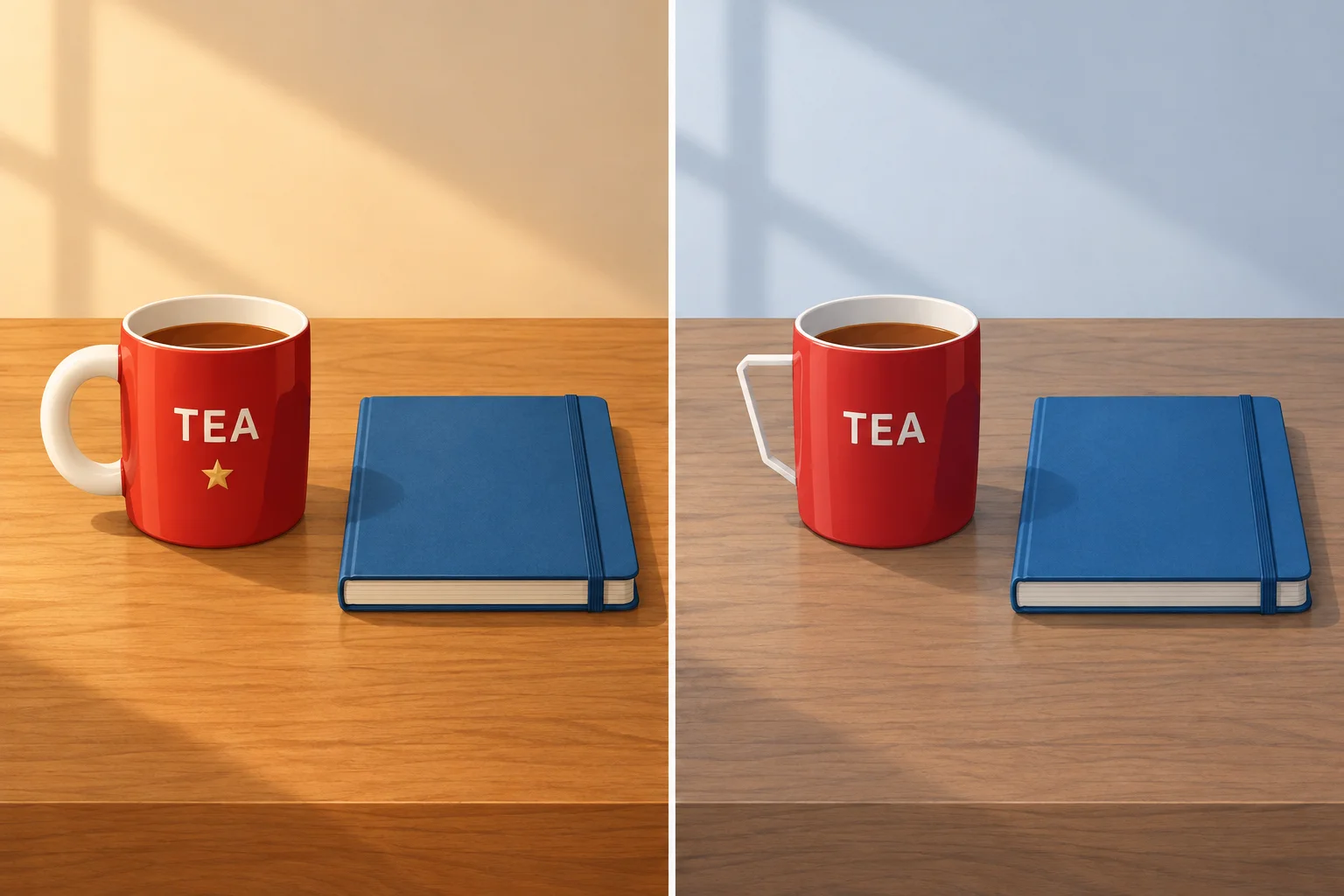
Illustrative example. Image A is the left panel; Image B is the right panel.
Example
Image A has the requested object types and counts, but its 1 mug is on the viewer’s right of the 1 notebook. That is a spatial mismatch.
Image B includes a mug on the viewer’s left, but it shows 2 mugs instead of 1. That is a count mismatch.
A result can have both kinds of mismatch. Check quantity and position independently.
Match each worked result to its classification. Use the stated count and viewer-perspective position as evidence.
Tap an item and then its matching pair.
Step 6 of 8
Check rendered lettering against the exact requested word and describe a mismatch precisely.
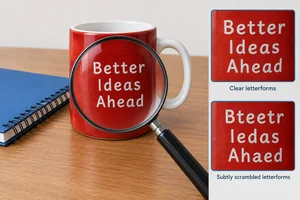
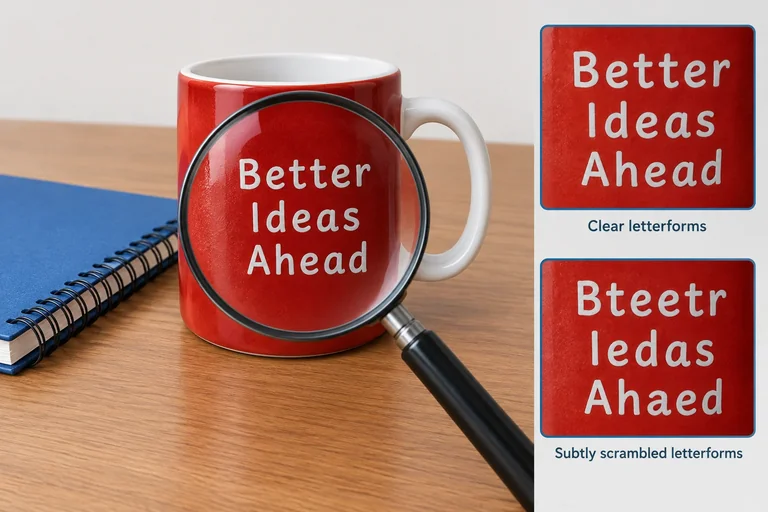
When a diffusion model creates lettering inside an image, it renders visual shapes that resemble letters. It does not automatically insert verified typed text as a text editor would.
So a label can look convincingly word-like while still containing a missing, substituted, repeated, or distorted letter. Check the requested word character by character instead of judging whether the label merely resembles a word.
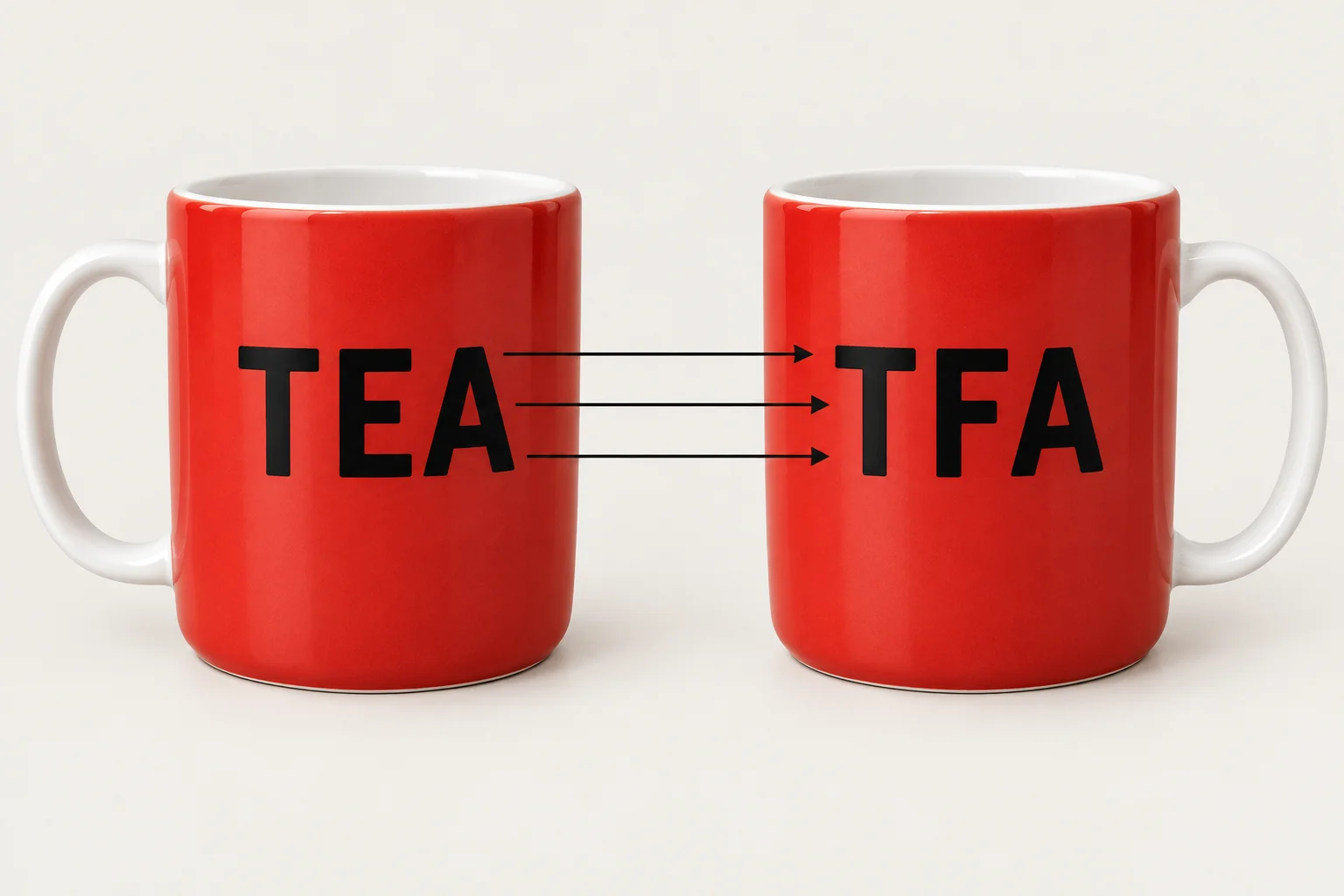
A label can look like a familiar word yet fail an exact character-by-character check.
Tip
The requested lettering is TEA. A result satisfies this detail only when the visible characters match T, then E, then A, in that order.
Text-rendering performance varies across models and versions. A lettering mistake is evidence about this particular result, not proof that every diffusion model always produces unreadable text.
Requested scene:
One red mug to the left of one blue notebook on a wooden desk. The mug has a white handle and the word TEA.
For lettering, record what is actually visible. Do not silently replace an incorrect observed label with the requested word.

Illustrative example — Image B. The scene is polished and the objects are correctly recognizable, but the observed mug lettering is TAE.
Example
The scene can satisfy some requested details while failing another. Here, inspect the lettering separately from the mug color, handle, notebook, desk, and arrangement.
A precise report quotes the observed letters exactly and then compares them with the requested word.
Look back at Image B. Compared with the requested word TEA, what is the exact visible lettering discrepancy? Quote the observed lettering and state what differs.
Write at least 20 characters (0/20).
Step 7 of 8
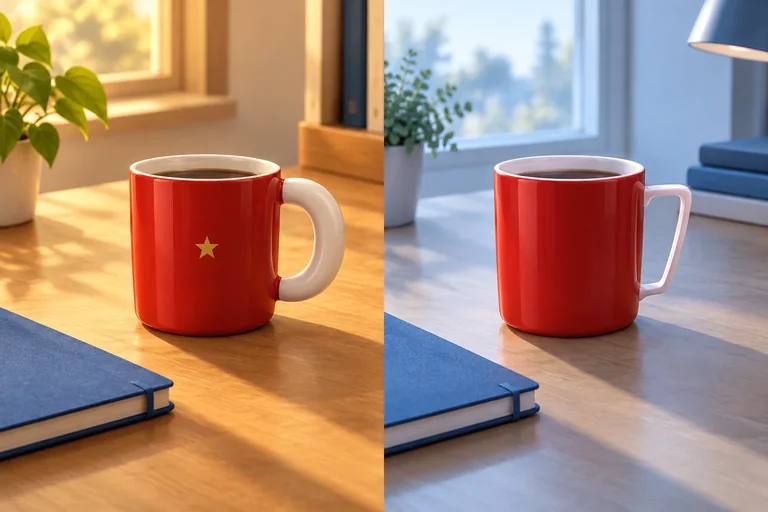
Separate generation attempts do not automatically preserve the identity of a recurring subject. A result can match the broad category—such as a red mug—while changing details that would make it a different mug.
Use the recurring scene description: One red mug to the left of one blue notebook on a wooden desk. The mug has a white handle and the word TEA.
That description specifies 1 mug, 1 notebook, color, position, handle color, and lettering. If a project also needs the same mug in several images, distinctive details such as handle shape, proportions, or a small marking may need to remain stable too. The description can guide those details, but it does not guarantee them.
Illustrative example. Image A and Image B keep the basic scene, but the recurring mug's details are not all the same.
Not every difference is a consistency failure. First ask which properties were meant to remain fixed for the recurring subject, and which properties were not specified.
Compare Image A and Image B as two attempts intended to show the same recurring mug.
| Property | Image A | Image B | Interpretation |
|---|---|---|---|
| Desk lighting | Warm | Cool | Usually incidental if lighting was not fixed |
| Mug color | Red | Red | Broad category remains aligned |
| Handle | Thick, rounded, white | Thin, angular, white | Detail change if the same mug was intended |
| Gold star marking | Present | Absent | Identity-detail change if the mark was meant to recur |
| Lettering | "TEA" | "TEA" | Requested lettering is unchanged |
Image A and Image B were intended to show the same recurring mug. Both are red and show "TEA", but Image B has a thin angular white handle instead of a thick rounded one and lacks the gold star marking. The desk lighting also differs. Which conclusion is best?
Step 8 of 8
Bring together learned denoising, random starts, conditioning, and concrete checks for image-output failures.
A diffusion model learns during training from examples that have been deliberately corrupted with noise. That learned ability is then used during generation: a random noise representation is repeatedly updated toward an image.
Conditioning supplies guidance throughout those updates. Here, the text description is: One red mug to the left of one blue notebook on a wooden desk. The mug has a white handle and the word TEA.
The text description can steer the result, while the random start can contribute to variation. Neither one means that every requested detail is guaranteed.
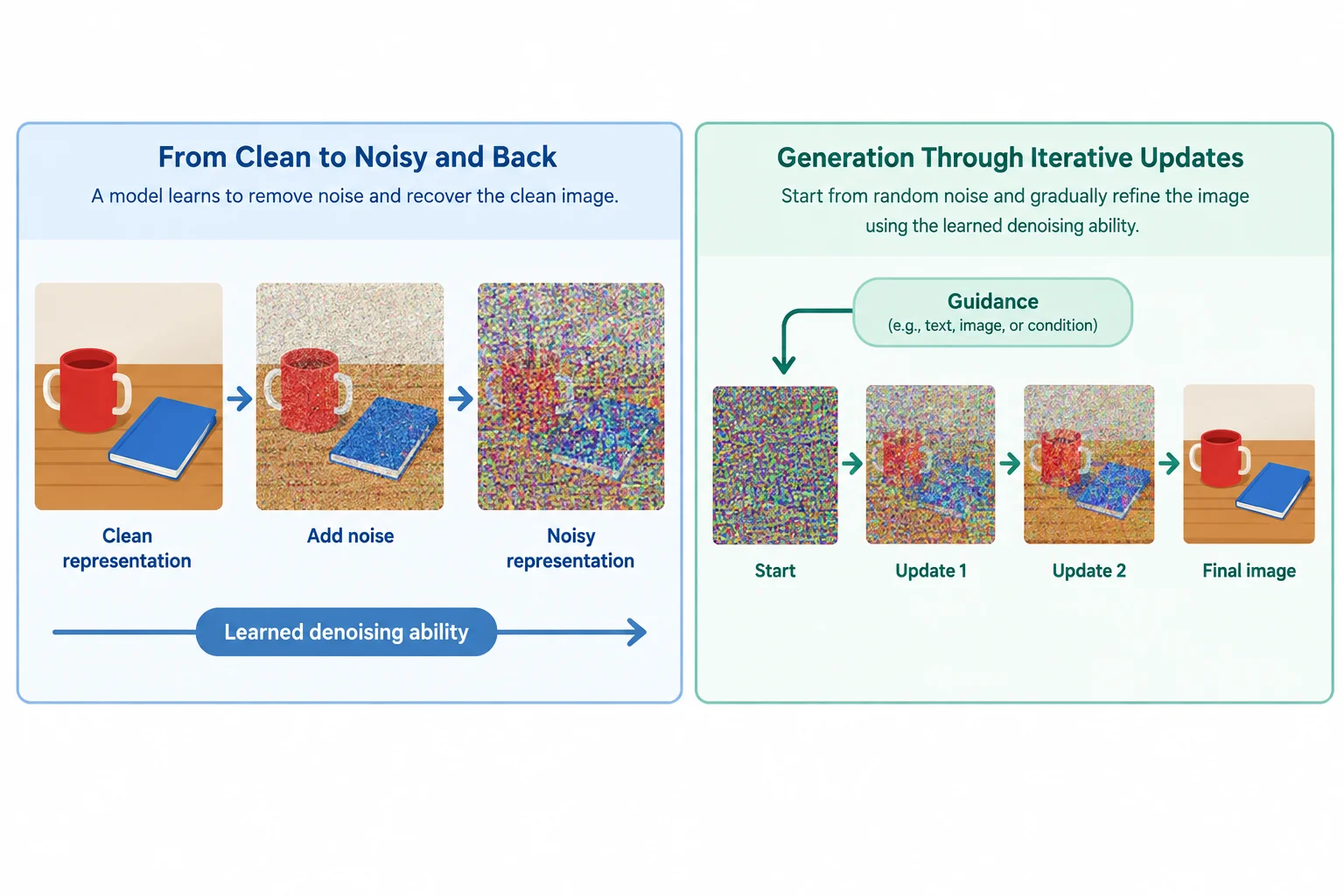
Training learns denoising from corrupted examples. Generation applies that ability to a changing representation; these are selected illustrative snapshots, not a fixed number of updates.
Put this simplified generation sequence in order.
Illustrative example
Both outputs use the same text description:One red mug to the left of one blue notebook on a wooden desk. The mug has a white handle and the word TEA.
For this comparison, assume the same tall mug with a round white handle should recur in both images. Use the observable evidence below rather than relying on whether small lettering is rendered clearly in the illustration.

The illustration supports the comparison. The evidence table records the observations to use for the case check.
Raw observable evidence for the illustrative pair:
| Output | Objects and viewer-perspective position | Lettering | Mug detail |
|---|---|---|---|
| Image A | 1 blue notebook left; 1 red mug right | "TEA" | Tall mug; round white handle |
| Image B | 1 red mug left of 2 blue notebooks | "TFA" | Short wide mug; angular white handle |
Using the generation sequence and the illustrative pair on the previous screens, write a concise case response. Include:
Do not treat a visually convincing result as proof that every requirement was met.
Write at least 250 characters (0/250).
Summary
Congratulations! You completed: How Diffusion Models Generate Images
20 XP
You completed this level!
Up next: Prompting and Verified Assistant Use
 Building and Refining a Task PromptBuild and refine useful prompts in a free-tier assistant such as ChatGPT, Claude, or Gemini, with worked text exchanges as an alternative when access is unavailable.
Thousands of online courses in video, ebooks and audiobooks.
To test your knowledge during online courses
Generated directly from your cell phone's photo gallery and sent to your email

Download our app via QR Code or the links below:.



Carry knowledge in your pocket.
Download the Cursa app.
There are hundreds of free courses available, with a free certificate of completion that is saved in your mobile image gallery.
Download the app to access the Course Completion Certificate for Free.


+ 10 million
students

Free and Valid
Certificate

60 thousand free
exercises

4.8/5 rating in
app stores

Free courses in
video and ebooks