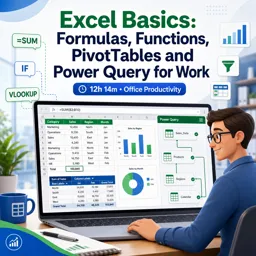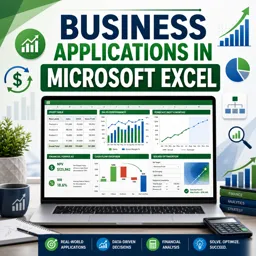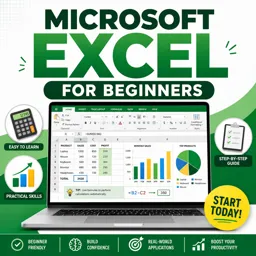


Free ebook on building reliable Excel dashboards, forecasts, process trackers, and Power Query workflows for operations.
Free ebook + audiobook content
-

Operational Workbook Design for Reliability and Scale
+ Exercise: Why should dashboard outputs reference the model layer instead of raw input tables in an operational workbook? 19 minutes
-
Structuring Data as Tables and Building a Single Source of Truth
+ Exercise: In an Excel plus Power Query workflow, what best describes a single source of truth approach for operational dashboards? 18 minutes
-
Controlled Inputs with Data Validation and Standardized Forms
+ Exercise: In an operations tracker, which Data Validation Error Alert type is best when a field must be correct and invalid entries should be blocked? 18 minutes
-
Audit-Friendly Calculations with XLOOKUP, SUMIFS, LET, and LAMBDA Basics
+ Exercise: Which approach is most audit-friendly when retrieving a customer attribute and calculating a metric in an operations dashboard? 20 minutes
-
Error Handling Patterns and Exception-Driven Conditional Formatting
+ Exercise: In an operational dashboard, what is the best way to keep charts reliable while still making data issues actionable? 18 minutes
-
Operational Templates That Standardize Work and Reduce Rework
+ Exercise: In a capture template that feeds a master dataset via folder ingestion, which data should be appended into the master history to minimize rework? 21 minutes


-
Power Query for Data Cleaning, Shaping, and Consolidation
+ Exercise: Which approach best prevents a consolidation failure when appending shipment exports from multiple sources in Power Query? 18 minutes
-
Automated Imports from CSV, Folders, and Multi-Sheet Workbooks
+ Exercise: In a folder import where each file is a full snapshot of the same dataset, what approach best prevents duplicates during refresh? 21 minutes
-
Process Trackers for Inventory, Purchasing Pipelines, and Maintenance Logs
+ Exercise: Which design best prevents overwritten history while still providing a reliable current status in an operational process tracker? 20 minutes
-
Scheduling and SLA Tracking Tools That Surface Bottlenecks
+ Exercise: Why is an event-level Stage Events table preferred over storing only current stage timestamps in a Work Items table for SLA and bottleneck analysis? 21 minutes
-
Forecasting and Capacity Planning with Scenarios and What-If Analysis
+ Exercise: In a scenario-based forecasting model, what should the scenario assumptions table primarily contain? 18 minutes
-
Simple Time-Series Forecasts for Operational Demand and Workload
+ Exercise: When building a daily seasonal naive forecast with weekly seasonality, what should you do if there are missing dates in the time series? 20 minutes
-
Management-Ready Dashboards with PivotTables, Slicers, and KPI Definitions
+ Exercise: Which action most directly prevents contradictory numbers when using multiple PivotTables in one operations dashboard? 18 minutes
-
Mini-Projects, Checklists, and Common Operational Spreadsheet Pitfalls
+ Exercise: When building a Daily Exceptions Board, why should the Exception Reason column output only one primary reason per row using a priority order? 20 minutes
-
Operations Best Practices for Naming, Version Control, Documentation, and Handoffs
+ Exercise: Which file naming choice best supports correct sorting and reduces confusion between versions in an operations Excel tool? 23 minutes
-
Capstone: Building an Operations Control Center Workbook End to End
+ Exercise: What is the main purpose of building a unified Exceptions Queue in the operations control center workbook? 22 minutes
About the free ebook with audio
Excel for Operations: Building Error-Proof Dashboards, Forecasts, and Process Trackers with Power Query
This free ebook shows operations professionals how to build reliable Excel workbooks that turn daily data into clear, actionable decisions. Learn practical design methods for workbooks that are easier to maintain, audit, share, and scale.
Build dependable operational systems in Excel
Start with structured tables, a single source of truth, controlled data entry, and standardized templates. Apply XLOOKUP, SUMIFS, LET, and LAMBDA to create transparent calculations, then use error-handling patterns and conditional formatting to identify exceptions before they become operational problems.
Clean and consolidate data with Power Query
Use Power Query to clean, shape, combine, and refresh data from CSV files, folders, and multi-sheet workbooks. Create repeatable import processes that reduce manual copying, improve consistency, and support trustworthy reporting.
Track processes, capacity, and service performance
Build practical trackers for inventory, purchasing pipelines, maintenance logs, schedules, and SLA commitments. Explore scenario planning, what-if analysis, and simple time-series forecasting to anticipate demand, workload, and capacity needs.
Create dashboards leaders can use
Design management-ready dashboards with PivotTables, slicers, and clearly defined KPIs. The ebook also covers naming conventions, version control, documentation, handoffs, common spreadsheet pitfalls, and an end-to-end operations control center project.
What you will be able to create
- Controlled operational templates that reduce rework
- Refreshable data consolidation workflows
- Exception-focused process trackers and SLA tools
- Forecasting models and scenario-based capacity plans
- Clear dashboards for operational decision-making
How can Power Query consolidate operational data from multiple CSV files?
It can combine files from a folder, apply repeatable cleaning steps, and refresh the consolidated dataset when source files change.
Which Excel formulas help create auditable operational calculations?
XLOOKUP, SUMIFS, LET, and LAMBDA help create structured, reusable calculations with clearer logic.
How can an Excel dashboard highlight SLA breaches and bottlenecks?
Use defined KPIs, PivotTables, slicers, and conditional formatting to surface overdue work, exceptions, and performance trends.
This ebook/audiobook includes:

5 hours and 22 minutes of audio content

Digital certificate of course completion (Free)

Exercises to train your knowledge

100% free, from content to certificate
Ready to get started?

 recommended
In the app you will also find...

Over 5,000 free courses
Programming, English, Digital Marketing and much more! Learn whatever you want, for free.

Study plan with AI
Our app's Artificial Intelligence can create a study schedule for the course you choose.

From zero to professional success
Improve your resume with our free Certificate and then use our Artificial Intelligence to find your dream job.
You can also use the QR Code or the links below.