PivotTables summarize, group, filter, and sort large data sets without changing the original source data.

Duration of the online course: 1 hours and 21 minutes
4.4


(7)
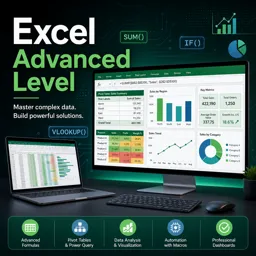
Master advanced Excel skills to analyze big data fast with pivots, smart filtering, validation, and sheet protection—free online course with certificate option.
Take your Excel skills beyond formulas and simple tables and start working like a true data professional. This free online course at an advanced level was designed for anyone who already uses Excel and now wants to handle larger datasets with speed, confidence, and better decision-making. If you work in administration, finance, sales, operations, HR, or analytics, these techniques can immediately upgrade the quality of your reports and the reliability of the spreadsheets you share with others.
Throughout the course, you will learn how to turn raw information into clear, dynamic summaries without touching the original data. You will practice building interactive views that help you filter, sort, and explore results in seconds, making it easier to spot patterns, compare scenarios, and answer questions on demand. This is the kind of productivity boost that reduces manual work and helps you deliver insights faster—especially when deadlines are tight and data keeps changing.
You will also improve how you control access and collaboration inside a workbook. Beyond simply locking a file, you will understand how to protect a worksheet while still letting people interact with specific areas. This approach is essential for shared templates, operational trackers, budget sheets, and any spreadsheet where accuracy matters. The course additionally focuses on securing sensitive cells, preventing unintended edits, and maintaining structure while still keeping the document practical for daily use.
To make your spreadsheets more dependable, you will work with techniques that guide correct user input and reduce errors before they happen. By applying validation rules and limits, you can enforce boundaries such as maximum values, acceptable ranges, or consistent formats—helping your models, dashboards, and operational sheets remain trustworthy over time.
By the end, you will feel comfortable using advanced Excel features to summarize, filter visually, protect content, and standardize data entry. If you are aiming for a promotion, transitioning into a data-focused role, or simply want to deliver cleaner reports with less effort, this course is a practical step forward—and you can complete it online at your own pace.

1 hours and 21 minutes of online video course

Digital certificate of course completion (Free)

Exercises to train your knowledge

100% free, from content to certificate
How do PivotTables create dynamic summaries from large Excel data sets?
PivotTables summarize, group, filter, and sort large data sets without changing the original source data.
How can I protect an Excel worksheet but allow users to edit specific cells?
First unlock the cells users may edit, then protect the worksheet and choose the permitted actions.
How do I restrict an Excel cell to a maximum value, such as a credit limit of 999?
Use Data Validation with a whole-number or decimal rule and set the maximum value to 999.
Ready to get started?Download the app and get started today.
Install the app now
to access the course
Over 5,000 free courses
Programming, English, Digital Marketing and much more! Learn whatever you want, for free.

Study plan with AI
Our app's Artificial Intelligence can create a study schedule for the course you choose.

From zero to professional success
Improve your resume with our free Certificate and then use our Artificial Intelligence to find your dream job.
You can also use the QR Code or the links below.




Free CourseExcel for Beginners: 2-Hour Crash Course in Formulas, Charts and Pivot Tables
5
(11)

2h09m

30 exercises

Free CourseExcel Intermediate to Advanced: Formulas, PivotTables, Power Query, Dashboards and VBA
5
(4)
18h53m
28 exercises

Free CourseMS Excel Beginner to Advanced: Formulas, Charts, Pivot Tables and Shortcuts
5
(4)
10h08m
26 exercises

Free CourseMicrosoft 365 Fundamentals MS-900 Certification Prep Course
5
(3)
3h16m
14 exercises

Free CourseGoogle data studio
5
(1)
3h42m
11 exercises

Free CourseMS Word Complete Course: Basics to Advanced Features
5
(1)
2h47m
20 exercises

Free CourseExcel Basics: Formulas, Functions, PivotTables and Power Query for Work
5
(3)
12h14m
22 exercises

Free CourseBusiness Applications in Microsoft Excel
5
(1)
46m
7 exercises

Free CourseWord for beginners
4.9
(11)
43m
8 exercises

Free CourseWord
4.9
(102)
1h46m
25 exercises
Carry knowledge in your pocket.
Download the Cursa app.
There are hundreds of free courses available, with a free certificate of completion that is saved in your mobile image gallery.
Download the app to access the Course Completion Certificate for Free.


+ 10 million
students

Free and Valid
Certificate

60 thousand free
exercises

4.8/5 rating in
app stores

Free courses in
video and ebooks




Course comments: Excel advanced level
Sachin Katariya
Very nicely covered most of the topics with lucid explanation.