The course covers formula fundamentals plus logical, math, lookup and reference, statistical, text, and date/time formulas, including advanced formula examples.

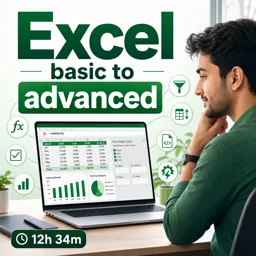
Duration of the online course: 12 hours and 34 minutes
4.8

(236)
Upgrade your Excel skills fast with a free online course—tables, formulas, lookups, and automation tools to boost productivity and career value.
Become confident in Excel—from your first spreadsheet to advanced techniques that save hours of work. This free online course is designed for anyone who wants to turn messy data into clear, reliable answers, whether you’re studying, managing a business, or working in an office role that depends on accurate reporting. You’ll build a strong foundation in everyday Excel tasks and then progress into the tools that make your work faster, cleaner, and more professional.
You’ll start by learning practical essentials like entering and editing data efficiently, using keyboard shortcuts, formatting numbers correctly, and organizing information across worksheets. As you advance, you’ll work comfortably with cells and ranges, make sense of large datasets using Excel tables, and speed up repetitive tasks with features like AutoFill, custom lists, and Flash Fill—perfect for cleaning up names, dates, codes, and patterns without manual copying.
The course then moves into the core of what makes Excel powerful: formulas. You’ll learn how formulas are built, how Excel calculates results, and how to write dependable expressions using logical functions, math tools, and statistical calculations. From there, you’ll level up with lookup and reference techniques that help you pull the right data from lists, match records, and analyze information across sheets with confidence. You’ll also handle real-world text scenarios using functions that extract, combine, and reshape text, plus date and time formulas that support schedules, timelines, and reporting.
To help you work like a pro, you’ll explore named ranges (including dynamic versions), add safeguards with data validation and drop-down lists, and master sorting and filtering for quick analysis—even when data isn’t perfectly consistent. Finally, you’ll use conditional formatting to spot trends, errors, and key values instantly, making dashboards and reports easier to read and act on. By the end, you’ll be able to build spreadsheets that are accurate, efficient, and ready for real workplace demands.

12 hours and 34 minutes of online video course

Digital certificate of course completion (Free)

Exercises to train your knowledge

100% free, from content to certificate
What Excel formulas are covered in this basic-to-advanced course?
The course covers formula fundamentals plus logical, math, lookup and reference, statistical, text, and date/time formulas, including advanced formula examples.
How do I create Excel drop-down lists and prevent invalid data entry?
You can use Excel Data Validation to create drop-down lists and restrict cells to valid values, dates, numbers, or custom rules.
What is the difference between AutoFill and Flash Fill in Excel?
AutoFill extends patterns, series, and formulas, while Flash Fill recognizes examples you provide and automatically extracts or combines data.
Ready to get started?Download the app and get started today.
Install the app now
to access the course
Over 5,000 free courses
Programming, English, Digital Marketing and much more! Learn whatever you want, for free.

Study plan with AI
Our app's Artificial Intelligence can create a study schedule for the course you choose.

From zero to professional success
Improve your resume with our free Certificate and then use our Artificial Intelligence to find your dream job.
You can also use the QR Code or the links below.




Free CourseExcel for Beginners: 2-Hour Crash Course in Formulas, Charts and Pivot Tables
5
(10)

2h09m

30 exercises

Free CourseExcel Intermediate to Advanced: Formulas, PivotTables, Power Query, Dashboards and VBA
5
(4)
18h53m
28 exercises

Free CourseMS Excel Beginner to Advanced: Formulas, Charts, Pivot Tables and Shortcuts
5
(4)
10h08m
26 exercises

Free CourseMicrosoft 365 Fundamentals MS-900 Certification Prep Course
5
(3)
3h16m
14 exercises

Free CourseGoogle data studio
5
(1)
3h42m
11 exercises

Free CourseMS Word Complete Course: Basics to Advanced Features
5
(1)
2h47m
20 exercises

Free CourseExcel Basics: Formulas, Functions, PivotTables and Power Query for Work
5
(3)
12h14m
22 exercises

Free CourseBusiness Applications in Microsoft Excel
5
(1)
46m
7 exercises

Free CourseWord for beginners
4.9
(11)
43m
8 exercises

Free CourseWord
4.9
(102)
1h46m
25 exercises
Carry knowledge in your pocket.
Download the Cursa app.
There are hundreds of free courses available, with a free certificate of completion that is saved in your mobile image gallery.
Download the app to access the Course Completion Certificate for Free.


+ 10 million
students

Free and Valid
Certificate

60 thousand free
exercises

4.8/5 rating in
app stores

Free courses in
video and ebooks





Course comments: Excel basic to advanced
Students found the free online course helpful, informative, beginner-friendly, and easy to understand. They especially valued its practical Excel guidance, comprehensive coverage, clear teaching, and accessible learning pace.
Meet Furia
This is is very much useful for beginners. And every details keys and controls are explained
Jaymin Baraiya
Course provides knowledge and partical use of MS Excel. Its makes easier to understand and use Excel.
Juanita Phiri
very helpful as i use excel on a regular basis
Amit kumar Shaw
I think no one can teach better than him
Jakey Barua
it's really helpful. . .
pratiksha anil gujar
Excellent course...!!!
Atharva Shile
Nicely taught by the respective sir. Really was an awesome experience and the introduction part was absolutely a masterpiece. What a keen teaching!!!
LONEWOLF GAMING
I only saw 6 videos till now but this course is really outstanding u had covered each and every detail of excel.
Ghulam Hussain
Excellent course for everyone
Balbulee Raphael
very understandable,