Type sheets.new into your browser’s address bar to create a new untitled spreadsheet.

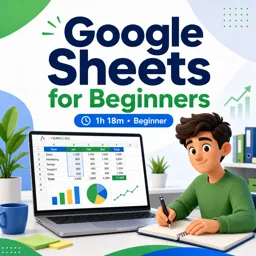
Duration of the online course: 1 hours and 18 minutes
2

(2)
Boost your productivity with a free Google Sheets course: build spreadsheets, use formulas, freeze headers, and work smarter online. Certificate-ready skills.
Build confidence in spreadsheets and turn everyday data into clear, useful insights with this free beginner-friendly course in Google Sheets. Designed for anyone starting from scratch, it helps you move beyond simply typing into cells and into working with sheets in a way that feels organized, fast, and reliable. Whether you need better workflows for school, your first job, a small business, or personal budgeting, you will learn practical habits that make spreadsheets less intimidating and far more powerful.
You will start by learning how to access Google Sheets quickly and create a new spreadsheet directly from your browser, so you can jump into work without wasted clicks. From there, the course guides you through the essentials of navigating a sheet, entering and formatting data, and building a clean layout that others can read and trust. A key focus is learning to use basic formulas confidently, including the go-to function for adding values across a range, so your totals update automatically as your data changes.
As your sheets grow, staying oriented becomes a real challenge. You will learn how to keep headers visible while scrolling, making larger datasets easier to review and share. You will also discover ways to view your work with fewer distractions, which is especially helpful when presenting, proofreading, or focusing on accuracy. Along the way, you will explore built-in tools that can suggest insights, help you spot patterns, and speed up common tasks, so you can work smarter even as a beginner.
Finally, the course introduces a concept that prevents one of the most common spreadsheet mistakes: controlling which cell references change when you copy formulas. Understanding absolute references helps you scale calculations safely and keep results consistent. By the end, you will be able to create and manage spreadsheets with more clarity, apply foundational functions, and use features that improve speed, accuracy, and professionalism in Google Sheets.

1 hours and 18 minutes of online video course

Digital certificate of course completion (Free)

Exercises to train your knowledge

100% free, from content to certificate
What is the fastest way to open a new Google Sheet in a browser?
Type sheets.new into your browser’s address bar to create a new untitled spreadsheet.
How do I keep header rows visible while scrolling in Google Sheets?
Use View > Freeze to keep selected rows or columns, such as headers, visible while you scroll.
Why use absolute cell references in Google Sheets formulas?
Absolute references, such as $A$1, lock a cell reference so it does not change when a formula is copied.
Ready to get started?Download the app and get started today.
Install the app now
to access the course
Over 5,000 free courses
Programming, English, Digital Marketing and much more! Learn whatever you want, for free.

Study plan with AI
Our app's Artificial Intelligence can create a study schedule for the course you choose.

From zero to professional success
Improve your resume with our free Certificate and then use our Artificial Intelligence to find your dream job.
You can also use the QR Code or the links below.




Free CourseExcel for Beginners: 2-Hour Crash Course in Formulas, Charts and Pivot Tables
5
(10)

2h09m

30 exercises

Free CourseExcel Intermediate to Advanced: Formulas, PivotTables, Power Query, Dashboards and VBA
5
(4)
18h53m
28 exercises

Free CourseMS Excel Beginner to Advanced: Formulas, Charts, Pivot Tables and Shortcuts
5
(4)
10h08m
26 exercises

Free CourseMicrosoft 365 Fundamentals MS-900 Certification Prep Course
5
(3)
3h16m
14 exercises

Free CourseGoogle data studio
5
(1)
3h42m
11 exercises

Free CourseMS Word Complete Course: Basics to Advanced Features
5
(1)
2h47m
20 exercises

Free CourseExcel Basics: Formulas, Functions, PivotTables and Power Query for Work
5
(3)
12h14m
22 exercises

Free CourseBusiness Applications in Microsoft Excel
5
(1)
46m
7 exercises

Free CourseWord for beginners
4.9
(11)
43m
8 exercises

Free CourseWord
4.9
(102)
1h46m
25 exercises
Carry knowledge in your pocket.
Download the Cursa app.
There are hundreds of free courses available, with a free certificate of completion that is saved in your mobile image gallery.
Download the app to access the Course Completion Certificate for Free.


+ 10 million
students

Free and Valid
Certificate

60 thousand free
exercises

4.8/5 rating in
app stores

Free courses in
video and ebooks