
Add dollar signs to lock a column and/or row, such as $A$1, so the reference does not change when you copy a formula.

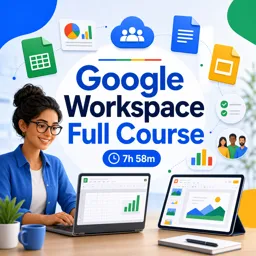
Duration of the online course: 7 hours and 58 minutes
4.8


(4)
Boost productivity fast with this free Google Workspace course: master Sheets, Docs and Slides with practical tips, shortcuts and a certificate-ready skillset.
Improve how you work, study, or manage projects with a practical Google Workspace learning path focused on the tools most teams rely on every day. This course is designed for anyone who wants to move from basic usage to confident, efficient workflows in Google Sheets, Google Slides, and Google Docs, using real features that save time and reduce mistakes.
In Google Sheets, you will build a strong foundation and then step into advanced techniques that make data easier to organize and analyze. You will practice quicker ways to start new spreadsheets, work efficiently in large datasets, and apply formulas such as summing ranges. You will also learn how to keep headers visible while scrolling, why absolute references matter when copying formulas, and how to use built-in assistance like the Explore tool to get insights without manual effort. The goal is not just knowing where buttons are, but understanding how to make spreadsheets faster, cleaner, and more reliable.
For Google Slides, the course helps you create presentations that look consistent and feel polished, even under deadline pressure. You will learn the purpose and value of the startup page, key shortcuts to speed up slide creation and presenting, and the best ways to enrich slides with visuals such as images and videos. You will also understand automatic saving, so your work is protected, and explore advanced layout control through the slide master, which is essential for maintaining brand consistency and avoiding repetitive formatting.
In Google Docs, you will gain confidence creating and editing documents in the web app, moving beyond typing into smoother document production. The lessons focus on smart creation habits and productivity details, including efficient navigation when working with tables. Combined, these skills help you collaborate better, produce professional materials, and work comfortably in cloud-based environments commonly used across modern workplaces.
By the end, you will be able to handle everyday office productivity tasks with greater speed and accuracy, communicate ideas more clearly, and contribute more effectively in school, freelance work, or team roles where Google Workspace is the standard.

7 hours and 58 minutes of online video course

Digital certificate of course completion (Free)

Exercises to train your knowledge

100% free, from content to certificate
How do I use absolute cell references in Google Sheets formulas?
Add dollar signs to lock a column and/or row, such as $A$1, so the reference does not change when you copy a formula.
What is the Google Sheets Explore button used for?
Explore helps analyze selected data by suggesting charts, summaries, formulas, and answers to questions.
How does Slide Master work in Google Slides?
Slide Master lets you set shared layouts, fonts, colors, and placeholders that apply consistently across presentation slides.
Ready to get started?Download the app and get started today.
Install the app now
to access the course
Over 5,000 free courses
Programming, English, Digital Marketing and much more! Learn whatever you want, for free.

Study plan with AI
Our app's Artificial Intelligence can create a study schedule for the course you choose.

From zero to professional success
Improve your resume with our free Certificate and then use our Artificial Intelligence to find your dream job.
You can also use the QR Code or the links below.




Free CourseExcel for Beginners: 2-Hour Crash Course in Formulas, Charts and Pivot Tables
5
(10)

2h09m

30 exercises

Free CourseExcel Intermediate to Advanced: Formulas, PivotTables, Power Query, Dashboards and VBA
5
(4)
18h53m
28 exercises

Free CourseMS Excel Beginner to Advanced: Formulas, Charts, Pivot Tables and Shortcuts
5
(4)
10h08m
26 exercises

Free CourseMicrosoft 365 Fundamentals MS-900 Certification Prep Course
5
(3)
3h16m
14 exercises

Free CourseGoogle data studio
5
(1)
3h42m
11 exercises

Free CourseMS Word Complete Course: Basics to Advanced Features
5
(1)
2h47m
20 exercises

Free CourseExcel Basics: Formulas, Functions, PivotTables and Power Query for Work
5
(3)
12h14m
22 exercises

Free CourseBusiness Applications in Microsoft Excel
5
(1)
46m
7 exercises

Free CourseWord for beginners
4.9
(11)
43m
8 exercises

Free CourseWord
4.9
(102)
1h46m
25 exercises
Carry knowledge in your pocket.
Download the Cursa app.
There are hundreds of free courses available, with a free certificate of completion that is saved in your mobile image gallery.
Download the app to access the Course Completion Certificate for Free.


+ 10 million
students

Free and Valid
Certificate

60 thousand free
exercises

4.8/5 rating in
app stores

Free courses in
video and ebooks




Course comments: Google workspace full course
Nuage Laboratoire
ghovpp
Resalyn C. Colomer
This is course is amazing. I learned a lot... I recommend this course