
You can create a new presentation, open recent files, browse templates, and access presentations stored in Google Drive.

Duration of the online course: 56 minutes
4.7


(6)
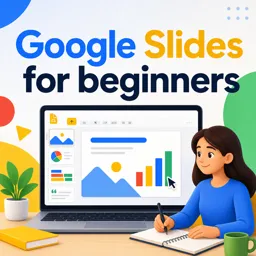
Create polished presentations fast with this free Google Slides course—learn shortcuts, media tools, and autosave essentials to boost your productivity.
Want to create presentations that look professional without wasting hours on formatting and manual tweaks? This beginner-friendly course helps you get comfortable with Google Slides from the very first steps, so you can turn ideas into clear, visual slides that communicate well. If you have ever opened Slides and felt unsure where to start, you will learn how the interface works and how to navigate it with confidence, even if you have never used a presentation tool before.
You will understand what Google Slides is, how it fits into everyday office productivity, and why it is widely used for school, work, and personal projects. The course walks you through the startup page and shows how it supports faster creation, organization, and access to your recent work. You will also discover the advantage of cloud-based editing and how built-in automatic saving helps protect your progress, reducing the risk of losing work due to crashes or accidental closures.
Speed matters when deadlines are tight, so you will practice essential keyboard shortcuts that make slide creation and presenting smoother. You will learn how to insert new slides efficiently and how to start presenting instantly, helping you stay focused on your message rather than clicking through menus. Along the way, you will build a clearer picture of Google Slides as a tool and its evolution, giving you context on why the platform has become a reliable option for modern presentations.
To make your slides more engaging, you will explore how to add visual impact with media. Learn how to bring presentations to life by inserting images and videos in a way that supports your story instead of distracting from it. By the end, you will have the core skills to create, edit, and present confidently, making this a practical starting point for anyone aiming to improve their office productivity and communication skills.

56 minutes of online video course

Digital certificate of course completion (Free)

Exercises to train your knowledge

100% free, from content to certificate
What can you do from the Google Slides startup page?
You can create a new presentation, open recent files, browse templates, and access presentations stored in Google Drive.
What is the keyboard shortcut to insert a new slide in Google Slides?
Press Ctrl+M on Windows or ChromeOS, or Command+M on Mac.
Does Google Slides automatically save changes?
Yes. Google Slides uses automatic saving to store changes in Google Drive and help prevent data loss.
Ready to get started?Download the app and get started today.
Install the app now
to access the course
Over 5,000 free courses
Programming, English, Digital Marketing and much more! Learn whatever you want, for free.

Study plan with AI
Our app's Artificial Intelligence can create a study schedule for the course you choose.

From zero to professional success
Improve your resume with our free Certificate and then use our Artificial Intelligence to find your dream job.
You can also use the QR Code or the links below.




Free CourseExcel for Beginners: 2-Hour Crash Course in Formulas, Charts and Pivot Tables
5
(11)

2h09m

30 exercises

Free CourseExcel Intermediate to Advanced: Formulas, PivotTables, Power Query, Dashboards and VBA
5
(4)
18h53m
28 exercises

Free CourseMS Excel Beginner to Advanced: Formulas, Charts, Pivot Tables and Shortcuts
5
(4)
10h08m
26 exercises

Free CourseMicrosoft 365 Fundamentals MS-900 Certification Prep Course
5
(3)
3h16m
14 exercises

Free CourseGoogle data studio
5
(1)
3h42m
11 exercises

Free CourseMS Word Complete Course: Basics to Advanced Features
5
(1)
2h47m
20 exercises

Free CourseExcel Basics: Formulas, Functions, PivotTables and Power Query for Work
5
(3)
12h14m
22 exercises

Free CourseBusiness Applications in Microsoft Excel
5
(1)
46m
7 exercises

Free CourseWord for beginners
4.9
(11)
43m
8 exercises

Free CourseWord
4.9
(102)
1h46m
25 exercises
Carry knowledge in your pocket.
Download the Cursa app.
There are hundreds of free courses available, with a free certificate of completion that is saved in your mobile image gallery.
Download the app to access the Course Completion Certificate for Free.


+ 10 million
students

Free and Valid
Certificate

60 thousand free
exercises

4.8/5 rating in
app stores

Free courses in
video and ebooks




Course comments: Google Slides for beginners
nokuzola Dorothy
best examples best explanation