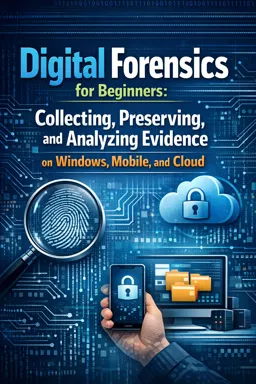


Free ebook on digital forensics: preserve, collect, and analyze Windows, mobile, cloud, memory, and network evidence.
Free ebook + audiobook content
-

Investigation Mindset and Legal-Ethical Guardrails
+ Exercise: Which action best reduces confirmation bias during a digital forensics investigation? 18 minutes
-
Forensic Soundness, Hashing, and Evidence Integrity
+ Exercise: Which approach best supports forensic soundness when verifying a disk image after acquisition and transfer? 17 minutes
-
Evidence Intake, Documentation, and Chain of Custody
+ Exercise: Which intake action best supports an auditable chain of custody when receiving multiple similar devices? 19 minutes
-
Disk, Partition, and File System Essentials for Examinations
+ Exercise: Why is having a full-disk (physical) image often more useful than capturing only a single volume when looking for remnants of old data? 22 minutes
-
Forensic Imaging Workflows with FTK Imager
+ Exercise: In FTK Imager, what is the key difference between adding a physical drive as an evidence item and using Create Disk Image? 18 minutes
-
Triage Versus Full Forensics in Incident Response
+ Exercise: In incident response, which situation most strongly suggests using a hybrid approach of triage everywhere and full forensics somewhere? 18 minutes
-
Rapid Collection with KAPE and Targeted Artifact Sets
+ Exercise: In a rapid collection workflow using KAPE, what is the main benefit of separating Targets from Modules? 16 minutes


-
Windows User Activity Artifacts for Attribution and Timeline Building
+ Exercise: When trying to attribute a suspected user action on Windows, what approach produces a stronger, more defensible finding? 20 minutes
-
Registry, Event Logs, and Persistence Indicators
+ Exercise: When you find a suspicious Registry Run key entry, what is the best next step to support a defensible conclusion about whether it executed? 19 minutes
-
Browser, Download, and Web Account Evidence
+ Exercise: When analyzing browser artifacts on Windows, what is the best way to infer which online account a user likely used for a web service? 19 minutes
-
File Execution and Access Traces: Prefetch, LNK, and Jump Lists
+ Exercise: When correlating Prefetch, Jump Lists, and LNK artifacts, which pairing best matches each artifact to its strongest investigative value? 19 minutes
-
Memory Forensics Basics with Volatility
+ Exercise: During Windows memory triage, what does it most likely indicate if a process appears in windows.psscan but not in windows.pslist? 18 minutes
-
Network Traffic Review with Wireshark and Simple Log Analysis
+ Exercise: In a beginner network forensics workflow, what is a practical way to combine logs and packet captures to investigate suspicious activity? 21 minutes
-
Mobile Evidence Workflows and Acquisition Limitations
+ Exercise: Why is it important to verify and document what was actually collected immediately after a mobile device extraction? 21 minutes
-
Android Evidence: Backups, File System Artifacts, and App Data Considerations
+ Exercise: Why is it important to collect SQLite companion files (-wal and -shm) along with the main .db file during Android app data acquisition? 18 minutes
-
iOS Evidence: Logical Extraction, Backups, and Privacy Constraints
+ Exercise: Why is preserving the entire iOS local backup folder (instead of copying only a few files) important for reliable analysis? 18 minutes
-
Cloud and SaaS Evidence Collection from Microsoft 365 and Google Workspace
+ Exercise: Why is it important to validate the columns and completeness of exported cloud audit logs after collection? 21 minutes
-
Retention, Legal Holds, and Audit Log Preservation in Cloud Investigations
+ Exercise: During a cloud incident response, what is the best way to reduce the risk of missing audit events due to delayed ingestion? 18 minutes
-
Scenario Lab: Employee Data Theft Investigation
+ Exercise: When investigating suspected employee data theft that uses normal tools, what approach best strengthens your conclusion about exfiltration? 15 minutes
-
Scenario Lab: Phishing Investigation and Account Access Reconstruction
+ Exercise: Why should a phishing investigation correlate email evidence with identity and audit logs instead of relying on the email alone? 19 minutes
-
Scenario Lab: Ransomware Triage and Evidence Preservation
+ Exercise: During ransomware triage on a Windows workstation, which containment approach best balances stopping spread while preserving volatile evidence? 19 minutes
-
Scenario Lab: Lost or Stolen Phone Case Handling
+ Exercise: In a lost or stolen corporate phone incident where the device is not available, which approach best supports both immediate risk reduction and later investigation? 17 minutes
-
Analysis Workflow in Autopsy and Sleuth Kit
+ Exercise: Why is choosing Disk Image versus Logical Files important when adding a data source in Autopsy? 17 minutes
-
Timeline Construction, Time Zones, and Time Skew Controls
+ Exercise: When building a multi-source forensic timeline, what is the best practice for handling time skew while preserving evidence integrity? 16 minutes
-
Reporting, Findings Validation, and Expert-Ready Writing
+ Exercise: Which approach best reflects expert-ready validation of a key forensic finding? 15 minutes
-
Templates, Checklists, and Repeatable Procedures
+ Exercise: Which combination best explains how repeatable procedures, checklists, and templates work together in a beginner digital forensics workflow? 18 minutes
-
Common Mistakes That Invalidate Evidence and How to Avoid Them
+ Exercise: Which approach best helps prevent evidence from being challenged due to unclear provenance when collecting from multiple devices or accounts? 22 minutes
-
Glossary, Diagrams, Mini-Quizzes, and Skills Reinforcement Exercises
+ Exercise: In the evidence-to-finding pipeline, what is the main purpose of the corroboration step? 17 minutes
-
Capstone Case: End-to-End Investigation and Complete Forensic Report
+ Exercise: Which approach best supports a defensible conclusion about the likely exfiltration path in this case? 22 minutes
About the free ebook with audio
Digital Forensics for Beginners: Collecting, Preserving, and Analyzing Evidence on Windows, Mobile, and Cloud
This free ebook introduces a practical, defensible approach to digital forensic investigations across Windows devices, mobile platforms, networks, and cloud services. It explains how to collect evidence responsibly while protecting integrity, documenting every action, and working within legal and ethical boundaries.
Build reliable evidence-handling skills
Learn the principles behind forensic soundness, cryptographic hashing, chain of custody, evidence intake, disk structures, and forensic imaging. The ebook shows how careful preservation and repeatable procedures help make findings more reliable and easier to explain.
Examine common sources of digital evidence
- Windows artifacts, including Registry data, Event Logs, Prefetch, LNK files, Jump Lists, browser history, and download traces.
- Rapid triage and targeted collection with tools such as FTK Imager and KAPE.
- Memory analysis fundamentals with Volatility and network review with Wireshark.
- Android and iOS acquisition considerations, backups, app data, and privacy limitations.
- Microsoft 365 and Google Workspace evidence, audit logs, retention, and legal holds.
Turn artifacts into defensible findings
Explore timeline construction, time-zone controls, analysis workflows in Autopsy and Sleuth Kit, validation techniques, and clear forensic reporting. Scenario-based exercises cover employee data theft, phishing, ransomware, and lost or stolen phones.
Practice a structured investigation workflow
From the first evidence intake through the final report, this ebook emphasizes accuracy, documentation, preservation, and validation. It also includes templates, checklists, common mistakes to avoid, a glossary, mini-quizzes, and a capstone case for reinforcing core forensic skills.
What is chain of custody in digital forensics?
It is the documented record of who collected, handled, transferred, and stored evidence from acquisition through reporting.
How do forensic hashes protect digital evidence?
Hashes provide a digital fingerprint that investigators compare to confirm evidence has not changed.
What Windows artifacts can help show program execution?
Prefetch files, LNK files, Jump Lists, Registry entries, and Event Logs can help reconstruct execution and user activity.
This ebook/audiobook includes:

9 hours and 11 minutes of audio content

Digital certificate of course completion (Free)

Exercises to train your knowledge

100% free, from content to certificate
Ready to get started?

 recommended
In the app you will also find...

Over 5,000 free courses
Programming, English, Digital Marketing and much more! Learn whatever you want, for free.

Study plan with AI
Our app's Artificial Intelligence can create a study schedule for the course you choose.

From zero to professional success
Improve your resume with our free Certificate and then use our Artificial Intelligence to find your dream job.
You can also use the QR Code or the links below.