Why Retention and Legal Holds Matter in Cloud Investigations
What this chapter covers: how cloud retention policies, legal holds, and audit log preservation determine whether evidence still exists when you need it, and how to keep it available long enough to investigate. In cloud environments, data is routinely deleted, rotated, or compacted by design (mailbox cleanup, log rotation, short default retention, user self-service deletion, and automated lifecycle rules). A strong investigation plan therefore includes a “preservation first” phase focused on preventing further loss of relevant data.
Retention vs. legal hold (plain-language distinction): retention is a rule that automatically keeps or deletes data according to a schedule (for example, keep email for 7 years, delete chat messages after 30 days). A legal hold is an override that prevents deletion of potentially relevant data, usually tied to a case, custodian, or matter. Retention is broad and ongoing; legal holds are targeted and event-driven. In practice, you often need both: retention to ensure baseline availability, and legal holds to freeze specific data when an incident or dispute arises.
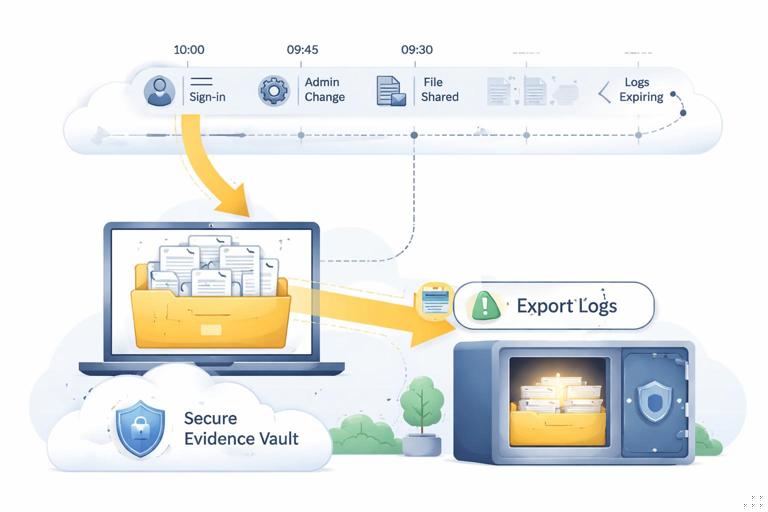
Audit logs are special: audit logs are not just “another dataset.” They are the record of actions taken in the cloud: sign-ins, admin changes, mailbox access, file sharing, token grants, and configuration edits. Many investigations fail because audit logs were never enabled, were retained for too short a period, or were not exported before the provider rotated them. Treat audit logs as time-sensitive evidence that must be preserved early.
Core Concepts: Retention, Holds, and Immutability
Retention policies (what they do and what they do not do)
Retention policies define how long data is kept and what happens when the period ends (retain, delete, or retain-then-delete). In cloud services, retention may apply differently depending on the workload: email, chat, files, calendars, and third-party app data can each have separate retention controls. Retention policies typically operate at the service layer, not at the storage block level, meaning they preserve items in a way that is compatible with the application (for example, preserving a mailbox item even if a user deletes it).
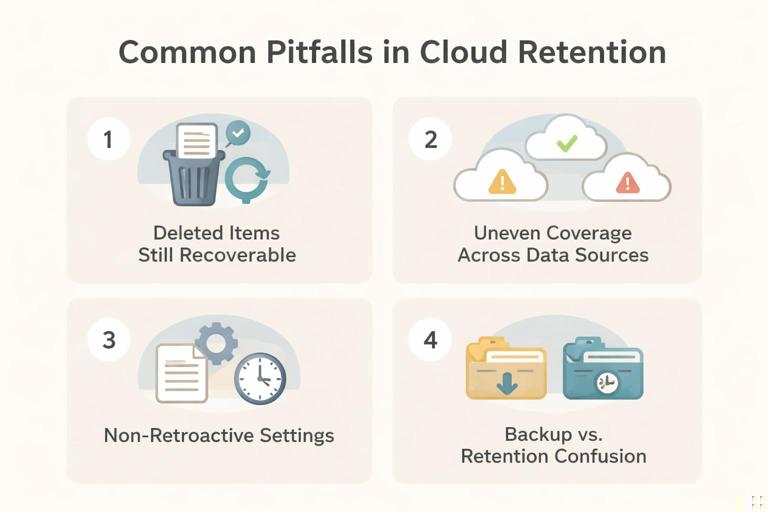
Common pitfalls: (1) assuming “deleted” means gone immediately (many services have recoverable item stores), (2) assuming retention applies to all data sources equally (it may not cover certain logs or third-party integrations), (3) assuming retention is retroactive (some settings only apply from the time they are enabled), and (4) confusing backup with retention (backups are operational recovery; retention is governance and evidence availability).
- Listen to the audio with the screen off.
- Earn a certificate upon completion.
- Over 5000 courses for you to explore!

Download the app
Legal holds (purpose and scope)
Legal holds are designed to prevent deletion or modification of relevant content for a defined scope. Scope can be by custodian (a user account), by location (a site, mailbox, shared drive), or by query (items matching certain keywords, dates, or metadata). Holds often preserve content in a hidden, system-managed location while allowing users to continue normal operations. This is critical in cloud investigations: you want to stop evidence loss without disrupting business more than necessary.
Holds are not magic: a hold can preserve items that would otherwise be deleted, but it cannot resurrect data that was already purged before the hold was placed. That is why “time to hold” is a key metric. Also, holds may not cover every artifact you care about (for example, some audit logs, ephemeral chat, or third-party app telemetry may require separate preservation steps).
Audit log preservation (retention windows and export strategy)
Audit logs have retention windows that can be short by default. Even when a platform offers extended retention, it may require specific licensing tiers or configuration. Investigators should assume logs are perishable and plan to export them to a controlled repository early. Exporting also protects you from later administrative changes, tenant reconfiguration, or account deprovisioning that could reduce access.
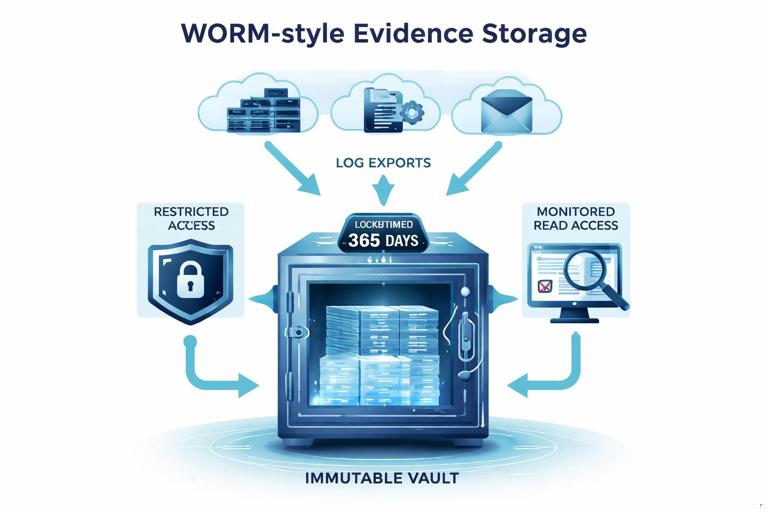
Immutability and WORM concepts: for high-value logs, consider storage controls that prevent alteration or deletion for a set period (often called WORM: write once, read many). In practice, this means exporting logs to a storage location with immutability policies, restricted write permissions, and monitored access. The goal is to reduce the risk of tampering and to ensure logs remain available through the investigation timeline.
Planning a Preservation Strategy (Before the Incident)
Define what “must be retained” for investigations
Start by mapping likely investigation questions to data sources and minimum retention periods. Examples: “Who accessed this file?” requires file access logs and sharing events; “Was MFA disabled?” requires identity and admin audit logs; “Was data exfiltrated?” may require download events, sharing links, and sign-in telemetry. Translate these into retention requirements such as “retain sign-in logs for 180 days,” “retain admin audit logs for 1 year,” and “retain email and chat for 2 years.”
Also define custodian categories (executives, finance, IT admins, developers) that may require longer retention or faster hold placement. Cloud investigations often hinge on privileged accounts; ensure admin actions and role changes are retained longer than ordinary user activity.
Establish roles and approvals
Retention and holds are governance actions that may require legal, HR, privacy, and security approvals. Predefine who can request a hold, who can implement it, and who can remove it. Create a simple intake form that captures: case identifier, scope (users/sites), date range, data types, and reason. This reduces delays when time-sensitive evidence is at risk.
Design for least privilege and separation of duties
Because retention and holds can expose sensitive content, implement separation of duties: the person who administers holds should not be the same person who is the subject of the investigation, and access to preserved data should be limited to a small group. Use dedicated investigation/admin accounts where possible, and ensure all actions taken to configure retention and holds are themselves logged.
Step-by-Step: Responding to an Incident with Preservation Actions
Step 1: Identify the “preservation boundary”
Define what you must freeze immediately. A practical approach is to start with: (1) suspected user accounts, (2) privileged/admin accounts that could have made changes, (3) key repositories (shared drives, team sites, project folders), and (4) audit logs for identity, admin actions, and file activity. Write down the earliest known suspicious time and add buffer on both sides (for example, 14 days before and after) to account for reconnaissance and cleanup.
Step 2: Place legal holds on custodians and key locations
Implement holds for the accounts and repositories in scope. If your platform supports query-based holds, use them carefully: overly narrow queries can miss relevant items; overly broad holds can increase cost and review burden. A common approach is to start broad (custodian-based hold for the main subjects) and then refine with additional targeted holds for specific projects, keywords, or date ranges as the investigation develops.
Practical checklist for hold placement: confirm the correct identities (UPN/email), include shared mailboxes or delegated access locations if relevant, include collaboration spaces where the custodian participates, and document the exact settings (scope, query, date/time applied). Verify that the hold is active and that the platform reports success.
Step 3: Extend retention where logs are at risk of expiring
If you discover that audit logs or message history are near their retention limit, extend retention immediately if your platform allows it. Be aware that some services apply retention changes prospectively. If you cannot extend retention retroactively, prioritize exporting the remaining logs before they roll off.
Step 4: Export audit logs to a controlled repository
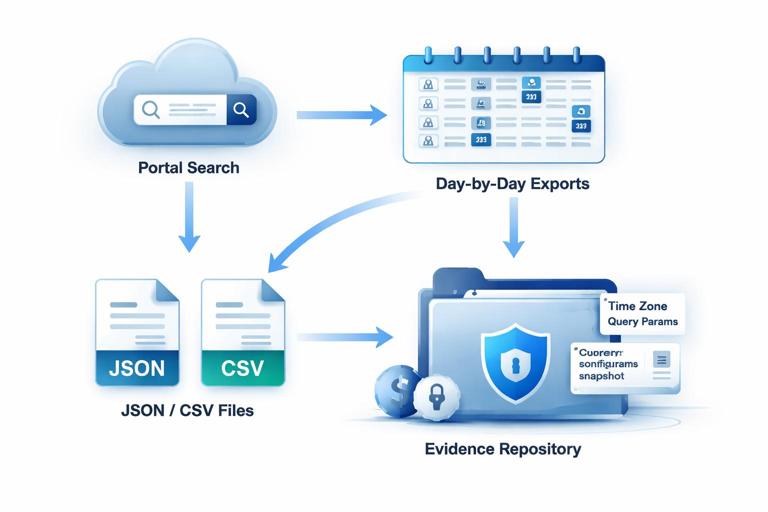
Do not rely solely on in-console searches. Export relevant audit logs for the incident window and store them in a controlled location. Include: identity sign-in events, admin/audit events, file access and sharing events, mailbox access events (if available), and security alert logs. Export in original formats offered by the platform (JSON/CSV) and keep metadata such as export time, query parameters, and time zone settings.
Export strategy tips: export by smaller time slices (for example, day-by-day) to reduce query timeouts and to make later review easier; include both “successful” and “failed” sign-ins; capture events for service principals and OAuth apps if your environment uses them; and export configuration snapshots (current retention settings, role assignments, conditional access policies) because these can change during response.
Step 5: Preserve configuration state and admin changes
In cloud investigations, configuration is evidence. Preserve the state of identity and security settings that could explain how access occurred: MFA settings, conditional access rules, role assignments, app consent grants, forwarding rules, external sharing settings, and mailbox delegation. Even if you later remediate, you need a record of what was in place at the time of the incident.
A practical method is to export configuration reports or run administrative queries that output current settings to files stored alongside the audit logs. Treat these as time-stamped snapshots. If the platform supports it, also export change history for these settings (who changed what and when).
Audit Log Preservation: What to Capture and How to Avoid Gaps
Minimum viable audit log set for many investigations
While exact names vary by provider, most cloud investigations benefit from capturing these categories: (1) authentication logs (interactive and non-interactive sign-ins), (2) admin audit logs (role changes, policy edits, tenant settings), (3) file activity logs (view, download, share, permission changes), (4) email or messaging audit logs (mailbox access, message send rules, forwarding, delegation), and (5) application activity logs (OAuth consent, token grants, service principal changes). If you must prioritize, start with authentication and admin audit logs because they often establish initial access and persistence.
Time normalization and time zone handling
Cloud logs may be recorded in UTC, while incident reports and user statements are often in local time. When exporting, note the time zone used by the portal and by the export format. During analysis, normalize to a single time standard (commonly UTC) and record the conversion method. Misaligned time zones can create false gaps or apparent overlaps in activity.
Dealing with delayed ingestion and eventual consistency
Some cloud audit events appear with delays (minutes to hours) due to ingestion pipelines. If you export logs too early, you may miss late-arriving events. A practical approach is to do an initial export for immediate triage, then schedule a second export for the same window after a delay (for example, 24–48 hours) to capture late events. Keep both exports and label them clearly.
Retention and Holds for Common Cloud Data Types
Email and calendars
Email investigations often require preserving messages, attachments, mailbox access events, and mailbox configuration (forwarding, delegates, rules). Retention policies can keep messages even after user deletion, but you must ensure the policy is enabled and applies to the relevant mailbox. Legal holds are typically custodian-based and are useful when you suspect deliberate deletion or mailbox cleanup.
Chat and collaboration messages
Chat data can be more volatile than email, especially if users can edit or delete messages. Retention policies may be set to delete chats after short periods for privacy or cost reasons. If an incident involves collaboration tools, place holds quickly and confirm whether edits and deletions are preserved as separate events or as overwritten content. Also capture membership and role changes in channels or groups, since access to a conversation can change over time.
Cloud files and shared repositories
For cloud storage, retention and holds may apply at the site, folder, or user drive level. Investigations often need version history, sharing links, permission changes, and download activity. Ensure retention settings preserve versions long enough to recover earlier content. If your environment uses lifecycle rules that delete old versions, review and adjust them when an incident is suspected.
Identity and access configuration
Identity configuration is frequently the “control plane” evidence: role assignments, MFA methods, conditional access, and app registrations. Retention here is mostly about audit logs and configuration snapshots rather than content retention. Make sure admin audit logs are retained longer than the typical user activity logs, and export them early.
Practical Workflow: Building a Preservation Package
What a “preservation package” contains
A preservation package is a structured set of exports and snapshots that you can hand to an investigator or store for later analysis. It typically includes: exported audit logs for the incident window, a list of custodians and locations placed on hold, screenshots or exported reports showing retention/hold settings, configuration snapshots (identity and security settings), and an index file describing what is included and how it was collected (queries, filters, time zone, export timestamps).
Folder structure example
Case-2026-001_Preservation/ 00_README_Index.txt 01_Holds_and_Retention/ holds_scope.csv retention_settings_snapshot.pdf 02_Audit_Logs/ auth_signins_2026-01-01_to_2026-01-07.json admin_audit_2026-01-01_to_2026-01-07.json file_activity_2026-01-01_to_2026-01-07.csv 03_Config_Snapshots/ roles_and_assignments.csv conditional_access_policies.json app_consents_and_oauth_grants.csv 04_Notes/ export_queries_and_filters.txtStep-by-step: creating the package in practice
Step A: Create a case folder and index file. Start with a unique case identifier and create an index file that lists each export, the source system, the time range, and the operator account used to export it. Record the time zone and the exact filters used.
Step B: Export logs in overlapping windows. Export the primary incident window, then export an overlap window (for example, an extra day before and after). Overlaps help when you later correlate events across systems and reduce the risk of missing boundary events.
Step C: Capture “settings at time of incident”. Export or screenshot the current retention policies, hold configurations, and key security settings. If you later change policies during remediation, these snapshots preserve what was true at the time you started response.
Step D: Store in restricted, monitored storage. Place the package in a repository with restricted access and monitoring. Ensure only the investigation team can read it, and only a smaller subset can write to it. If available, enable immutability for the exported logs and the index file to prevent accidental or malicious modification.
Common Failure Modes and How to Prevent Them
Failure mode: holds placed on the wrong identity
Cloud environments often have aliases, renamed accounts, guest users, and multiple identities per person. Prevent this by validating the unique identifier used by the platform (object ID) and confirming the mailbox/site actually belongs to the intended custodian. Include guests and external collaborators if they are part of the incident path.
Failure mode: assuming retention covers audit logs
Content retention and audit log retention are frequently separate. A tenant may retain email for years but keep sign-in logs for only weeks. Prevent this by maintaining a retention matrix that lists each log type and its retention period, and by scheduling periodic exports to long-term storage for critical logs.
Failure mode: exporting only “filtered” views
Portal views often apply implicit filters (for example, showing only certain event types or only successful actions). When exporting, prefer raw exports that include all event fields and both success and failure outcomes. If you must filter, document the filter and perform a second export with broader criteria.
Failure mode: losing access due to account changes
During incidents, accounts may be disabled, roles changed, or tenants reconfigured. If your export process depends on a single admin account, you can lose access midstream. Use dedicated investigation roles and ensure at least two authorized operators can perform exports. Export early, then verify that the exported files are readable and complete.