CIA stands for confidentiality, integrity, and availability—the three core goals of information security.

Duration of the online course: 2 hours and 7 minutes
4.8

(375)
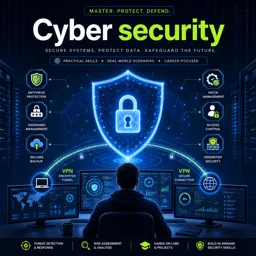
Build real-world cybersecurity skills with a free online course covering policies, firewalls, password hygiene, patching, VPNs and more—perfect for career growth.
Strengthen your ability to protect systems, networks, and data with a practical introduction to cybersecurity fundamentals. This free online course is designed to help you think like a defender: identify common weaknesses, understand how attackers take advantage of them, and apply straightforward controls that reduce risk in real environments. Whether you are exploring a future in security or you support technology in any role, you will leave with clearer judgment about what matters most and how to prioritize protections.
You will build a solid foundation of core concepts and security mindset, including how confidentiality, integrity, and availability guide daily decisions. From there, you will connect those ideas to policies and procedures that organizations rely on to keep security consistent and measurable. You will also see why human behavior and awareness are often just as important as technical tools, and how small mistakes can lead to major exposure.
As you progress, the course focuses on hands-on, job-relevant scenarios: improving physical and wireless security, understanding rogue access points, and applying perimeter defenses with firewalls. You will practice strengthening authentication through better password management and learn how reducing unnecessary services can shrink your attack surface. You will also explore essential operations tasks like patch management and endpoint protection, with an emphasis on why these controls fail in practice and how to implement them more effectively.
Finally, you will learn how to protect information while it moves across networks by using encryption and VPN concepts, helping you choose stronger approaches for safer communication. Throughout the course, short quizzes and labs reinforce decision-making, making it easier to transfer what you learn into workplace routines, personal projects, or the next step in your cybersecurity learning path.

2 hours and 7 minutes of online video course

Digital certificate of course completion (Free)

Exercises to train your knowledge

100% free, from content to certificate
What does the CIA triad mean in cybersecurity?
CIA stands for confidentiality, integrity, and availability—the three core goals of information security.
What is a rogue access point and why is it dangerous?
A rogue access point is an unauthorized wireless device on a network that can expose traffic or provide attackers with access.
What will I learn about VPNs in this cybersecurity course?
You will learn how VPNs protect data in transit through encryption and why strong encryption is important for secure remote access.
Ready to get started?Download the app and get started today.
Install the app now
to access the course
Over 5,000 free courses
Programming, English, Digital Marketing and much more! Learn whatever you want, for free.

Study plan with AI
Our app's Artificial Intelligence can create a study schedule for the course you choose.

From zero to professional success
Improve your resume with our free Certificate and then use our Artificial Intelligence to find your dream job.
You can also use the QR Code or the links below.



Free CourseFoundations of Cryptography: Symmetric, Public-Key, Hashing and Signatures
5
(1)

32h51m

57 exercises
Free CourseInformation Security Management Fundamentals
5
(8)
2h55m
15 exercises
Free CourseAdvanced Topics in Cryptography
5
(2)
22h34m
9 exercises
Free CourseComputer systems security
4.8
(151)
29h44m
20 exercises
Free CourseIT Security
4.8
(19)
15h04m
18 exercises
Free CourseInformation security lessons
4.8
(49)
7h15m
11 exercises
Free CourseCyber Security Masterclass
4.6

(22)
1h36m
6 exercises
Free CourseIntroduction to Cybersecurity
4.6
(18)
7h43m
6 exercises
Free CourseCompTIA Security course
4.4
(5)
26h11m
41 exercises
Free CourseCyber Security full course
4.3
(10)
11h03m
Carry knowledge in your pocket.
Download the Cursa app.
There are hundreds of free courses available, with a free certificate of completion that is saved in your mobile image gallery.
Download the app to access the Course Completion Certificate for Free.


+ 10 million
students

Free and Valid
Certificate

60 thousand free
exercises

4.8/5 rating in
app stores

Free courses in
video and ebooks
Course comments: Cyber security
Students found the free online course enjoyable, informative, and valuable. They praised the quality of the study materials, gained new knowledge, and described the course as nice, excellent, superb, and amazing.
Abraham Ismael Nii Armah Quaye
wow. I enjoyed it thank you so much. new thing learnt.
Tinyiko malungana
getting more important information
Hlangabeza Dlamini
wow this is good
Ali Dhuux
nice course thnks
Shubham Swaraj
very nice course
Emmanuel kehinde
love this, Thank you
Rohit Daulat Bhosale
Superb
Murali Mohan S
Excellent study material
Nodira Obidova
like it
Fred M.K
amazing