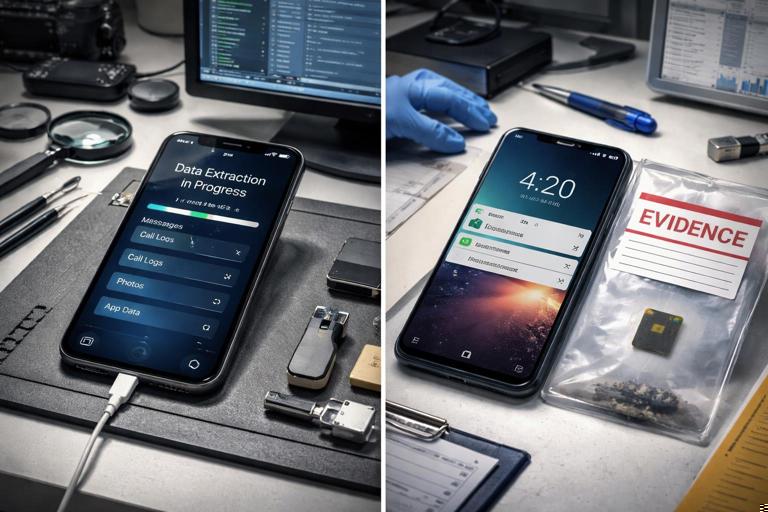
What “Mobile Evidence Workflow” Means in Practice
A mobile evidence workflow is the repeatable set of steps you follow to identify, acquire, preserve, and analyze data from smartphones and tablets in a way that is defensible and efficient. Mobile devices differ from traditional computers because data is distributed across apps, cloud sync services, secure hardware, and multiple storage locations (internal flash, removable media, app sandboxes, and remote servers). The workflow must account for rapid state changes (battery drain, remote wipe, app auto-deletion), strong encryption, and platform security controls that can block or limit acquisition.
In this chapter, you will focus on how to plan and execute mobile acquisition, what types of acquisition exist, and the limitations you must expect on Android and iOS. You will also learn practical steps for stabilizing a device, choosing an acquisition method, and validating what you did (and did not) collect so your analysis is grounded in reality.
Mobile Data Sources You Are Really Trying to Capture
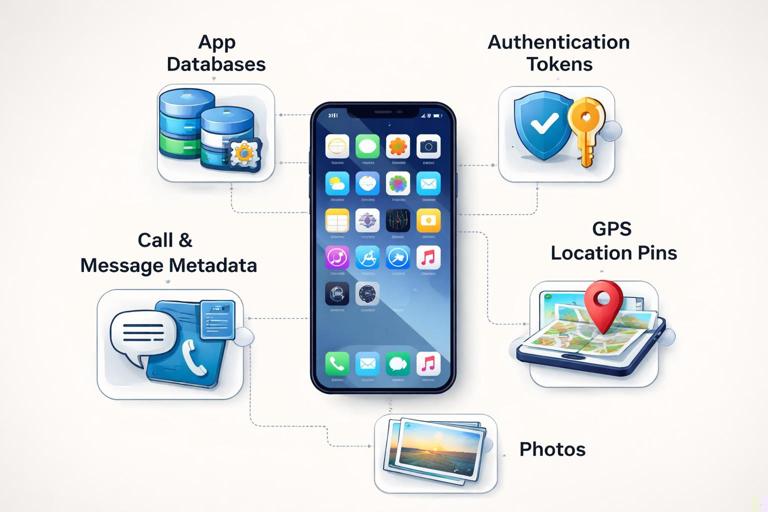
Before choosing a tool or method, define the evidence targets. Mobile evidence is not just “photos and texts.” It often includes app databases, authentication tokens, location history, and communication metadata that can be more probative than message content.
On-device data categories
On-device data typically includes call logs, contacts, SMS/MMS (where available), photos/videos, local app data (SQLite databases, caches, logs), device configuration, Wi-Fi networks, Bluetooth pairings, and local location artifacts. Many apps store critical evidence in sandboxed directories that are not accessible without elevated access or a backup-based method.
SIM and removable media
SIM cards may contain limited contacts and SMS on some devices, but modern smartphones usually store messages in the device database rather than on the SIM. Removable microSD (common on some Android devices) can contain media, downloads, app data (rare on modern Android), and exported files. Treat removable media as a separate acquisition target with its own imaging approach.
- Listen to the audio with the screen off.
- Earn a certificate upon completion.
- Over 5000 courses for you to explore!

Download the app
Cloud-synced and remote data
Mobile devices are often “thin clients” for cloud accounts. Evidence may exist in iCloud, Google services, Microsoft accounts, social media platforms, and messaging services. Some data may never be stored locally, or it may be stored briefly and then removed. A realistic workflow considers whether you need cloud acquisition, account data exports, or provider returns in addition to on-device acquisition.
Acquisition Types: What You Can Get and What You Usually Can’t
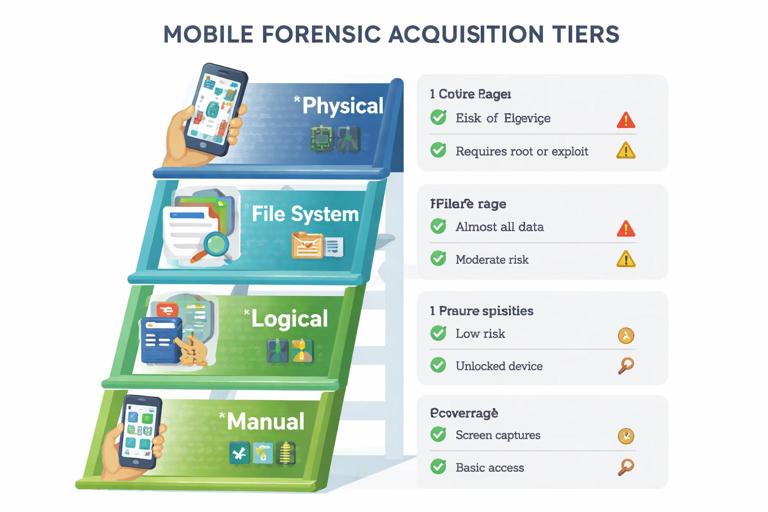
Mobile acquisition is commonly described in tiers. Each tier has different coverage, risk, and prerequisites. Your job is to choose the best tier you can achieve without damaging evidence or exceeding your authority.
Manual and screen capture
Manual acquisition means documenting what is visible on the screen (photos, notes, settings, chats) using screenshots, screen recording, or external photography. It is limited, time-consuming, and prone to missing hidden metadata, deleted content, and timestamps that exist only in databases. It can still be valuable when encryption blocks other methods or when you need to quickly preserve volatile content (for example, a disappearing message thread that is currently visible).
Logical acquisition
Logical acquisition collects data through the operating system’s normal interfaces: backups, content providers, APIs, or vendor protocols. It often captures contacts, call logs, messages (varies by OS), media, and some app data. Logical methods are typically safer and faster but may omit deleted data and may not reach protected app sandboxes.
File system acquisition
File system acquisition aims to collect a broader set of directories, including app sandboxes and system areas, depending on permissions. On Android, this may be possible via ADB with appropriate access, an agent-based approach, or recovery mode methods. On iOS, file system access is heavily restricted and usually depends on device state, OS version, and tool-supported exploits or backup methods that approximate file system coverage.
Physical acquisition
Physical acquisition is a bit-for-bit capture of underlying storage. On modern iOS and many modern Android devices, full physical imaging is often not feasible due to hardware-backed encryption and secure boot. Even when a “physical” method exists, the resulting image may still be encrypted or only partially accessible. In practice, physical acquisition is now the exception rather than the default for contemporary devices.
Selective extraction versus full extraction
Many tools offer “selective” extraction (only certain artifacts like chats, photos, or key app data). This can reduce time and data volume but increases the risk of missing context. If you choose selective extraction, document the scope clearly and treat the output as a partial view, not the full truth of the device.
Why Mobile Acquisition Is Limited: The Core Constraints
Mobile limitations are not just “tools are expensive.” They are structural: encryption, secure hardware, app sandboxing, and rapid OS changes. Understanding these constraints helps you set expectations and choose realistic next steps.
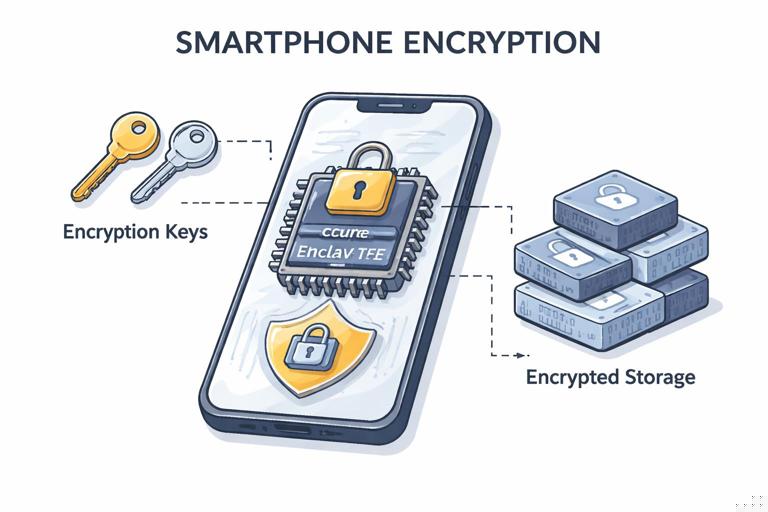
Encryption and secure enclaves
Modern devices encrypt storage by default. iOS uses hardware-backed encryption tied to the Secure Enclave and passcode state. Android uses file-based encryption with keys protected by hardware (TEE/StrongBox) on many devices. Without the passcode or without an unlocked state, you may not be able to access meaningful data even if you can copy files.
Locked versus unlocked state
The same device can yield drastically different results depending on whether it is unlocked at the time of seizure and whether it remains unlocked during acquisition. Some data becomes available only after the first unlock (AFU) and becomes inaccessible after reboot (BFU). A workflow should treat “device state” as a primary decision point.
USB restricted modes and trust relationships
iOS “USB Restricted Mode” and Android USB settings can block data connections unless the device is unlocked and trusted. If you cannot establish a trusted pairing, you may be limited to manual capture or external sources (cloud, provider data). Pairing records and trust relationships can be decisive, but they are also sensitive and must be handled carefully.
App sandboxing and end-to-end encryption
Even with file system access, app data may be encrypted at the application layer. Messaging apps may store content in encrypted databases or rely on keys stored in secure hardware. End-to-end encryption means providers often cannot supply message content, and local extraction may be the only path—if the device is accessible.
Rapid OS and app updates
Mobile platforms change quickly. An extraction method that works on one OS build may fail on the next. App database schemas also change frequently. A workflow must include a step to record OS version, build number, and app versions so you can interpret results and explain gaps.
Remote wipe, auto-lock, and network activity
Devices can be wiped remotely, apps can auto-delete, and cloud sync can change data while you are handling the device. Network isolation decisions (airplane mode, Faraday bag, Wi-Fi off) affect both preservation and your ability to acquire cloud-dependent artifacts. You must balance preventing remote actions with avoiding unnecessary changes to device state.
Practical Workflow: Stabilize, Decide, Acquire, Verify
The following workflow is designed for beginners and focuses on decision points and practical steps. Adapt it to your environment and the tools you have, but keep the structure consistent so you can explain what you did.
Step 1: Identify the device and its state
Start by determining what you are holding: iPhone vs Android, model, visible OS version (if accessible), and whether the device is locked or unlocked. Note whether it is powered on, whether the screen is active, and whether notifications are visible. If the device is unlocked, consider whether you can safely keep it unlocked (for example, by adjusting auto-lock settings) without altering key evidence. If you cannot justify changes, prioritize acquisition methods that work with the current state.
Step 2: Control connectivity with minimal disruption
Connectivity control is about preventing remote wipe and reducing incoming changes. If the device is unlocked, you can often enable airplane mode and disable Wi-Fi and Bluetooth. If it is locked, toggles may be inaccessible, and forcing actions may risk locking you out or triggering security features. A Faraday bag can isolate radio signals without interacting with the UI, but it can also cause the device to burn battery searching for signal. Choose the least invasive option that meets your risk tolerance and document what you did.
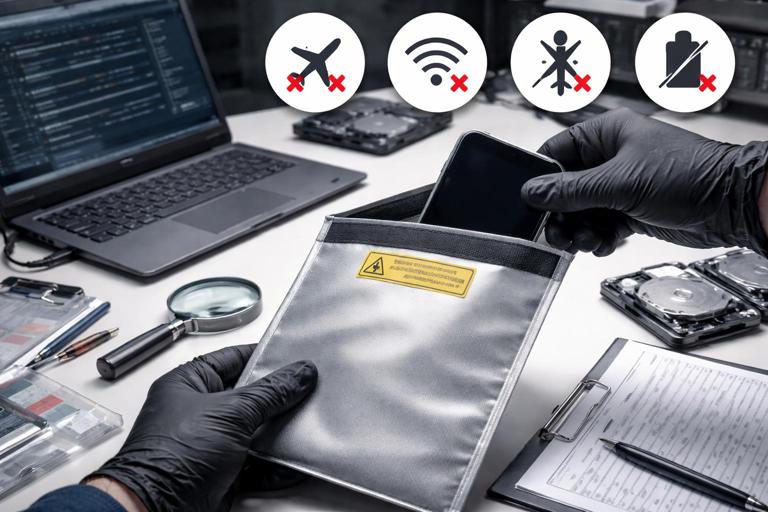
Step 3: Preserve power and avoid reboot
Battery loss can force a shutdown and move the device into a more restrictive state. Use an appropriate charger and cable, but be aware that connecting to a computer can trigger trust prompts or data connections. Prefer charging from a power-only source when you are not ready to acquire. Avoid rebooting: a reboot can convert an AFU device into BFU, reducing what you can extract.
Step 4: Choose the best acquisition tier available
Make a deliberate choice among manual, logical, file system, and (rarely) physical methods. Base the decision on device state (locked/unlocked), platform, OS version, and your tool support. If you can only do manual capture, focus on volatile and high-value content first (recent chats, disappearing messages, account identifiers, security settings, and visible location history).
Step 5: Execute acquisition with a repeatable checklist
Use a checklist so you do not miss critical steps. A generic checklist might include: confirm device identifiers (model, IMEI/MEID, serial where visible), record OS build, record time and time zone settings, record installed app versions for key apps (messaging, social, email), perform the chosen extraction, and export tool logs/reports. If your tool supports it, capture both a backup-style extraction and an additional artifact extraction (for example, media plus app data) to increase coverage.
Step 6: Verify scope and document limitations immediately
After acquisition, review what categories were actually collected. Many beginners assume “extraction succeeded” means “everything was collected.” Instead, validate: did you get messages, attachments, app databases, keychain/keystore items, location artifacts, and system logs? If not, record why (locked state, OS restriction, app encryption, tool limitation). This limitation log becomes essential later when interpreting gaps.
Android Workflows: Common Paths and Common Roadblocks
Android is diverse: different manufacturers, chipsets, security patches, and customizations. This diversity creates both opportunities (some devices are easier) and headaches (methods are inconsistent).
Android acquisition decision points
Key questions include: Is USB debugging enabled? Is the device unlocked? What is the security patch level? Is the bootloader locked? Does the device have a removable SD card? Is the device using work profile or full device management (MDM), which can restrict data access and add encryption layers?
Practical step-by-step: Basic Android triage capture (no special access)
This is a conservative approach when you cannot rely on advanced methods. Step 1: photograph the lock screen and any visible notifications. Step 2: if unlocked, capture device identifiers from Settings (About phone), including Android version and build number. Step 3: capture account identifiers (Google account email, other logged-in accounts) if visible. Step 4: capture key app screens for high-value apps (recent chats, profile IDs, group names) using screenshots. Step 5: export media that is user-accessible (DCIM, Downloads) via a trusted method if permitted, noting that this is not a full extraction. Step 6: if a microSD card exists, remove it carefully (if safe) and acquire it separately.
ADB and backup-style limitations
ADB-based collection can be powerful but depends on USB debugging and authorization. If the device is locked and not previously authorized, ADB will not help. Android backups have become more restricted over time, and many apps opt out of backup or encrypt their backup data. Even when you can create a backup, it may exclude exactly the apps you care about.
Secure folders, multiple users, and work profiles
Samsung Secure Folder, Android work profiles, and multiple user accounts can isolate data. You may extract the “personal” profile but miss work profile data entirely. Always check for indicators of additional profiles and document whether they were accessible during acquisition.
iOS Workflows: Backup-Centric Reality and State Sensitivity
iOS devices are more uniform than Android, but they are also tightly controlled. Many practical iOS workflows revolve around backups, pairing, and the device’s unlock state.
iOS acquisition decision points
Key questions include: Is the device unlocked? Is it in AFU or BFU state? Is there a known passcode? Is USB Restricted Mode enabled? Do you have an existing trusted pairing relationship with an acquisition workstation? Is iCloud enabled, and is the Apple ID visible?
Practical step-by-step: iOS backup-style acquisition planning
Step 1: if the device is unlocked, keep it awake and prevent auto-lock if you can do so without unnecessary changes; otherwise, work quickly. Step 2: determine whether you can establish trust with your acquisition system; if a “Trust This Computer” prompt appears, you must decide whether interacting with it is acceptable in your context and document the action. Step 3: perform a backup-style extraction using your tool, ensuring you capture tool logs and the backup manifest. Step 4: if the backup is encrypted (or can be encrypted), understand that encryption can be beneficial because it may include additional protected data in some workflows, but it also requires you to manage the password securely and document it. Step 5: parse the backup to confirm which apps and databases are present and which are missing.
iMessage, third-party messaging, and attachments
iOS-native messaging artifacts may be available in backups depending on device settings and tool capabilities. Third-party apps vary widely: some include rich data in backups, others store most content server-side, and some encrypt local databases. Attachments may be stored separately from message databases, so verify both message tables and attachment directories when validating your acquisition.
iCloud as a parallel evidence source
iCloud can contain photos, device backups, notes, contacts, and app data depending on settings. However, iCloud access may require credentials and may be protected by multi-factor authentication. Even when accessible, iCloud content may not match on-device content due to sync timing, storage optimization, or user settings. Treat iCloud acquisition as complementary, not a substitute for on-device acquisition.
Handling App-Level Evidence: What to Expect from Modern Apps
Most high-value mobile evidence lives inside apps. Your workflow should include an “app evidence plan” that lists target apps and what artifacts you expect from each: account identifiers, message content, timestamps, media, call metadata, and location sharing.
SQLite databases and WAL files
Many apps use SQLite. If you obtain file system-level access, you may see database files plus -wal and -shm sidecar files. These sidecar files can contain recent transactions not yet merged into the main database. If you only have a backup or logical extraction, you may get a consolidated database without the sidecars, which can reduce recovery of recent or deleted entries.
Tokens, sessions, and authentication artifacts
Some investigations rely on proving account usage rather than reading message content. Session tokens, device registration IDs, push notification identifiers, and OAuth artifacts can show that a device was logged in to an account at a time. These artifacts may be stored in protected areas (Keychain/Keystore) and may not be accessible without higher-tier extraction.
Ephemeral and disappearing content
Apps with disappearing messages may leave limited traces, and those traces may be metadata only. If content is currently visible, manual capture may be the only way to preserve it. If content is not visible, you may need to rely on notifications, recipient devices, or server-side records where available.
Interpreting Results: Avoiding Overclaims
Mobile forensics frequently produces partial datasets. Your analysis must distinguish between “not present” and “not captured.” When an artifact is missing, consider at least four explanations: it never existed on the device, it existed but was deleted, it exists but is encrypted or sandboxed beyond your access, or it exists but your extraction method did not collect it.
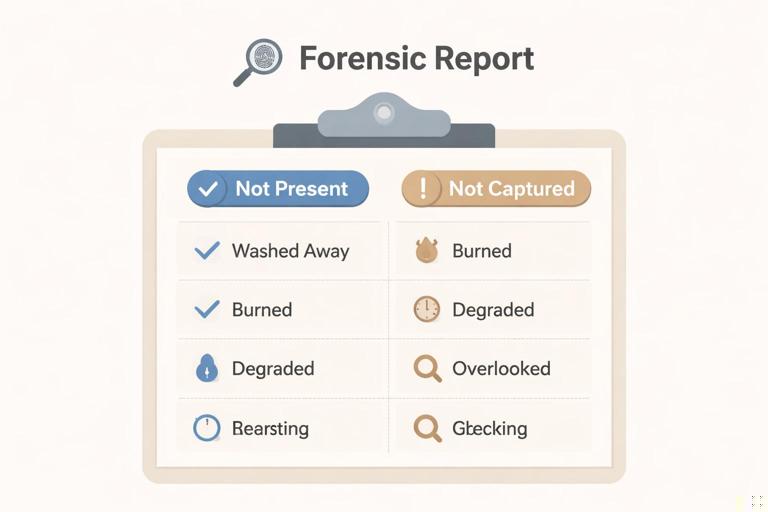
Practical step-by-step: Build a limitation-aware artifact checklist
Step 1: list the artifacts you expected (for example, WhatsApp chats, Signal contacts, device location history, browser history, photos). Step 2: for each artifact, note whether it was collected and from which source (manual, backup, file system). Step 3: if missing, assign a likely reason category (deleted, encrypted, not collected, not used). Step 4: identify alternative sources (cloud account, recipient device, exported chat backups, notification logs, media thumbnails). Step 5: prioritize follow-up actions based on feasibility and value.
Common Acquisition Pitfalls and How to Reduce Them
Beginners often lose opportunities not because of lack of tools, but because of avoidable workflow mistakes. Treat these as “known failure modes” and plan around them.
Letting the device lock or die
If the device is unlocked, losing that state can drastically reduce what you can access. Keep it powered and avoid actions that trigger a lock. If you must transport it, plan for power and signal isolation so it does not drain battery searching for service.
Assuming one extraction equals completeness
A single tool run may not capture all apps or all categories. When possible, combine methods: a backup-style extraction plus targeted media export, plus manual capture of volatile screens. The goal is coverage, not elegance.
Changing settings without tracking impact
Changing settings (time zone, auto-lock, cloud sync toggles) can alter artifacts. If you must change something to enable acquisition, record exactly what changed and when, and understand that some apps log these changes internally.
Ignoring time and time zone context
Mobile devices can store timestamps in UTC, local time, or app-specific formats. If you do not record the device time, time zone, and whether “set automatically” is enabled, you can misinterpret timelines. Capture these settings early, especially if you will correlate mobile events with other sources later.
Workflow Example: Choosing a Method Under Realistic Constraints
Imagine you receive an iPhone that is powered on and unlocked. Your highest-value evidence is likely in messaging apps and photos. The best immediate move is to keep it unlocked and powered, control connectivity to reduce remote actions, and attempt a backup-style extraction while the device remains in an accessible state. In parallel, you can manually capture volatile screens such as recent chats, disappearing message indicators, account profile pages, and security settings. If the backup extraction succeeds but a key app is missing from the backup, you document that limitation and consider alternative sources such as iCloud data (if authorized) or evidence from counterpart devices.
Now imagine an Android device that is locked, with no known PIN, and USB debugging is not enabled. Your realistic options may be limited to external evidence sources (cloud accounts, provider data, associated computers with synced content) and manual capture of lock-screen notifications. If a microSD card is present, it becomes a valuable acquisition target. The workflow is still valid: stabilize, decide, acquire what is feasible, and document limitations without overclaiming.