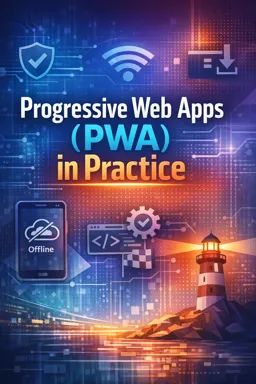


Free ebook on building offline-first, installable Progressive Web Apps with service workers, manifests, caching, storage, and debugging.
Free ebook + audiobook content
-

PWA Product Goals and Readiness Checklist
+ Exercise: Which statement best reflects how to define PWA product goals and use a readiness checklist? 18 minutes
-
Project Setup for an Offline-First Web App
+ Exercise: Why is placing the service worker file at the site root (for example /sw.js) recommended in an offline-first PWA setup? 15 minutes
-
Web App Manifest Configuration for Installable Experiences
+ Exercise: Which statement best describes the different responsibilities of the web app manifest and the service worker in a PWA? 23 minutes
-
App Shell Architecture and Offline UX Patterns
+ Exercise: Why does App Shell Architecture separate the shell from dynamic content in a Progressive Web App? 17 minutes


-
Service Worker Lifecycle, Scope, and Update Control
+ Exercise: A new service worker version has installed, but users with an existing open tab still see old caching behavior. What is the most likely reason? 19 minutes
-
Caching Strategy Selection by Asset Type
+ Exercise: When choosing caching strategies by asset type in a PWA, which approach best fits API write requests such as POST, PUT, or DELETE? 21 minutes
-
Routing, Navigation Fallbacks, and Offline Pages
+ Exercise: In a service worker, what is the best way to avoid breaking your app by accidentally returning HTML for API or asset requests when implementing an offline navigation fallback? 22 minutes
-
Data Storage Choices: IndexedDB, Cache Storage, and localStorage
+ Exercise: Which storage choice best supports an offline-first feature that lets users edit records offline, queue the changes, and later sync with conflict handling? 24 minutes
-
Queued Requests with Background Sync
+ Exercise: In an offline-first PWA, what is a key benefit of using Background Sync with a queued request system for write operations? 20 minutes
-
Push Notifications Fundamentals and User Permission UX
+ Exercise: Which approach best reduces notification prompt fatigue while still encouraging users to enable web push? 22 minutes
-
Performance Engineering: Critical Path, Lazy Loading, and Media Optimization
+ Exercise: When deciding between preload and prefetch in a PWA, which choice best matches their intended use? 14 minutes
-
Security and Reliability: HTTPS, Safe Service Worker Practices, and Error Handling
+ Exercise: Which service worker caching approach best reduces the risk of long-lived failures and cache poisoning in a PWA? 24 minutes
-
Debugging Service Workers and Caches with Chrome DevTools
+ Exercise: When you suspect a service worker is serving an outdated cached asset, what is the fastest DevTools action to confirm whether the service worker and its caches are involved? 17 minutes
-
Lighthouse Audits and Measurable PWA Quality Gates
+ Exercise: When using Lighthouse as a repeatable quality gate in a PWA workflow, which approach best reduces flaky outcomes and prevents regressions? 20 minutes
-
Cross-Browser and Platform Constraints Including iOS Quirks
+ Exercise: What is the recommended approach when a PWA feature behaves differently across browsers and platforms? 17 minutes
-
Accessibility for Installable Offline-Capable Web Apps
+ Exercise: In an offline-capable installable web app, what is a reliable way to make offline and sync status changes accessible to screen reader users? 18 minutes
-
Deployment Workflows: Static Hosting, CDN Headers, Versioning, and Rollback
+ Exercise: Which deployment approach best reduces the risk of users receiving a mixed set of old and new PWA files during an update? 19 minutes
-
Capstone Build: Complete Offline-First Local Events or Inventory Tracker
+ Exercise: Why should an offline-first app write entity changes and the corresponding outbox operation in the same IndexedDB transaction? 18 minutes
-
Exercises, Mini-Projects, Quizzes, and Troubleshooting Playbook
+ Exercise: When offline testing shows a browser error page instead of your apps offline UI, what is the most direct first check to confirm the issue is related to service worker control? 18 minutes
About the free ebook with audio
Progressive Web Apps (PWA) in Practice
Build web experiences that remain useful when connectivity is unreliable. This free ebook explains how to plan, build, test, and deploy offline-first, installable Progressive Web Apps using service workers and web app manifests.
Design for reliable web experiences
Learn how to define PWA goals, prepare a project for offline operation, configure installability, and create an app shell that gives users meaningful feedback when a network request cannot be completed. The ebook connects product decisions with practical browser capabilities.
Control caching, data, and updates
Explore the service worker lifecycle, scope, update behavior, navigation fallbacks, and cache strategies suited to different asset types. Compare Cache Storage, IndexedDB, and localStorage, then see how queued requests and background sync can support workflows that continue after a connection returns.
Deliver quality across devices
Cover push notification permission UX, performance optimization, HTTPS requirements, safe error handling, accessibility, and platform limitations including iOS considerations. Use Chrome DevTools and Lighthouse to diagnose issues and establish measurable quality gates.
Put PWA skills into practice
- Create an installable web app with a clear offline experience.
- Select caching and storage approaches based on real application needs.
- Debug service workers, cached responses, and update problems.
- Plan deployment with versioning, CDN headers, and rollback options.
- Apply the concepts in a complete offline-first events or inventory tracker.
Ideal for web developers who want a practical framework for turning responsive websites into dependable app-like experiences.
How do service workers make a PWA work offline?
They intercept network requests and can return cached assets, fallback pages, or stored data when the network is unavailable.
What is the difference between Cache Storage and IndexedDB in a PWA?
Cache Storage is best for request-response assets, while IndexedDB is designed for structured application data.
Why does a PWA need a web app manifest?
The manifest provides install metadata such as the app name, icons, colors, display mode, and start URL.
This ebook/audiobook includes:

6 hours and 14 minutes of audio content

Digital certificate of course completion (Free)

Exercises to train your knowledge

100% free, from content to certificate
Ready to get started?

 recommended
In the app you will also find...

Over 5,000 free courses
Programming, English, Digital Marketing and much more! Learn whatever you want, for free.

Study plan with AI
Our app's Artificial Intelligence can create a study schedule for the course you choose.

From zero to professional success
Improve your resume with our free Certificate and then use our Artificial Intelligence to find your dream job.
You can also use the QR Code or the links below.