Clone the repository, install any required dependencies, and open the project files in a code editor to begin setup.

Duration of the online course: 7 hours and 14 minutes
4.6


(8)
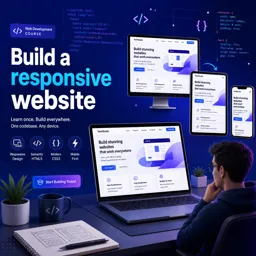
Create a responsive website from scratch with HTML, modern layout and accessibility tips. Free online course with practical project workflow and clean UI.
Designing for the web today means building interfaces that look great on any screen, load fast, and remain usable for everyone. In this free online course, you will practice the real workflow of creating a responsive website using HTML and modern front-end techniques, focusing on clean structure, flexible layouts, and details that elevate a simple page into a polished, professional result.
You will start by setting up a project the way developers commonly do, working from a GitHub repository and organizing your environment so you can iterate quickly. From there, the course guides you through turning a static layout into a responsive experience that adapts smoothly from mobile to desktop. You will learn how to think in components and sections, how to structure markup for clarity, and how small decisions in HTML can make styling and maintenance much easier later.
Responsiveness is more than resizing elements, so you will explore layout strategies that allow precise control over positioning while staying flexible. You will also apply practical UI patterns such as mobile navigation, and add accessibility improvements that help keyboard and screen reader users interact confidently. The course highlights why these enhancements matter, and how to integrate them naturally without complicating your code.
To add visual quality, you will work with common assets and micro-interactions, including managing SVG icons effectively and using lightweight decorative background elements that do not get in the way of content. You will also see how to customize list counters for a more refined design system feel. Finally, you will integrate an accessible slider using a library-based approach, reinforcing how to choose tools responsibly and wire them into a responsive layout without sacrificing usability.
By the end, you will have stronger front-end fundamentals and a clearer process for building responsive pages: set up a project, implement layout and navigation patterns, improve accessibility, and refine details that make a website feel production-ready. It is a practical step forward for anyone aiming to build a portfolio, prepare for web development work, or strengthen core skills for future frameworks.

Explore free online HTML courses designed for beginners and aspiring web developers. Learn HTML basics, semantic markup, forms, tables, accessibility, and modern web page structure at your own pace. Build practical coding skills with expert-led lessons and hands-on projects, and earn a certificate upon completion to showcase your HTML knowledge.
Explore free online CSS courses designed to help beginners and aspiring web developers master styling, layouts, responsive design, Flexbox, Grid, animations, and modern best practices. Learn at your own pace, build practical front-end skills, and earn a certificate with every course to showcase your CSS expertise.

Explore free online Responsive Web Design courses and learn to build mobile-friendly, accessible websites that look great on every screen. Master HTML, CSS, flexible layouts, media queries, and modern design best practices at your own pace. Enroll today, develop job-ready web skills, and earn a certificate with every course you complete.

7 hours and 14 minutes of online video course

Digital certificate of course completion (Free)

Exercises to train your knowledge

100% free, from content to certificate
How do you start a responsive HTML website project from a GitHub repository?
Clone the repository, install any required dependencies, and open the project files in a code editor to begin setup.
How can a mobile navigation button be made more accessible?
Add an accessible label such as aria-label and update aria-expanded to communicate whether the menu is open.
What tools and techniques are used to build the responsive website in this course?
The course uses HTML, responsive layout techniques, SVG icon management, custom list counters, decorative backgrounds, and an accessible slider library.
Ready to get started?Download the app and get started today.
Install the app now
to access the course
Over 5,000 free courses
Programming, English, Digital Marketing and much more! Learn whatever you want, for free.

Study plan with AI
Our app's Artificial Intelligence can create a study schedule for the course you choose.

From zero to professional success
Improve your resume with our free Certificate and then use our Artificial Intelligence to find your dream job.
You can also use the QR Code or the links below.




Free CourseLaravel
5
(2)

4h04m

20 exercises

Free CourseProgressive Web Application PWA for Beginners
5
(5)
3h24m
15 exercises

Free CourseLearn Laravel in 30 Days: Beginner to Pro
5
(1)
17h00m
30 exercises

Free CoursePHP for Beginners: Learn PHP, MySQL, MVC, Routing, Authentication and Testing
5
(1)
10h45m
49 exercises

Free CourseLaravel Full Course: Build, CRUD, Auth, Email and Deploy to Live Server
5
(1)
3h52m
15 exercises

Free CourseWeb Development Foundations: HTML, CSS, Git and Command Line
5
(3)
14h11m
37 exercises

Free CourseCSS Complete Tutorial
5
(1)
8h30m
49 exercises

Free CoursePHP for Beginners: Learn PHP, MySQL and Login Systems
5
(3)
10h49m
29 exercises

Free CourseJavaScript for beginners
4.9
(27)
1h40m
2 exercises

Free CourseUmbraco CMS
4.9
(22)
6h21m
19 exercises
Carry knowledge in your pocket.
Download the Cursa app.
There are hundreds of free courses available, with a free certificate of completion that is saved in your mobile image gallery.
Download the app to access the Course Completion Certificate for Free.


+ 10 million
students

Free and Valid
Certificate

60 thousand free
exercises

4.8/5 rating in
app stores

Free courses in
video and ebooks





Course comments: Build a responsive website
good
Jaskaran Singh
nice
Msizi Mtshali
to long but interesting
Abdul Basit
known for high income