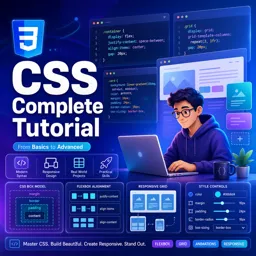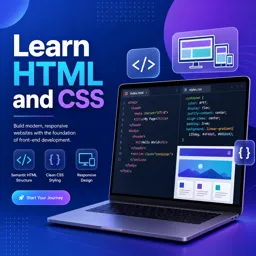


Download this free ebook to learn CSS syntax, layouts, responsive design, Flexbox, Grid, animations, and practical styling techniques.
Free ebook + audiobook content
-

Introduction to CSS
+ Exercise: What is the role of CSS in an HTML document? 2 minutes
-
CSS syntax
2 minutes
-
CSS properties
+ Exercise: What is the role of color and background properties in CSS? 2 minutes
-
Units of measurement in CSS
+ Exercise: What is the difference between absolute and relative measurement units in CSS? 2 minutes
-
Box Model in CSS
+ Exercise: What is the CSS property that defines the width of the box in pixels? 3 minutes
-
Positioning in CSS
+ Exercise: What is the type of positioning in which the element is positioned in relation to the closest parent element that has a defined position? 3 minutes


-
Colors in CSS
+ Exercise: What is the most accurate way to define colors in CSS? 3 minutes
-
Gradients in CSS
+ Exercise: What is the difference between linear gradient and radial gradient in CSS? 3 minutes
-
CSS fonts
+ Exercise: What is the CSS property that specifies the font that will be used for the text? 4 minutes
-
CSS text styling
+ Exercise: Which CSS property is used to define the text color? 4 minutes
-
Link Styling in CSS
+ Exercise: Which property in CSS is used to change the color of the link? 3 minutes
-
Styling lists in CSS
+ Exercise: Which CSS property can we use to change the style of bullets in lists? 3 minutes
-
Styling Tables in CSS
+ Exercise: Which CSS property is used to define the background color of table cells? 3 minutes
-
Form Styling in CSS
+ Exercise: What is the importance of using specific selectors when styling a form in CSS? 2 minutes
-
Button Styling in CSS
+ Exercise: What is one of the most basic ways to style a button in CSS? 4 minutes
-
Image styling in CSS
+ Exercise: Which CSS property can be used to add borders to images? 3 minutes
-
CSS menu styling
+ Exercise: What is the HTML structure that a navigation menu should have? 4 minutes
-
Footer Styling in CSS
+ Exercise: What is the CSS property that defines the background color of the footer? 2 minutes
-
CSS header styling
+ Exercise: Which universal selector can be combined with the "h1" type selector to select all headers at once? 3 minutes
-
Section styling in CSS
+ Exercise: Which CSS property is used to define a background image in a section? 3 minutes
-
Styling Elements in CSS
+ Exercise: What is the role of selectors in CSS? 4 minutes
-
CSS layout styling
+ Exercise: What is the CSS property used to define the background color of an element? 4 minutes
-
Responsive styling in CSS
+ Exercise: What is the fundamental technique to ensure that your website is viewed properly on different devices? 2 minutes
-
CSS animations
+ Exercise: What is the CSS property that defines the duration of the animation? 2 minutes
-
Transitions in CSS
+ Exercise: What is the basic syntax for creating a transition in CSS? 3 minutes
-
CSS Transformations
+ Exercise: Which command is used to move an element in a certain direction, specified in pixels or in percentage? 4 minutes
-
Flexbox in CSS
+ Exercise: What is one of the main benefits of Flexbox? 3 minutes
-
Grid in CSS
+ Exercise: What is one of the advantages of Grid in CSS for the development of responsive layouts? 3 minutes
-
Media Queries in CSS
+ Exercise: What is the purpose of media queries in CSS? 2 minutes
-
css preprocessors
+ Exercise: What is one of the features offered by Sass? 2 minutes
-
CSS Frameworks
+ Exercise: Which of the following advantages is NOT offered by a CSS Framework? 3 minutes
-
CSS best practices
+ Exercise: What is one of the CSS best practices mentioned in the text? 3 minutes
-
CSS code organization
+ Exercise: What is one of the best ways to organize CSS code according to text? 2 minutes
-
Debugging in CSS
+ Exercise: What is one of the most popular tools for debugging CSS? 3 minutes
About the free ebook with audio
Complete CSS Course
This free ebook provides a practical foundation in Cascading Style Sheets for building polished, maintainable web interfaces. Learn how CSS rules, selectors, declarations, and properties work together to control the presentation of HTML elements.
Build visually consistent web pages
Explore sizing units, the box model, positioning, colors, gradients, typography, text formatting, links, lists, tables, forms, buttons, images, menus, headers, footers, and sections. The lessons focus on applying styles that improve clarity, usability, and visual hierarchy.
Create responsive layouts
Develop layout skills with Flexbox, CSS Grid, responsive styling, and media queries. Learn to adapt page components for different screen sizes while keeping layouts readable and functional.
Add motion and maintainable structure
Use transitions, transforms, and animations to create meaningful interface feedback. The ebook also introduces preprocessors, CSS frameworks, code organization, debugging techniques, and best practices for cleaner stylesheets.
What you will be able to work with
- Selectors, syntax, properties, and measurement units
- Component styling for navigation, forms, content, and media
- Flexible and grid-based page layouts
- Responsive rules for desktop and mobile screens
- Organized, debuggable, and reusable CSS code
Use this ebook as a reference while styling your own web pages and turning basic HTML structures into responsive interfaces.
What is the difference between Flexbox and CSS Grid?
Flexbox is best for one-dimensional rows or columns, while Grid is designed for two-dimensional layouts with rows and columns.
How do CSS media queries make a website responsive?
Media queries apply CSS rules based on conditions such as screen width, allowing layouts and styles to adapt to devices.
What does the CSS box model include?
The box model consists of content, padding, border, and margin, which together determine an element’s space and size.
This ebook/audiobook includes:

1 hours and 53 minutes of audio content

Digital certificate of course completion (Free)

Exercises to train your knowledge

100% free, from content to certificate
Ready to get started?

 recommended
In the app you will also find...

Over 5,000 free courses
Programming, English, Digital Marketing and much more! Learn whatever you want, for free.

Study plan with AI
Our app's Artificial Intelligence can create a study schedule for the course you choose.

From zero to professional success
Improve your resume with our free Certificate and then use our Artificial Intelligence to find your dream job.
You can also use the QR Code or the links below.