The course demonstrates writing an HTML5 page in Notepad++, saving it with an .html extension, and opening it in a web browser.

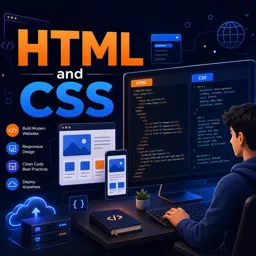
Duration of the online course: 9 hours and 7 minutes
4.7


(31)
Build job-ready web pages fast with a free HTML & CSS course—learn layouts, styling, responsive design, menus, and hosting basics, plus practice exercises.
Step into web development by learning the two core technologies behind almost every website: HTML and CSS. This free online course is designed to help you go from editing simple pages to building clean, structured layouts that look professional and work across devices. If you are aiming for a first role in tech, creating a portfolio, or simply want to understand how the web is built, this course gives you a practical foundation you can use immediately.
You will learn how to structure content with modern HTML5, then style it with CSS3 to control typography, spacing, colors, and page layout. Along the way, you will get comfortable using common workflows and tools to write and test code, including creating pages locally and troubleshooting issues that beginners often face, such as styles not applying as expected. Instead of feeling stuck when something does not render correctly, you will build the habit of debugging step by step and understanding what the browser is actually doing.
As your skills grow, you will also focus on the kinds of features users notice right away: reusable styling with external stylesheets, readable design with consistent spacing, and responsive techniques that adapt to different screen sizes. You will practice building interface elements like navigation and dropdown menus, which are essential for real-world sites. By the end, you will not only know how to write HTML and CSS, but also how to bring a small website to life and even host it online, turning your learning into something you can share.
Whether you are learning in Telugu for clarity and confidence, or revisiting the basics to strengthen your fundamentals, this course helps you develop a skillset that supports future learning in JavaScript, frameworks, and full-stack development. The result is a strong starting point for building web pages that are both functional and visually polished.
Explore free online CSS courses designed to help beginners and aspiring web developers master styling, layouts, responsive design, Flexbox, Grid, animations, and modern best practices. Learn at your own pace, build practical front-end skills, and earn a certificate with every course to showcase your CSS expertise.
Explore free online HTML courses designed for beginners and aspiring web developers. Learn HTML basics, semantic markup, forms, tables, accessibility, and modern web page structure at your own pace. Build practical coding skills with expert-led lessons and hands-on projects, and earn a certificate upon completion to showcase your HTML knowledge.

9 hours and 7 minutes of online video course

Digital certificate of course completion (Free)

Exercises to train your knowledge

100% free, from content to certificate
How can I create an HTML webpage using Notepad++?
The course demonstrates writing an HTML5 page in Notepad++, saving it with an .html extension, and opening it in a web browser.
What is the advantage of using an external CSS stylesheet?
An external stylesheet lets multiple HTML pages share the same styling, making site-wide design updates easier and more consistent.
How do I host an HTML website for free?
The course explains the basic process of uploading your HTML and CSS files to a free hosting service so the site can be accessed online.
Ready to get started?Download the app and get started today.
Install the app now
to access the course
Over 5,000 free courses
Programming, English, Digital Marketing and much more! Learn whatever you want, for free.

Study plan with AI
Our app's Artificial Intelligence can create a study schedule for the course you choose.

From zero to professional success
Improve your resume with our free Certificate and then use our Artificial Intelligence to find your dream job.
You can also use the QR Code or the links below.




Free CourseLaravel
5
(2)

4h04m

20 exercises

Free CourseProgressive Web Application PWA for Beginners
5
(5)
3h24m
15 exercises

Free CourseLearn Laravel in 30 Days: Beginner to Pro
5
(1)
17h00m
30 exercises

Free CoursePHP for Beginners: Learn PHP, MySQL, MVC, Routing, Authentication and Testing
5
(1)
10h45m
49 exercises

Free CourseLaravel Full Course: Build, CRUD, Auth, Email and Deploy to Live Server
5
(1)
3h52m
15 exercises

Free CourseWeb Development Foundations: HTML, CSS, Git and Command Line
5
(3)
14h11m
37 exercises

Free CourseCSS Complete Tutorial
5
(1)
8h30m
49 exercises

Free CoursePHP for Beginners: Learn PHP, MySQL and Login Systems
5
(3)
10h49m
29 exercises

Free CourseJavaScript for beginners
4.9
(27)
1h40m
2 exercises

Free CourseUmbraco CMS
4.9
(22)
6h21m
19 exercises
Carry knowledge in your pocket.
Download the Cursa app.
There are hundreds of free courses available, with a free certificate of completion that is saved in your mobile image gallery.
Download the app to access the Course Completion Certificate for Free.


+ 10 million
students

Free and Valid
Certificate

60 thousand free
exercises

4.8/5 rating in
app stores

Free courses in
video and ebooks





Course comments: HTML and CSS
Nakabenge Rahima
so much better