You will create webpage components and work toward completing a styled website project using HTML and CSS.

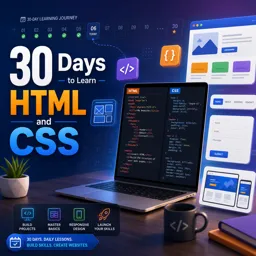
Duration of the online course: 4 hours and 52 minutes
4.6


(197)
Build modern webpages in 30 days with this free HTML & CSS course. Practice real layouts, forms, and typography to kickstart a web development career.
Build the skill that powers nearly every website you use: front-end structure and styling. This free online course guides you through a clear, day-by-day path to learn HTML and CSS by doing, helping you move from zero confidence to creating pages you can actually publish. Instead of feeling lost in endless tutorials, you will follow a simple routine that turns small daily wins into real momentum.
From your very first webpage, you will learn how HTML organizes content with clean, meaningful structure and how CSS shapes that content into an experience people enjoy using. Along the way, you will practice working with headings, lists, links, images, and page sections, then apply classes and IDs to style elements precisely and consistently. You will also learn how to build navigation with lists, create forms, and develop a stronger eye for typography so your pages look more professional and readable.
As your projects grow, you will adopt habits used in real web development: organizing files into a clean project structure, understanding how elements relate to one another, and using stylesheets effectively. You will explore layout techniques such as floats and positioning, learn when to reset or normalize styles across browsers, and discover how validation helps you catch mistakes early. You will also be introduced to helpful workflows like faster coding techniques and reusable snippets so your progress continues beyond the course.
By the end, you will complete a cohesive website project that brings everything together, giving you a practical foundation for deeper front-end learning and portfolio-ready practice. Whether your goal is to start a new career, support your current role, or build personal projects with confidence, this course is designed to make web development feel approachable, structured, and achievable in just 30 days.
Explore free online HTML courses designed for beginners and aspiring web developers. Learn HTML basics, semantic markup, forms, tables, accessibility, and modern web page structure at your own pace. Build practical coding skills with expert-led lessons and hands-on projects, and earn a certificate upon completion to showcase your HTML knowledge.
Explore free online CSS courses designed to help beginners and aspiring web developers master styling, layouts, responsive design, Flexbox, Grid, animations, and modern best practices. Learn at your own pace, build practical front-end skills, and earn a certificate with every course to showcase your CSS expertise.

4 hours and 52 minutes of online video course

Digital certificate of course completion (Free)

Exercises to train your knowledge

100% free, from content to certificate
What will I build in the 30 Days to Learn HTML and CSS course?
You will create webpage components and work toward completing a styled website project using HTML and CSS.
Does the course explain how to organize HTML and CSS files for a website?
Yes. It covers clean project structures, external stylesheets, reusable classes and IDs, and practical file organization.
Which HTML and CSS topics are covered in the 30-day web development course?
Topics include semantic HTML, lists, links, images, forms, navigation, typography, layouts, positioning, CSS resets, validation, and PSD-to-website styling.
Ready to get started?Download the app and get started today.
Install the app now
to access the course
Over 5,000 free courses
Programming, English, Digital Marketing and much more! Learn whatever you want, for free.

Study plan with AI
Our app's Artificial Intelligence can create a study schedule for the course you choose.

From zero to professional success
Improve your resume with our free Certificate and then use our Artificial Intelligence to find your dream job.
You can also use the QR Code or the links below.




Free CourseLaravel
5
(2)

4h04m

20 exercises

Free CourseProgressive Web Application PWA for Beginners
5
(5)
3h24m
15 exercises

Free CourseLearn Laravel in 30 Days: Beginner to Pro
5
(1)
17h00m
30 exercises

Free CoursePHP for Beginners: Learn PHP, MySQL, MVC, Routing, Authentication and Testing
5
(1)
10h45m
49 exercises

Free CourseLaravel Full Course: Build, CRUD, Auth, Email and Deploy to Live Server
5
(1)
3h52m
15 exercises

Free CourseWeb Development Foundations: HTML, CSS, Git and Command Line
5
(3)
14h11m
37 exercises

Free CourseCSS Complete Tutorial
5
(1)
8h30m
49 exercises

Free CoursePHP for Beginners: Learn PHP, MySQL and Login Systems
5
(3)
10h49m
29 exercises

Free CourseJavaScript for beginners
4.9
(27)
1h40m
2 exercises

Free CourseUmbraco CMS
4.9
(22)
6h21m
19 exercises
Carry knowledge in your pocket.
Download the Cursa app.
There are hundreds of free courses available, with a free certificate of completion that is saved in your mobile image gallery.
Download the app to access the Course Completion Certificate for Free.


+ 10 million
students

Free and Valid
Certificate

60 thousand free
exercises

4.8/5 rating in
app stores

Free courses in
video and ebooks





Course comments: 30 Days to Learn HTML and CSS
Students generally found the free online course useful, informative, and beneficial, especially for beginners. Reviews were overwhelmingly positive, describing it as a good and helpful course.
LUFFY_3MK
its a prrety good course special for the beginners
Syed Nawaf Ishmam
Nice course
Santosh Kamble
good knowledge
pratik sutar
Nice course
Ayesha Siddiqui
Helpful Course❤️
Sobia ali
It is informative and beneficial for us