Start with discovery and project requirements, create wireframes and a mood board, develop a high-resolution design, then code and refine the responsive page.

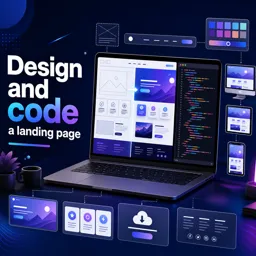
Duration of the online course: 4 hours and 40 minutes
4.8

(34)
Build a responsive landing page that converts. Join this free web development course to design, code, and publish a polished page with confidence.
Create landing pages that look great, load fast, and guide users toward action. In this free online course in Web Development, you will learn how to take a landing page from idea to launch-ready code, following a practical workflow used by modern designers and front-end developers.
You will start by defining what the page needs to achieve and translating that goal into clear requirements. From there, you will shape the structure with early planning techniques like wireframing and building visual direction with a mood board and style decisions. This approach helps you avoid guessing in the browser and gives you a reliable way to move from concept to interface while keeping the user experience focused and consistent.
Next, you will shift into implementation by setting up a development environment and converting the design into a responsive layout. You will practice building key page sections such as the navigation, header, feature blocks, offer areas, download call-to-action, and footer, learning how to organize your HTML and CSS so it stays readable and easy to maintain. Along the way, you will refine spacing, typography, and visual hierarchy so your page not only works, but feels professional.
Responsive behavior is treated as a core requirement, not a last-minute fix. You will work with flexible layouts, responsive images, and navigation patterns like the hamburger menu so the landing page adapts cleanly across devices. You will also learn how to make smart use of plugins and open-source code when appropriate, saving time without losing control of quality. By the end, you will have a complete process you can reuse for future projects and a strong foundation for building real-world landing pages for portfolios, products, and clients.

4 hours and 40 minutes of online video course

Digital certificate of course completion (Free)

Exercises to train your knowledge

100% free, from content to certificate
How do you design and code a responsive landing page from scratch?
Start with discovery and project requirements, create wireframes and a mood board, develop a high-resolution design, then code and refine the responsive page.
What is the difference between a wireframe and a Style Tile in landing page design?
A wireframe defines page structure and content placement, while a Style Tile establishes visual choices such as colors, typography, buttons, and imagery.
How can a landing page navigation work well on mobile devices?
Use responsive CSS and a hamburger menu to collapse navigation links into a compact, touch-friendly mobile menu.
Ready to get started?Download the app and get started today.
Install the app now
to access the course
Over 5,000 free courses
Programming, English, Digital Marketing and much more! Learn whatever you want, for free.

Study plan with AI
Our app's Artificial Intelligence can create a study schedule for the course you choose.

From zero to professional success
Improve your resume with our free Certificate and then use our Artificial Intelligence to find your dream job.
You can also use the QR Code or the links below.




Free CourseLaravel
5
(2)

4h04m

20 exercises

Free CourseProgressive Web Application PWA for Beginners
5
(5)
3h24m
15 exercises

Free CourseLearn Laravel in 30 Days: Beginner to Pro
5
(1)
17h00m
30 exercises

Free CoursePHP for Beginners: Learn PHP, MySQL, MVC, Routing, Authentication and Testing
5
(1)
10h45m
49 exercises

Free CourseLaravel Full Course: Build, CRUD, Auth, Email and Deploy to Live Server
5
(1)
3h52m
15 exercises

Free CourseWeb Development Foundations: HTML, CSS, Git and Command Line
5
(3)
14h11m
37 exercises

Free CourseCSS Complete Tutorial
5
(1)
8h30m
49 exercises

Free CoursePHP for Beginners: Learn PHP, MySQL and Login Systems
5
(3)
10h49m
29 exercises

Free CourseJavaScript for beginners
4.9
(27)
1h40m
2 exercises

Free CourseUmbraco CMS
4.9
(22)
6h21m
19 exercises
Carry knowledge in your pocket.
Download the Cursa app.
There are hundreds of free courses available, with a free certificate of completion that is saved in your mobile image gallery.
Download the app to access the Course Completion Certificate for Free.


+ 10 million
students

Free and Valid
Certificate

60 thousand free
exercises

4.8/5 rating in
app stores

Free courses in
video and ebooks





