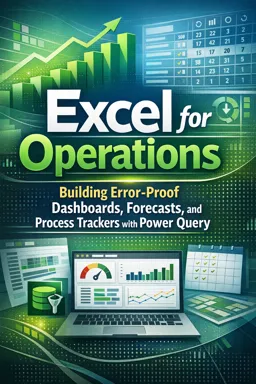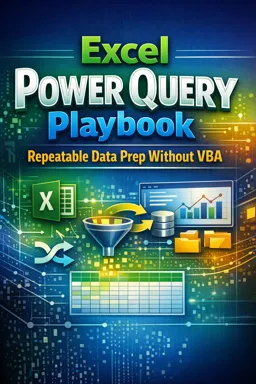


Free ebook on using Excel Power Query to automate repeatable data cleaning, combining, shaping, and refreshing without VBA.
Free ebook content
-

Power Query Mindset for Repeatable Data Preparation
+ Exercise: Which approach best supports a repeatable Power Query pipeline when the source files may add extra columns or slightly change headers?
-
Importing Data from Folders and Automating File Intake
+ Exercise: In a folder-based Power Query import, what is the key benefit of defining transformations in the Transform Sample File query?
-
Combining Multiple Files into a Single Standardized Table
+ Exercise: When combining many similar reports into one table, what approach best keeps the final output stable even when individual files drift (missing columns, renamed headers, extra fields)?


-
Structuring Data with Unpivot, Pivot, and Column Shaping
+ Exercise: When pivoting a Measure or Scenario column in Power Query, how should you choose between Don’t Aggregate and Sum?
-
Cleaning and Standardizing: Text, Dates, Numbers, and Null Handling
+ Exercise: When converting a text date column that could be interpreted differently by locale, which approach best ensures the results stay consistent across refreshes?
-
Merging Queries and Appending Tables for Multi-Source Models
+ Exercise: In a multi-source Power Query model, what is the most maintainable way to combine and enrich transactions from multiple systems?
-
Using Parameters and Dynamic Inputs for Reusable Queries
+ Exercise: What is the main advantage of using parameters or dynamic inputs in Power Query for reusable queries?
-
Building a Library of Common Transformations and Reapplying Steps
+ Exercise: Which approach best supports scaling the same data-cleaning logic across many similar sources while keeping maintenance centralized?
-
Refresh Strategies, Privacy Levels, and Performance-Safe Design
+ Exercise: Which design choice best supports a fast daily refresh while still allowing an occasional full rebuild in an Excel Power Query workbook?
-
Troubleshooting Refresh Errors and Data Type Mismatches
+ Exercise: When a type conversion step fails and the preview no longer returns a table, what is the most effective way to identify the exact values causing the mismatch?
About the free ebook
Excel Power Query Playbook: Repeatable Data Prep Without VBA
Turn repetitive spreadsheet cleanup into a dependable, refreshable process with this free ebook on Excel Power Query. Learn how to bring data into Excel, transform it consistently, and reuse your work without relying on VBA macros or manual copy-and-paste routines.
Build data-preparation workflows that refresh
Power Query helps you record transformation steps as a query, so the same rules can be applied when new files arrive. This ebook explains the practical mindset behind repeatable data preparation: keep raw data separate, define clear transformation logic, and design queries that can be refreshed confidently.
Work with files, folders, and multiple sources
Explore approaches for automating file intake, combining similarly structured files, appending tables, and merging related datasets. You will also see how column shaping, pivoting, unpivoting, and data type management support reliable analysis-ready tables.
Clean and standardize data with confidence
Learn to handle inconsistent text, dates, numbers, blanks, and null values in a structured way. The ebook focuses on transformations that make imported data more predictable and easier to maintain as source files change.
Create reusable, maintainable queries
Use parameters and dynamic inputs to reduce hard-coded settings, build a library of common transformations, and reapply proven steps across projects. Practical guidance on privacy levels, refresh behavior, performance-aware design, and troubleshooting helps you avoid common Power Query problems.
What you can achieve
- Consolidate recurring files into standardized Excel tables.
- Replace manual cleanup with documented query steps.
- Prepare multi-source data for reporting and analysis.
- Diagnose refresh errors and data type mismatches.
Excel Power Query Playbook is designed for Excel users who want a more repeatable way to prepare data while keeping their workflow transparent and maintainable.
How can Power Query combine all Excel files in a folder?
Connect to the folder, filter the required files, and use the Combine Files process to apply one transformation pattern to each file.
What is the difference between merging and appending queries in Power Query?
Merge joins columns from related tables using matching keys; append stacks rows from tables with compatible columns.
Why does a Power Query refresh fail because of data type mismatches?
A source value may not match the assigned type, such as text in a numeric or date column. Inspect the failing step and standardize the value.
This ebook includes:

10 content chapters

Digital certificate of course completion (Free)

Exercises to train your knowledge

100% free, from content to certificate
Ready to get started?

 recommended
In the app you will also find...

Over 5,000 free courses
Programming, English, Digital Marketing and much more! Learn whatever you want, for free.

Study plan with AI
Our app's Artificial Intelligence can create a study schedule for the course you choose.

From zero to professional success
Improve your resume with our free Certificate and then use our Artificial Intelligence to find your dream job.
You can also use the QR Code or the links below.