Introduction
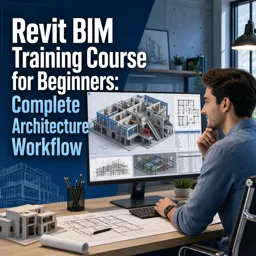
Revit has transformed architectural design through its Building Information Modeling (BIM) capabilities. One of its most powerful features is the ability to create and manage Revit Families, custom components that add efficiency, precision, and flexibility to every project.
What Are Revit Families?
In Revit, a “Family” is a group of elements that share properties, graphics, and functionalities. These families are the fundamental building blocks of any project—ranging from doors and windows to custom furniture and lighting fixtures. Each family can include multiple types and variations, enabling highly tailored designs.
Types of Revit Families
- System Families: Built-in elements such as walls, floors, roofs, and ceilings.
- Loadable Families: Custom components created in external files (e.g., furniture, casework) and imported into projects.
- In-Place Families: Unique, project-specific elements that cannot be reused elsewhere.
Benefits of Custom Revit Families
- Efficiency: Reuse components across multiple projects to save time.
- Accuracy: Maintain geometric and parametric precision for reliable documentation.
- Collaboration: Standardize components for smoother interdisciplinary teamwork.
- Consistency: Ensure project-wide uniformity in materials, dimensions, and parameters.
Step-by-Step: Creating a Simple Custom Family
- Open Revit and go to File > New > Family.
- Select a suitable template, such as Furniture or Generic Model.
- Use the drawing tools to model the geometry of your component.
- Add parameters (e.g., length, width, material) for adaptability.
- Save your family, load it into your project, and start placing or modifying it.
Tips for Effective Family Creation
- Keep It Simple: Avoid unnecessary complexity that can slow down project performance.
- Use Reference Planes and Dimensions: Ensure predictable behavior when resizing.
- Name Parameters Clearly: Help teams understand and manage families easily.
- Test Thoroughly: Load families into a sample project to verify their functionality.
Conclusion
Custom Revit Families are a key driver of efficiency and precision in BIM workflows. By mastering family creation, architects can streamline design, enforce consistency, and improve collaboration across disciplines. Whether for standard components or bespoke designs, understanding Revit Families unlocks the software’s full potential.