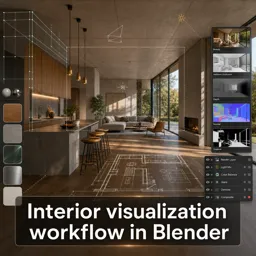
Free Course Image Interior visualization workflow in Blender

Free online courseInterior visualization workflow in Blender

Duration of the online course: 11 hours and 53 minutes

New

Free Blender archviz course: model interiors from plans, manage scenes, light with HDRI, craft materials, render in Cycles, and polish with post-production.

In this free course, learn about

  • Course Overview and Planning
  • Importing CAD References and Setting Correct Scale
  • Blockout and Core Interior Modeling
  • Camera Matching and Photo-Based Modeling
  • Detailed Architecture and Kitchen Modeling
  • Kitchen Assembly and Scene Organization
  • Asset Workflow and Booleans
  • Lighting Foundations: Global Illumination and HDRI
  • Advanced Lighting: Sun, Sky, Portals, and Sampling
  • Lighting Optimization and Material Basics
  • Material Creation: Surfaces, Glass, and Metals
  • Material Refinement and Look Development
  • Performance Tweaks, Scene Polish, and Rendering Setup
  • Output Formats and Blender Color Management
  • Compositing in Blender: Color and Effects
  • Masking, Transparency, and Photoshop Post-Production
  • Render Passes and Photoshop Compositing

Course Description

Interior visualization workflow in Blender is a free online course in Architectural Design within Design and Creative Arts, created to help you build a complete interior archviz pipeline from planning to final images.

Start with a clear project setup and learn practical ways to prepare references, handle CAD-based inputs, and maintain correct units and scale so your scene stays accurate from the first wall to the final render. You will model key interior elements such as floor plans, walls, stairs, windows, and a detailed kitchen, while also improving perspective and camera matching for realistic composition.

Move into efficient scene organization with solid scene management, asset handling, and useful modeling techniques such as booleans for clean architectural details. Then focus on lighting for believable interiors and exterior views, using HDRI workflows, sun and sky setups, and area lights with optimization tricks that improve quality without guesswork.

The course also guides you through material creation for common architectural surfaces including concrete, wood, plaster, glass, glossy finishes, and metals, along with shading fixes that help eliminate common artifacts. Finally, refine your output with render optimization, bit depth choices, tone mapping, color correction and balance, subtle lens and glow effects, masks for targeted edits, transparent backgrounds, and post-production workflows so your final visuals look polished and professional.

Course content

  • Video class: Blender Archviz: Introduction 05m
  • Exercise: What is the step-by-step workflow taught for creating an interior visualization project in Blender?
  • Video class: Blender Archviz: Where do we Start? | Part 01 | 06m
  • Exercise: Which Blender version was used to create the interior visualization course, and what should you do if you have trouble in newer versions?
  • Video class: Blender Archviz: Project Scenarios | Part 02 | 09m
  • Exercise: Which set correctly describes the three most common project scenarios in architectural visualization work?
  • Video class: Blender Archviz: CAD Files | Part 03 | 08m
  • Exercise: What is a bulletproof method to extract usable reference from a DWG file on any operating system without extra Blender add-ons?
  • Video class: Blender Archviz: DWG TrueView | Part 04 | 03m
  • Exercise: When converting a DWG drawing to a PDF for use in an interior visualization workflow, what is the key reason to use a fixed scale (e.g., 1:10) instead of Fit to paper?
  • Video class: Blender Archviz: Units and Scale | Part 05 | 18m
  • Exercise: What is the main technique used to match an imported floor plan image to correct Blender scale?
  • Video class: Blender Archviz: Interior Design | Part 06 | 17m
  • Exercise: What is a recommended best practice before starting to model the walls in an interior visualization scene in Blender?
  • Video class: Blender Archviz: Floor Plan and Walls | Part 07 | 25m
  • Exercise: When creating a clean opening in a floor slab without add-ons or modifiers, which workflow is emphasized?
  • Video class: Blender Archviz: Stairs 3D Modeling | Part 08 | 30m
  • Video class: Blender Archviz: Camera Matching | Part 09 | 15m
  • Exercise: When matching a Blender camera to a real interior photograph, what setting helps reposition the camera view without changing perspective distortion?
  • Video class: Blender Archviz: Perspective Modeling | Part 10 | 17m
  • Exercise: When matching a second photo reference to a camera, what problem can happen if the background image keeps the default stretching instead of being fitted to the camera?
  • Video class: Blender Archviz: Kitchen Island 3D Modeling | Part 11 | 12m
  • Exercise: When modeling from a camera-matched photo reference, what is the recommended workflow for building the scene?
  • Video class: Blender Archviz: Windows 3D Modeling | Part 12 | 22m
  • Exercise: When duplicating a window object that uses shape keys for height adjustments, which duplication method helps avoid the duplicate changing when you edit the original’s shape keys?
  • Video class: Blender Archviz: Stair Details | Part 13 | 27m
  • Exercise: When creating the recessed area for wooden ceiling panels, what approach avoids messy topology like double edges?
  • Video class: Blender Archviz: Kitchen Drawers | Part 14 | 21m
  • Exercise: When adding the kitchen island’s top decorative detail, what method is used to change the model width without deforming its main details?
  • Video class: Blender Archviz: Kitchen Cabinets | Part 15 | 16m
  • Video class: Blender Archviz: Kitchen Appliances | Part 16 | 28m
  • Exercise: Why is it recommended to cut an opening in the countertop for the cooking panel instead of just placing the model on top?
  • Video class: Blender Archviz: 3D Scene Management | Part 17 | 08m
  • Exercise: What is the main purpose of reorganizing the scene into collections before adding more assets?
  • Video class: Blender Archviz: Asset Manager | Part 18 | 20m
  • Exercise: What is the more user-friendly method for adding pre-made assets directly inside Blender in this workflow?
  • Video class: Blender Archviz: Boolean Modifier | Part 19 | 08m
  • Exercise: When is it recommended to use the Boolean modifier in an interior visualization workflow in Blender?
  • Video class: Blender Archviz: Outside View | Part 20 | 08m
  • Exercise: Why is using a 3D exterior environment often preferred over a 2D background image for interior window views?
  • Video class: Blender Archviz: Illumination | Part 21 | 06m
  • Exercise: What is one of the first recommended steps when preparing an interior scene for global illumination in Blender?
  • Video class: Blender Archviz: HDRI Setup | Part 22 | 17m
  • Exercise: Which node should be used to load an HDR map for realistic world lighting in Blender?
  • Video class: Blender Archviz: HDRI Setup Hacks | Part 23 | 11m
  • Exercise: Which node setup allows you to brighten the HDRI background seen by the camera without equally changing the interior lighting?
  • Video class: Blender Archviz: Sun Lamp | Part 24 | 09m
  • Exercise: When using a Sun lamp in Blender, what matters most for its effect on the scene?
  • Video class: Blender Archviz: Sky Texture Hacks | Part 25 | 13m
  • Exercise: In Blender’s Sky Texture workflow, what does adjusting the Air slider mainly control?
  • Video class: Blender Archviz: Area Lights | Part 26 | 11m
  • Exercise: Why add Area lights to an interior scene in Blender in addition to a Sun light?
  • Video class: Blender Archviz: Area Light Hacks | Part 27 | 06m
  • Exercise: When using area lights as light portals in window openings, why is adjusting their power considered basically useless?
  • Video class: Blender Archviz: Multiple Importance Samples | Part 28 | 07m
  • Exercise: When setting up emissive mesh lights, what is the rule of thumb for Multiple Importance Samples?
  • Video class: Blender Archviz: Intro to Materials | Part 29 | 05m
  • Exercise: Which shader is highlighted as the standard material to use for most surfaces in the workflow?
  • Video class: Blender Archviz: Concrete Material | Part 30 | 16m
  • Exercise: Why did the concrete texture initially appear as a flat bluish color with no visible detail on the floor slab?
  • Video class: Blender Archviz: Wood Material | Part 31 | 24m
  • Exercise: How can you make repeated wooden stair steps not show the exact same part of the wood texture on every step?
  • Video class: Blender Archviz: Plaster Material | Part 32 | 11m
  • Exercise: When creating a realistic white plaster ceiling/wall shader, what is the key improvement added beyond a plain white material?
  • Video class: Blender Archviz: Glass Material | Part 33 | 19m
  • Exercise: How can you prevent losing glass panels in all window instances when separating by material?
  • Video class: Blender Archviz: Glossy Material | Part 34 | 18m
  • Exercise: When creating the main glossy materials, what is the recommended workflow order for setting up shaders in the scene?
  • Video class: Blender Archviz: Metal Materials | Part 35 | 09m
  • Exercise: When setting up a simple chrome material, which combination of settings best matches the intended look?
  • Video class: Blender Archviz: Shadow Terminator Hack | Part 36 | 02m
  • Exercise: Which setting can you adjust to lower viewport resolution for better performance while working?
  • Video class: Blender Archviz: 3D Scene Adjustments | Part 37 | 21m
  • Exercise: What is the recommended order of fine-tuning steps before moving on to final rendering setup?
  • Video class: Blender Archviz: Cycles Rendering Hacks | Part 38 | 19m
  • Video class: Blender Archviz: Quick Cycles Setup | Part 39 | 06m
  • Exercise: Which denoiser is recommended for final renders on external render farms that don’t support OptiX?
  • Video class: Blender Archviz: 8-16-32 Bit Images | Part 40 | 09m
  • Exercise: Which file format is best to save if you want to do post-processing directly in Blender later without re-rendering?
  • Video class: Blender Archviz: Tone Mapping | Part 41 | 16m
  • Exercise: In Blender color management, what is the main advantage of using Filmic for interior renders?
  • Video class: Blender Archviz: Color Correction | Part 42 | 17m
  • Video class: Blender Archviz: Color Balance | Part 43 | 24m
  • Exercise: In Blender compositing, what do Lift, Gamma, and Gain primarily control in a Color Balance node?
  • Video class: Blender Archviz: Vignetting, Bloom, Distortion | Part 44 | 08m
  • Exercise: Which node is used to create the vignetting selection in this workflow?
  • Video class: Blender Archviz: Cryptomate | Part 45 | 22m
  • Exercise: In Blender compositing, what is the key step to limit a color/brightness change to only the selected Cryptomatte area?
  • Video class: Blender Archviz: Transparent Background | Part 46 | 10m
  • Exercise: When saving a render with a transparent background for post-production, which export setup is required to preserve transparency?
  • Video class: Blender Archviz: Post Production in Photoshop | Part 47 | 15m
  • Exercise: In the post-processing workflow, which Photoshop adjustment layer is applied first to slightly increase overall brightness without overburning colors?
  • Video class: Blender Archviz: Render Passes | Part 48 | 10m
  • Exercise: Which file format should you use to save a render so you can reopen it later and still access all render passes without re-rendering?
  • Video class: Blender Archviz: Compositing in Photoshop | Part 49 | 08m
  • Exercise: When compositing a render pass that contains lots of black areas (like Glossy Direct) in Photoshop, which blend mode is recommended to keep only the highlights?

This free course includes:

11 hours and 53 minutes of online video course

Digital certificate of course completion (Free)

Exercises to train your knowledge

100% free, from content to certificate

Ready to get started?Download the app and get started today.

Install the app now

to access the course
Icon representing technology and business courses

Over 5,000 free courses

Programming, English, Digital Marketing and much more! Learn whatever you want, for free.

Calendar icon with target representing study planning

Study plan with AI

Our app's Artificial Intelligence can create a study schedule for the course you choose.

Professional icon representing career and business

From zero to professional success

Improve your resume with our free Certificate and then use our Artificial Intelligence to find your dream job.

You can also use the QR Code or the links below.

QR Code - Download Cursa - Online Courses

More free courses at Architectural Design

Free Ebook + Audiobooks! Learn by listening or reading!

Download the App now to have access to + 5000 free courses, exercises, certificates and lots of content without paying anything!

  • 100% free online courses from start to finish

    Thousands of online courses in video, ebooks and audiobooks.

  • More than 60 thousand free exercises

    To test your knowledge during online courses

  • Valid free Digital Certificate with QR Code

    Generated directly from your cell phone's photo gallery and sent to your email

Cursa app on the ebook screen, the video course screen and the course exercises screen, plus the course completion certificate