A model is the complete building project, while families are reusable component definitions such as doors, windows, furniture, and fixtures.

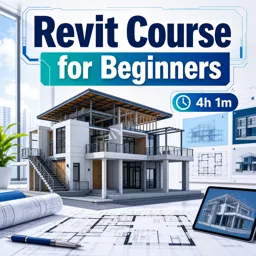
Duration of the online course: 4 hours and 1 minutes
4.5


(2)
Learn Revit BIM skills fast with this free online course—model floors, walls, roofs and create clean presentations to boost your architectural design portfolio.
Build real-world Revit confidence from day one and take your first solid steps into BIM for architectural design. This free online course is designed for beginners who want to move beyond confusing tools and start modeling with purpose. You will learn how to set up a project properly, understand how Revit thinks, and develop a workflow that helps you create accurate building elements instead of just drawing shapes.
As you progress, you will work through key modeling tasks that mirror what happens in studios and professional offices: defining levels and structure, creating floors, shaping stair runs, and controlling walls with smart constraints so your design updates cleanly. You will also get comfortable with the logic behind types, parameters, and reusable components, making it easier to adjust your project without starting over. By understanding the relationship between models and families, you will be able to place and modify elements like doors and windows with much more control.
The course continues by guiding you through creating ceilings, building a roof with practical options, and refining the design with elements that bring models closer to construction-ready detail, such as columns, railings, and gutters. You will develop an eye for consistency and build habits that reduce errors as projects become more complex. The final stage focuses on how to present your work clearly, using views and elevations to communicate design intent in a way that feels professional and easy to review.
Whether you are an architecture student, a designer switching to BIM, or someone exploring new creative tools, this course helps you produce a clean beginner project you can be proud of. By the end, you will be able to navigate Revit with more certainty, model core building components, and prepare presentable outputs that support your portfolio and future job opportunities.

4 hours and 1 minutes of online video course

Digital certificate of course completion (Free)

Exercises to train your knowledge

100% free, from content to certificate
What is the difference between a Revit model and a Revit family?
A model is the complete building project, while families are reusable component definitions such as doors, windows, furniture, and fixtures.
How do I create a straight run of stairs in Revit?
Use the Stair tool, select the straight-run option, then click to define the start and end points of the stair.
What are the main ways to create a roof in Revit?
Revit roofs can be created by footprint, by extrusion, or from mass elements.
Ready to get started?Download the app and get started today.
Install the app now
to access the course
Over 5,000 free courses
Programming, English, Digital Marketing and much more! Learn whatever you want, for free.

Study plan with AI
Our app's Artificial Intelligence can create a study schedule for the course you choose.

From zero to professional success
Improve your resume with our free Certificate and then use our Artificial Intelligence to find your dream job.
You can also use the QR Code or the links below.



Free CourseUnreal Engine 5 for Architecture Students
5
(1)

3h45m

5 exercises
Free CourseUrban Design
5
(1)
4h27m
23 exercises
Free CoursePhotoshop for Architects
4.8
(6)
5h46m
12 exercises
Free CourseArchitecture Model Making for Beginners
4.7
(3)
2h57m
12 exercises
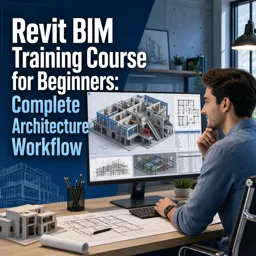
Free CourseRevit BIM Training Course for Beginners: Complete Architecture Workflow
4.5
(2)
5h45m
11 exercises
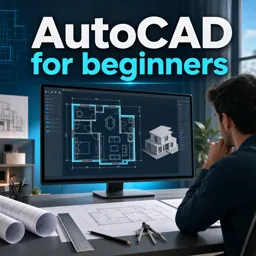
Free CourseAutoCAD for beginners
4.4
(94)
12h24m
26 exercises
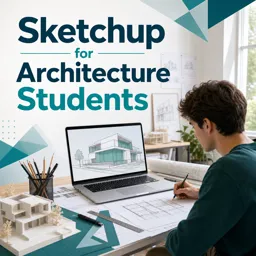
Free CourseSketchup for Architecture Students
4
(1)
1h27m
6 exercises
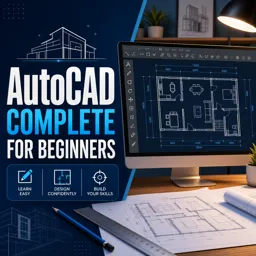
Free CourseAutoCAD complete for beginners
3.7
(6)
2h16m
8 exercises
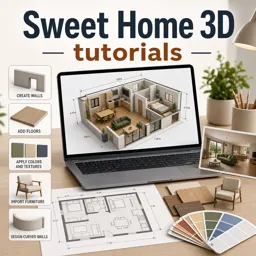
Free CourseSweet Home 3D tutorials
New
2h09m
14 exercises
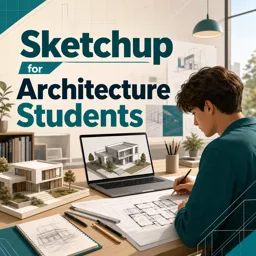
Free CourseSketchup for Architecture Students
New
1h27m
6 exercises
Carry knowledge in your pocket.
Download the Cursa app.
There are hundreds of free courses available, with a free certificate of completion that is saved in your mobile image gallery.
Download the app to access the Course Completion Certificate for Free.


+ 10 million
students

Free and Valid
Certificate

60 thousand free
exercises

4.8/5 rating in
app stores

Free courses in
video and ebooks