Use an eye height of about 1.6 m (5 ft 3 in) for a natural architectural perspective.

Duration of the online course: 1 hours and 27 minutes
New
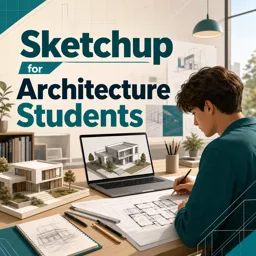
Model architectural ideas faster with this free SketchUp course—master clean workflows, accurate scale, and pro presentation views, with practical shortcuts.
Turn early concepts into clear, buildable 3D studies with a SketchUp workflow tailored to architecture students. This free online course focuses on the decisions that make models feel professional: setting up a file the right way from the start, keeping geometry clean as projects grow, and working at an architectural scale that stays reliable from schematic massing to detailed spatial studies. Instead of guessing your way through tools, you’ll learn the habits that speed up iteration and keep your model organized under deadline pressure.
You’ll develop confidence in creating precise layouts by using construction guidance for accurate placement, then structuring your model so parts remain independent rather than merging into one uneditable mess. The course emphasizes the practical logic behind groups, shortcuts, and isolation workflows so you can edit a room, façade, or component without disrupting the rest of your project. You’ll also work with view setup for architectural presentation, including perspective decisions that make exported scenes read more naturally when you take them into graphic tools for boards and diagrams.
Architectural projects rarely start from scratch, so the course also addresses bringing CAD information into SketchUp with a time-saving import approach. You’ll understand how to prepare drawings before import, choose a format that supports an efficient workflow, and avoid common issues that slow you down later. Along the way, you’ll see why the Pro version can offer advantages for architectural work, especially when your process depends on smoother interoperability and a more robust production pipeline.
By the end, you won’t just know where tools are—you’ll know how to think in SketchUp like an architecture student who needs speed, accuracy, and presentable results. Whether you’re building study models, refining design options, or preparing views for critique, you’ll have a dependable workflow you can reuse in studio and professional settings.

1 hours and 27 minutes of online video course

Digital certificate of course completion (Free)

Exercises to train your knowledge

100% free, from content to certificate
What eye height should I use for a SketchUp perspective scene exported to Illustrator?
Use an eye height of about 1.6 m (5 ft 3 in) for a natural architectural perspective.
How do I stop geometry from sticking together in SketchUp architectural models?
Create groups or components for separate objects, using Ctrl+G to group selected geometry.
What AutoCAD file format should be used before importing drawings into SketchUp?
Save the drawing as a DWG file, preferably in a compatible earlier AutoCAD version for smoother import.
Ready to get started?Download the app and get started today.
Install the app now
to access the course
Over 5,000 free courses
Programming, English, Digital Marketing and much more! Learn whatever you want, for free.

Study plan with AI
Our app's Artificial Intelligence can create a study schedule for the course you choose.

From zero to professional success
Improve your resume with our free Certificate and then use our Artificial Intelligence to find your dream job.
You can also use the QR Code or the links below.




Free CourseUnreal Engine 5 for Architecture Students
5

(1)

3h45m

5 exercises

Free CourseUrban Design
5
(1)
4h27m
23 exercises
Free CoursePhotoshop for Architects
4.8
(6)
5h46m
12 exercises
Free CourseArchitecture Model Making for Beginners
4.7

(3)
2h57m
12 exercises
Free CourseRevit course for beginners
4.5
(2)
4h01m
9 exercises
Free CourseRevit BIM Training Course for Beginners: Complete Architecture Workflow
4.5
(2)
5h45m
11 exercises
Free CourseAutoCAD for beginners
4.4
(94)
12h24m
26 exercises
Free CourseSketchup for Architecture Students
4
(1)
1h27m
6 exercises
Free CourseAutoCAD complete for beginners
3.7
(6)
2h16m
8 exercises
Free CourseSweet Home 3D tutorials
New
2h09m
14 exercises
Carry knowledge in your pocket.
Download the Cursa app.
There are hundreds of free courses available, with a free certificate of completion that is saved in your mobile image gallery.
Download the app to access the Course Completion Certificate for Free.


+ 10 million
students

Free and Valid
Certificate

60 thousand free
exercises

4.8/5 rating in
app stores

Free courses in
video and ebooks