
Revit project templates are saved in the .RTE file format, allowing predefined standards and settings to be reused in new projects.

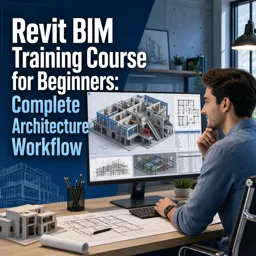
Duration of the online course: 5 hours and 45 minutes
4.5


(2)
Build job-ready Revit BIM skills fast with this free online course—model, detail, document, and export a complete architecture workflow with a certificate.
Start modeling and documenting architectural projects with confidence using a practical, beginner-friendly Revit BIM workflow. This free online course is designed for anyone entering architectural design, switching from CAD, or aiming to work more efficiently in BIM. Instead of learning isolated tools, you will follow a complete start-to-finish process that mirrors real studio and office standards, helping you understand not just what to click, but why each step matters for clear drawings, coordination, and deliverables.
You will get comfortable with the Revit interface and core project setup concepts that affect everything downstream, including templates, levels, grids, and view organization. From there, you will build a clean architectural model by placing and editing key elements such as walls, doors, floors, stairs, and components like furniture, while learning how Revit’s type and instance behaviors influence consistency across a project. As your model develops, you will also refine how you navigate, adjust, and control views, making it easier to work accurately and communicate design intent.
To move from modeling to production, you will learn how sheets are created and managed, how views are placed for presentation, and how annotations support accurate documentation. You will also practice using tags to identify elements clearly, improving the readability of drawings and enabling smarter information management. Beyond drawings, you will see how schedules and material takeoffs can turn model data into organized lists, supporting tasks like counting doors and windows and preparing project information in a format teams can use.
The course also introduces workflows that matter in multidisciplinary BIM projects: massing for early design, exporting to common formats for collaboration, and preparing models for coordination in external tools. By understanding IFC and coordination exports, as well as the reason models are shared into clash detection workflows, you will be better prepared to participate in real project coordination cycles and communicate issues effectively.
By the end, you will have a clearer BIM mindset and a more complete sense of how Revit supports architecture from concept to documentation and coordination—skills that can strengthen your portfolio, improve your productivity, and support your next step toward an architectural design role.

5 hours and 45 minutes of online video course

Digital certificate of course completion (Free)

Exercises to train your knowledge

100% free, from content to certificate
What file format does Revit use for reusable project templates?
Revit project templates are saved in the .RTE file format, allowing predefined standards and settings to be reused in new projects.
How do you create a door or window schedule in Revit?
Use the Schedule/Quantities feature, select the Doors or Windows category, and choose the fields needed to list and count each element.
Why export a Revit model to IFC or NWC before clash detection in Navisworks?
Exporting creates a coordination model that can be combined with other disciplines, checked for clashes, and used to generate coordination reports.
Ready to get started?Download the app and get started today.
Install the app now
to access the course
Over 5,000 free courses
Programming, English, Digital Marketing and much more! Learn whatever you want, for free.

Study plan with AI
Our app's Artificial Intelligence can create a study schedule for the course you choose.

From zero to professional success
Improve your resume with our free Certificate and then use our Artificial Intelligence to find your dream job.
You can also use the QR Code or the links below.




Free CourseUnreal Engine 5 for Architecture Students
5
(1)

3h45m

5 exercises
Free CourseUrban Design
5
(1)
4h27m
23 exercises
Free CoursePhotoshop for Architects
4.8
(6)
5h46m
12 exercises
Free CourseArchitecture Model Making for Beginners
4.7
(3)
2h57m
12 exercises
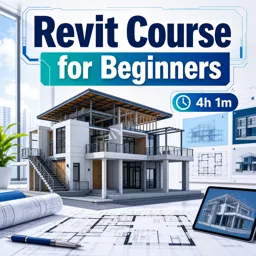
Free CourseRevit course for beginners
4.5
(2)
4h01m
9 exercises
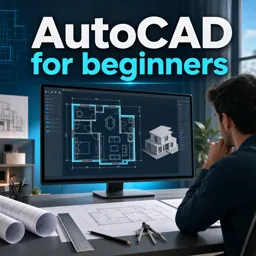
Free CourseAutoCAD for beginners
4.4
(94)
12h24m
26 exercises
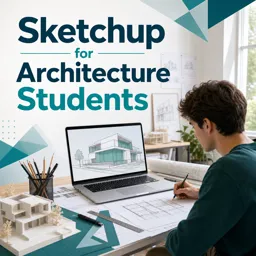
Free CourseSketchup for Architecture Students
4
(1)
1h27m
6 exercises
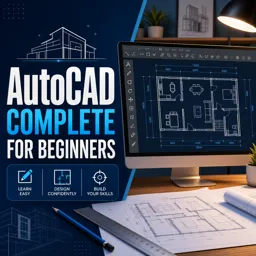
Free CourseAutoCAD complete for beginners
3.7
(6)
2h16m
8 exercises
Free CourseSweet Home 3D tutorials
New
2h09m
14 exercises
Free CourseSketchup for Architecture Students
New
1h27m
6 exercises
Carry knowledge in your pocket.
Download the Cursa app.
There are hundreds of free courses available, with a free certificate of completion that is saved in your mobile image gallery.
Download the app to access the Course Completion Certificate for Free.


+ 10 million
students

Free and Valid
Certificate

60 thousand free
exercises

4.8/5 rating in
app stores

Free courses in
video and ebooks
Course comments: Revit BIM Training Course for Beginners: Complete Architecture Workflow
Balaji Ponnadi
excellent course with certification