Data Layers let you organize and selectively control scene elements, such as interior and exterior lighting, improving workflow and performance.

Duration of the online course: 3 hours and 45 minutes
5

(1)
Create stunning real-time architectural walkthroughs with this free Unreal Engine course—learn lighting, landscapes, cameras, foliage and packaging for a polished portfolio.
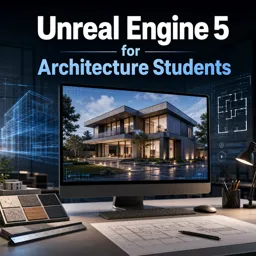
Turn your architectural ideas into immersive, real-time experiences. This free online course is designed for architecture students who want to move beyond static renders and present projects as interactive walkthroughs that feel convincing, atmospheric, and professional. By learning Unreal Engine 5 workflows tailored to architectural design, you will gain practical skills to communicate space, light, and materiality with more impact—whether for studio critiques, client-style presentations, or a stronger portfolio.
You will explore how to organize a scene for clarity and performance, making it easier to manage complex interior and exterior environments as your projects grow. The course emphasizes visual credibility, helping you approach lighting in a controlled, intentional way so that interior moods and exterior daylight scenarios can be adjusted without chaos. You will also learn why building terrain is more than a backdrop: a properly prepared landscape supports composition, context, and believable scale, giving your architecture a setting that elevates the overall narrative.
To communicate design decisions effectively, camera setup becomes a key storytelling tool. You will develop an understanding of how camera choices shape perception, guiding viewers through sequences that highlight proportions, material transitions, and spatial relationships. The course also addresses world-building techniques that boost immersion while staying efficient, including smarter vegetation workflows that keep scenes responsive as the viewer navigates through them.
Finally, you will focus on finishing touches that make a project presentation-ready. You will learn how to package an Unreal Engine project so it can be shared smoothly, improving usability from the very first screen. By the end, you will be better prepared to deliver interactive architectural experiences that look refined, run efficiently, and help your work stand out.

3 hours and 45 minutes of online video course

Digital certificate of course completion (Free)

Exercises to train your knowledge

100% free, from content to certificate
How can Unreal Engine 5 Data Layers improve architectural interior and exterior scenes?
Data Layers let you organize and selectively control scene elements, such as interior and exterior lighting, improving workflow and performance.
Why set up a landscape in an Unreal Engine 5 architectural visualization?
A landscape creates the surrounding terrain and site context, helping an architectural model feel grounded and realistic.
How do you make the mouse cursor visible in a packaged Unreal Engine 5 architecture project?
Configure the project or player controller to show the mouse cursor on the start screen before packaging the project.
Ready to get started?Download the app and get started today.
Install the app now
to access the course
Over 5,000 free courses
Programming, English, Digital Marketing and much more! Learn whatever you want, for free.

Study plan with AI
Our app's Artificial Intelligence can create a study schedule for the course you choose.

From zero to professional success
Improve your resume with our free Certificate and then use our Artificial Intelligence to find your dream job.
You can also use the QR Code or the links below.




Free CourseUrban Design
5
(1)

4h27m

23 exercises
Free CourseAutoCAD Plant 3D 2025 Training: Piping, Isometrics and Orthographics
5
(1)
3h11m
35 exercises
Free CoursePhotoshop for Architects
4.8
(6)
5h46m
12 exercises
Free CourseArchitecture Model Making for Beginners
4.7

(3)
2h57m
12 exercises
Free CourseRevit course for beginners
4.5
(2)
4h01m
9 exercises
Free CourseRevit BIM Training Course for Beginners: Complete Architecture Workflow
4.5
(2)
5h45m
11 exercises
Free CourseAutoCAD for beginners
4.4
(94)
12h24m
26 exercises
Free CourseSketchup for Architecture Students
4
(1)
1h27m
6 exercises
Free CourseAutoCAD complete for beginners
3.7
(6)
2h16m
8 exercises
Free CourseSweet Home 3D tutorials
New
2h09m
14 exercises
Carry knowledge in your pocket.
Download the Cursa app.
There are hundreds of free courses available, with a free certificate of completion that is saved in your mobile image gallery.
Download the app to access the Course Completion Certificate for Free.


+ 10 million
students

Free and Valid
Certificate

60 thousand free
exercises

4.8/5 rating in
app stores

Free courses in
video and ebooks