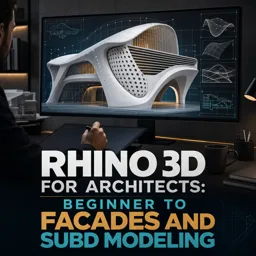
Free online course Rhino 3D for Architects: Beginner to Facades and SubD Modeling
Duration of the online course: 17 hours and 41 minutes
New
Design striking facades and organic forms with this free Rhino 3D course for architects, from basics to SubD workflows—ideal for portfolio-ready results.
In this free course, learn about
Rhino UI basics, navigation, modeling setup, and CPlane alignment to sloped faces
Massing with primitives, Booleans, and keeping cutters; capping valid planar openings
Building linear forms with Loft, Sweep1, BlendSrf; avoid twists via consistent curve direction
Offset/offset-curve wall workflows; Loose=No vs Yes and strategies for clean thickness results
Double-curvature surfacing (Sweep2/NetworkSrf) and choosing methods that offset/thicken well
Non-destructive modeling with History: project/flow geometry that updates when base changes
Editing without reshaping: InsertKnot/add control points; manage control point counts on offsets
Converting NURBS/meshes to SubD; open extrudes; export-ready SubD for Revit interoperability
Facade organization: layers/sublayers, materials, and texture mapping (planar/box basics)
Reusable facade systems with Blocks; variation testing while keeping modules linked
Paneling/louvers mapping onto curved surfaces with FlowAlongSrf; Rigid settings implications
Generating floor levels/plates via Contour-style slicing at fixed Z spacings; boxing and reshaping
About the free online course
Move from first click to confident architectural modeling in Rhino with a practical, beginner-friendly path focused on the way architects actually explore form. This free online course helps you build a solid foundation in Rhino 8 essentials while quickly progressing into massing studies, double-curvature surfaces, and contemporary facade development. Instead of getting stuck on abstract commands, you will learn how to think in workflows: how to set up geometry cleanly, iterate without restarting, and keep your model responsive as the design evolves.
You will practice creating and refining building masses through controlled operations, transitioning from simple solids to complex compositions built from triangles, quads, sweeps, and lofts. The course emphasizes accuracy and editability, showing you how to avoid common problems like twisted surfaces, uncloseable polysurfaces, or unpredictable offsets when adding thickness. Along the way, you will understand when to rely on surface tools for the best fabrication-ready results and when SubD modeling is the smarter choice for fast, sculptural exploration.
A major focus is translating expressive geometry into facade logic. You will develop skills to organize projects efficiently, manage layers for dense assemblies, and use repeating systems that make design changes painless. From texture mapping and material setup to smart modeling habits, you will learn how to test variations without breaking your overall system, and how to map facade elements onto curved masses in a way that stays flexible.
As you progress into SubD, you will model organic architectural forms with cleaner topology, fix shading and vertex issues, and move between polygonal and SubD approaches with a clear understanding of what is happening under the hood. The course also keeps real-world integration in mind, guiding you toward export-ready outcomes for downstream tools such as BIM workflows. By the end, you will be able to prototype bold envelopes, rationalize them into repeatable facade modules, and produce a more compelling portfolio with Rhino-centered skills that transfer directly to professional concept and design development work.
Course content
Video class: 01 Rhino Beginner course for Architects_Introduction and basics20m
Exercise: In Rhino 8, which feature lets you quickly draw on a sloped face by automatically aligning the construction plane to that face?
Video class: 02 Rhino Beginner course for Architects_Massing part 1_Basic shapes and Boolean iterations24m
Exercise: When using Boolean Difference, which option should you set to keep the cutting objects after subtraction?
Video class: 03 Rhino Beginner course for Architects_Massing part 2_Complex shapes from Triangles and Quads27m
Exercise: In Rhino, what condition must be true for the Cap command to successfully close an open polysurface?
Video class: 04 Rhino Beginner course for Architects_Massing part 3_Linear Forms25m
Exercise: Which Rhino command is used to create a soft transition surface between two existing surface edges, even if they are not on the same plane?
Video class: 05 Rhino Beginner course for Architects_Massing part 4_Linear Forms 213m
Exercise: When building a linear mass with Sweep1, what is the best workflow to keep the form editable while adjusting profiles?
Video class: 06 Rhino Beginner course for Architects_Massing part 5_Linear Forms 328m
Exercise: When using Loft between two curves, what is the key selection rule to avoid getting a twisted/weird surface?
Video class: 07 Rhino Beginner course for Architects_Massing part 6_Linear Forms 428m
Exercise: When offsetting a curve to create walls, what is the main difference between setting Loose to No versus Yes?
Video class: 08 Rhino Beginner course for Architects_Massing part 7_Linear Forms 513m
Exercise: Which Rhino command is primarily used to create the main curved facade surface by selecting two rails and multiple profiles?
Video class: 09 Rhino Beginner course for Architects_Massing part 8_Double Curvature Forms 116m
Exercise: Which surface creation method is recommended for getting the best OffsetSrf (thickness) result in this workflow?
Video class: 10 Rhino Beginner course for Architects_Massing part 9_Double Curvature Forms 225m
Exercise: When adding more edit points without changing the shape of a curve or surface, which command is preferred?
Video class: 11 Rhino Beginner course for Architects_Massing part 10_Double Curvature Forms 333m
Exercise: When projecting the layout rectangles onto a curved surface so they update when the surface changes, which Rhino feature must be enabled?
Video class: 12 Rhino Beginner course for Architects_Massing part 11_Double Curvature Forms 438m
Exercise: Which Rhino command is used to generate a double-curvature roof surface from two rails and two profile curves?
Video class: 13 Rhino Beginner course for Architects_Massing part 12_Frank Gehry Style12m
Exercise: Which Rhino workflow allows the surfaces to update automatically when you edit the curves later?
Video class: 14 Rhino Beginner course for Architects_Massing part 13_Double Curvature Forms 630m
Exercise: When adding thickness to the roof surfaces with varying thickness, which workflow is used to keep the same number of control points on the offset surface?
Video class: 15 Rhino Beginner course for Architects_SubD Basics40m
Exercise: When creating organic shapes with SubD in Rhino, which shortcut toggles between Smooth and Flat display modes?
Video class: 16 Rhino Beginner course for Architects_Massing part 15_SubD Organic Form 119m
Exercise: How can you fix weird SubD vertices caused by faces having different normal directions?
Video class: 17 Rhino Beginner course for Architects_Massing part 16_SubD Organic Form 225m
Exercise: When creating the roof surface on a SubD mass, which command is used to close the open top loop automatically?
Video class: 18 Rhino Beginner course for Architects_Massing part 17_SubD Organic Form 314m
Exercise: When preparing curves for SubD lofting, which setting helps make the circle easier to convert into a clean SubD form?
Video class: 19 Rhino Beginner course for Architects_Massing part 18_SubD Organic Form 419m
Exercise: When preparing a SubD mass in Rhino for import into Revit, what should you ensure before exporting?
Video class: 20 Rhino Beginner course for Architects_Massing part 19_SubD Organic Form 531m
Exercise: What is the correct workflow shown to convert a polysurface into a SubD object?
Video class: 21 Rhino Beginner course for Architects_Massing part 20_SubD Organic Form 617m
Exercise: Why is a NURBS surface converted to a mesh before converting it to SubD?
Video class: 22 Rhino Beginner course for Architects_Massing part 21_SubD Organic Form 623m
Exercise: When extruding the polygons, which key/modifier creates an open extrude instead of a closed one?
Video class: 23 Rhino Beginner course for Architects_Facade Part 1_Introduction and Layers06m
Exercise: What is a key advantage of organizing facade elements into layers and sublayers in Rhino?
Video class: 24 Rhino Beginner course for Architects_Facade Part 2_Materials and Texture Mapping11m
Exercise: What texture mapping types are mentioned as the two most commonly used?
Video class: 25 Rhino Beginner course for Architects_Facade Part 3_Blocks18m
Exercise: When designing a linear facade with repeating elements, what is a key advantage of using Blocks in Rhino?
Video class: 26 Rhino Beginner course for Architects_Facade Part 4_Smart Modeling10m
Exercise: Which approach is recommended for faster, more practical editing when modeling dense facade/skylight paneling in Rhino?
Video class: 27 Rhino Beginner course for Architects_Facade Part 5_Deconstructivism14m
Exercise: Which Rhino command is used to map the flat facade panels onto the organic mass surfaces?
Video class: 28 Rhino Beginner course for Architects_Facade Part 6_Parametric Louvers 120m
Exercise: When using FlowAlongSrf to map louvers onto a facade, which Rigid setting is appropriate for a surface with variable height (non-constant section)?
Video class: 29 Rhino Beginner course for Architects_Facade Part 7_Parametric Louvers 224m
Exercise: When mapping the louver geometry from a flat setup onto a curved facade surface, which Rhino command is used?
Video class: 30 Rhino Beginner course for Architects_Facade Part 8_Parametric Louvers 315m
Exercise: How can you add thickness to the extruded facade surfaces without breaking history?
Video class: 31 Rhino Beginner course for Architects_Facade Part 9_Arches 128m
Exercise: When testing facade design variations while keeping the rest of the modules unchanged, which Rhino workflow is used?
Video class: 32 Rhino Beginner course for Architects_Facade Part 10_Linear Facade 131m
Exercise: Which Rhino command is used to generate floor level curves by slicing the building mass at a constant spacing?
Video class: 33 Rhino Beginner course for Architects_Facade Part 11_Linear Facade 225m
Exercise: Which Rhino command is used to generate floor-level curves from the building mass at a 4 m spacing?
Video class: 34 Rhino Beginner course for Architects_Facade Part 12_Linear Facade 328m
Exercise: Which Rhino command is used to generate floor-level curves from the building mass at a 4 m spacing in the Z direction?
Video class: 35 Rhino Beginner course for Architects_Facade Part 13_Linear Facade 426m
Exercise: Which Rhino command is used to generate floor level curves at regular vertical intervals (e.g., every 4 m)?
Video class: 36 Rhino Beginner course for Architects_Facade Part 14_Linear Facade 527m
Exercise: Which Rhino command is used to generate floor levels at 4 m spacing from the building mass?
Video class: 37 Rhino Beginner course for Architects_Facade Part 15_Arches 228m
Exercise: Which Rhino command is used to apply the repeated facade modules onto a curved target surface while keeping the ability to update the result?
Video class: 38 Rhino Beginner course for Architects_Facade Part 16_Arches 336m
Exercise: Which Rhino command is used to generate floor-level curves at a fixed height interval (e.g., every 4m) from the building mass?
Video class: 39 Rhino Beginner course for Architects_Facade Part 17_Perforated Skin 132m
Exercise: When creating floor plates from the building mass, which Rhino command is used to generate horizontal curves at a set vertical spacing (e.g., 3.5m)?
Video class: 40 Rhino Beginner course for Architects_Facade Part 18_Perforated Skin 243m
Exercise: When generating floor-level curves from the building mass, which Rhino command is used to create horizontal contour lines at a set Z spacing (e.g., 3.5 m)?
Video class: 41 Rhino Beginner course for Architects_Facade Part 19_Perforated Skin 331m
Exercise: When creating the initial building mass, which Rhino command is used to generate the box form?
Video class: 42 Rhino Beginner course for Architects_Facade Part 20_Perforated Skin 432m
Exercise: Which Rhino command is used to turn on control points so you can reshape the joined building mass by moving points?
Video class: 43 Rhino Beginner course for Architects_Facade Part 21_Perforated Skin 531m
Exercise: When adding thickness to the perforated skin substructure, which workflow is used after OffsetSrf gives problematic results in some areas?
How does Rhino 3D help architects create curved facades and double-curvature building forms?
The course teaches Sweep, Loft, NetworkSrf, FlowAlongSrf, OffsetSrf, and history-based workflows for editable curved masses, roofs, louvers, and facade panels.
What Rhino tools are covered for modeling parametric-looking facade systems without Grasshopper?
You will use layers, blocks, contours, surface flow, mapping, and history to build repeatable louvers, arches, perforated skins, and linear facade modules.
Does the Rhino architecture course cover SubD modeling and Revit-ready geometry?
Yes. It covers SubD basics, organic architectural forms, converting NURBS or polysurfaces to SubD, fixing normals, and preparing clean geometry for Revit export.
Ready to get started?Download the app and get started today.