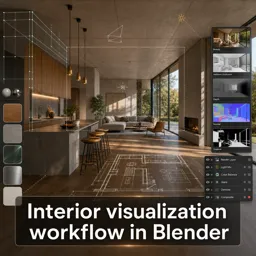
Rhino, or Rhinoceros 3D, is more than a powerful modeling tool—it’s a collaborative platform for architectural teams. By enabling seamless communication between architects, engineers, clients, and stakeholders, Rhino transforms how projects are visualized and refined. This article explores essential techniques and best practices to create high-quality, collaborative architectural presentations using Rhino.
Why Collaborative Visualization Matters in Architecture
In architecture, visualization is key to conveying design intent, spatial qualities, and materiality. Collaborative visualization ensures that all project contributors can clearly understand and provide feedback during development. Rhino’s versatility makes it an ideal solution for:
- Iterating design concepts in real-time.
- Improving communication between multidisciplinary teams.
- Presenting ideas to clients in clear, visually compelling ways.
Setting Up Collaborative Workflows in Rhino
To ensure smooth teamwork, Rhino offers several powerful features:
- Organize Layers Rigorously: Structure layers by function (e.g., site, context, structure, interiors) to simplify collaboration and model management.
- Reference External Models: Use XRefs (external references) to divide large projects, allowing different team members to work without conflicts.
- Leverage Worksession Tools: Rhino’s Worksession feature enables teams to coordinate multiple files in parallel, streamlining collaboration.
Rendering Techniques for Collaborative Presentations
Effective visualization is vital when presenting design progress to teams or clients. Consider these approaches:
- View Captures: Generate quick, high-resolution views with custom display modes for clear conceptual presentations.
- Rendering Plug-ins: Tools like V-Ray or Enscape provide photorealistic lighting, materials, and real-time walkthroughs that enhance design review sessions.
- Standardized Render Settings: Share rendering presets and material libraries across the team to maintain a cohesive visual style.
Sharing and Iterating Visualization Results
Smooth collaboration depends on efficient file sharing and feedback processes:
- Cloud Collaboration: Use platforms such as Rhino’s Cloud Zoo or other cloud storage systems for version control and file sharing.
- Annotations and Markups: Add notes, highlights, and comments directly in Rhino to streamline team feedback.
- Export to Multiple Formats: Export to PDF, image files, or 3D viewers to ensure accessibility for both technical and non-technical stakeholders.
Best Practices for Collaborative Visualization in Rhino
- Establish clear file naming conventions and assign a project coordinator.
- Hold regular sync meetings to review visualization progress and address issues early.
- Document visualization standards to ensure all team outputs align with branding and project goals.
Conclusion
Rhino is not just a modeling tool—it’s a collaborative powerhouse for architectural visualization. By adopting structured workflows, shared resources, and effective communication strategies, teams can leverage Rhino to create presentations that engage stakeholders and drive project success.