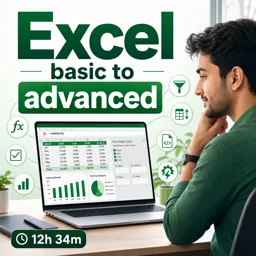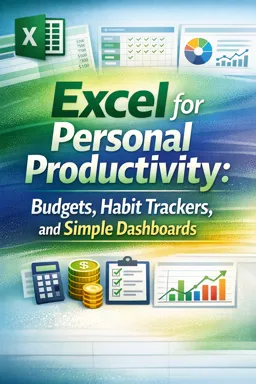

Free ebook on using Excel for personal budgets, habit trackers, debt payoff plans, charts, and simple productivity dashboards.
Free ebook content
-

Setting Up a Clean Spreadsheet Workspace
+ Exercise: Which setup best supports a clean spreadsheet workspace that is easy to update and hard to break?
-
Core Spreadsheet Skills for Everyday Use
+ Exercise: Why is converting a data range into an Excel Table especially useful for a personal budget you update every week?


-
Building a Monthly Budget You Can Maintain
+ Exercise: Which approach best helps a monthly budget stay maintainable when irregular expenses (like annual bills or gifts) occur?
-
Automating Totals and Categories with SUM
+ Exercise: You created category blocks with subtotals in cells D21, D36, and D46. What is the most robust way to calculate a grand total without double-counting?
-
Using IF to Label, Flag, and Guide Decisions
+ Exercise: In a productivity spreadsheet, what is a key benefit of using IF to create a flag column that returns a message when attention is needed and returns an empty string otherwise?
-
Tracking Spending Patterns with AVERAGE and Basic Summaries
+ Exercise: You want to calculate average daily spending for a date range in a way that includes days with no spending. What approach best achieves this?
-
Creating a Debt Payoff Tracker with Milestones
+ Exercise: Why is it recommended to separate the Debts and Payments sheets from the Tracker sheet in a debt payoff workbook?
-
Designing a Habit Tracker with Check-Ins and Streaks
+ Exercise: In an Excel habit tracker, what is the main reason to build an Expected helper grid (1 for expected, 0 for not expected) alongside the check-in grid?
-
Formatting for Clarity and Consistency
+ Exercise: When you frequently need to flag values that exceed a limit, what is the most reliable approach to keep the highlight accurate as data changes?
-
Simple Charts That Explain Your Data
+ Exercise: You want a chart in Excel that automatically includes new rows as you add more months to your budget summary. What is the most reliable approach?
-
Building a One-Page Personal Dashboard
+ Exercise: When building a one-page personal dashboard in Excel, which approach best keeps it useful as a decision tool rather than turning into a report?
-
Error-Proofing Habits and Spreadsheet Reliability
+ Exercise: In a habit tracker, which approach best improves long-term reliability as the sheet expands and is used daily?
-
Reusable Templates and Monthly Review Routine
+ Exercise: When creating a new month by duplicating a month template, what action best prevents breaking dropdowns and structured references?
About the free ebook
Excel for Personal Productivity: Budgets, Habit Trackers, and Simple Dashboards
Turn everyday information into practical, easy-to-use Excel tools. This free ebook shows how to organize personal finances, monitor routines, and summarize progress without building overly complicated spreadsheets.
Create spreadsheets that support better decisions
Start with a clean workspace and essential spreadsheet skills, then apply formulas such as SUM, IF, and AVERAGE to calculate totals, categorize entries, highlight useful signals, and review patterns. The focus is on spreadsheets you can update regularly rather than one-time reports.
Build useful personal systems
Learn to create a sustainable monthly budget, a debt payoff tracker with clear milestones, and a habit tracker that records check-ins and streaks. Clear formatting and thoughtful labels make your data faster to read and less prone to mistakes.
Make your progress visible
Use simple charts and a one-page dashboard to bring key numbers together. You will also explore practical reliability habits, reusable templates, and a monthly review routine for keeping your workbook accurate and useful over time.
What you will be able to do
- Organize spending and budget categories in Excel.
- Use basic formulas to automate personal calculations.
- Track habits, debt progress, and recurring goals.
- Create clear charts and a compact personal dashboard.
- Reuse dependable templates each month.
How can I create a monthly budget in Excel that updates automatically?
Use category columns with SUM formulas to total income, expenses, and remaining budget amounts.
What Excel formula can flag spending that exceeds a budget limit?
Use an IF formula to compare actual spending with the category budget and display a warning label.
How do I make a simple Excel habit tracker with streaks?
Record daily check-ins in a table, then use formulas and formatting to count completed days and highlight consistency.
This ebook includes:

13 content chapters

Digital certificate of course completion (Free)

Exercises to train your knowledge

100% free, from content to certificate
Ready to get started?

 recommended
In the app you will also find...

Over 5,000 free courses
Programming, English, Digital Marketing and much more! Learn whatever you want, for free.

Study plan with AI
Our app's Artificial Intelligence can create a study schedule for the course you choose.

From zero to professional success
Improve your resume with our free Certificate and then use our Artificial Intelligence to find your dream job.
You can also use the QR Code or the links below.