You will learn to plan a database, create tables, enter and filter data, build queries, and create basic forms and reports in Access 2016, 2019, and Microsoft 365.

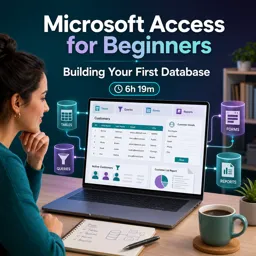
Duration of the online course: 6 hours and 19 minutes
New
Build your first Microsoft Access database fast—tables, queries, forms, and reports in a free online course with practical exercises and optional certificate.
Turn scattered spreadsheets and manual tracking into a clean, searchable system you can trust. In this free online course, you’ll learn how to build your first Microsoft Access database from the ground up, even if you’ve never created one before. You’ll start by understanding what Access is best for and how its main building blocks work together, then move into planning so your database is organized from day one and won’t fall apart as it grows.
Step by step, you’ll create a solid customer-style database and learn how to structure data correctly using tables and field types that behave the way you expect. You’ll practice entering records efficiently, selecting and editing data with confidence, and keeping information accurate and easy to maintain. Along the way, you’ll see how small design choices can make a big difference in how reliable and scalable your database becomes.
Once the foundation is in place, you’ll use queries to find, sort, and filter the exact information you need—quickly. Instead of hunting through rows, you’ll learn to ask the database targeted questions, apply multi-field sorting, and produce useful views of your data. Then you’ll take the next productivity leap by working with forms, which provide a cleaner interface for input and reduce the risk of mistakes compared to editing raw tables.
You’ll also learn how reports differ from forms and why they’re the go-to tool for presenting and printing information in a structured way. As you continue, the course introduces key workflow improvements such as managing security prompts with trusted locations, polishing the look and alignment of form controls, and understanding why relationships matter when you need connected data—like linking customers to appointments without duplication. You’ll see how combo boxes can streamline selection while still storing the right underlying values, keeping your database consistent and professional.
By the end, you’ll feel comfortable navigating Access, designing practical databases, and understanding the purpose of tables, queries, forms, and reports as a complete system. Whether you’re improving office productivity, supporting a small business process, or building a skill that can help in administrative, operations, or data-focused roles, you’ll walk away with a real project and a clear path for what to learn next.

6 hours and 19 minutes of online video course

Digital certificate of course completion (Free)

Exercises to train your knowledge

100% free, from content to certificate
What will I learn in a Microsoft Access beginner course?
You will learn to plan a database, create tables, enter and filter data, build queries, and create basic forms and reports in Access 2016, 2019, and Microsoft 365.
How do Microsoft Access tables, queries, forms, and reports differ?
Tables store data, queries find and organize it, forms provide an easier way to enter or view records, and reports format data for printing or sharing.
How do you create a relationship between tables in Microsoft Access?
Create a primary key in the main table, then store that key as a foreign-key field in the related table, such as storing CustomerID in an Appointments table.
Ready to get started?Download the app and get started today.
Install the app now
to access the course
Over 5,000 free courses
Programming, English, Digital Marketing and much more! Learn whatever you want, for free.

Study plan with AI
Our app's Artificial Intelligence can create a study schedule for the course you choose.

From zero to professional success
Improve your resume with our free Certificate and then use our Artificial Intelligence to find your dream job.
You can also use the QR Code or the links below.




Free CourseExcel for Beginners: 2-Hour Crash Course in Formulas, Charts and Pivot Tables
5

(11)

2h09m

30 exercises

Free CourseExcel Intermediate to Advanced: Formulas, PivotTables, Power Query, Dashboards and VBA
5
(4)
18h53m
28 exercises

Free CourseMS Excel Beginner to Advanced: Formulas, Charts, Pivot Tables and Shortcuts
5
(4)
10h08m
26 exercises

Free CourseMicrosoft 365 Fundamentals MS-900 Certification Prep Course
5
(3)
3h16m
14 exercises

Free CourseGoogle data studio
5
(1)
3h42m
11 exercises

Free CourseMS Word Complete Course: Basics to Advanced Features
5
(1)
2h47m
20 exercises

Free CourseExcel Basics: Formulas, Functions, PivotTables and Power Query for Work
5
(3)
12h14m
22 exercises

Free CourseBusiness Applications in Microsoft Excel
5
(1)
46m
7 exercises

Free CourseWord for beginners
4.9
(11)
43m
8 exercises

Free CourseWord
4.9
(102)
1h46m
25 exercises
Carry knowledge in your pocket.
Download the Cursa app.
There are hundreds of free courses available, with a free certificate of completion that is saved in your mobile image gallery.
Download the app to access the Course Completion Certificate for Free.


+ 10 million
students

Free and Valid
Certificate

60 thousand free
exercises

4.8/5 rating in
app stores

Free courses in
video and ebooks