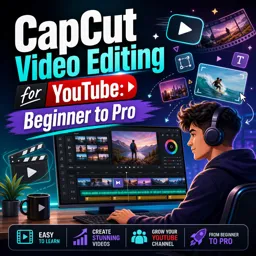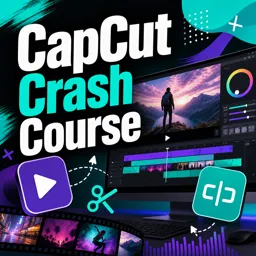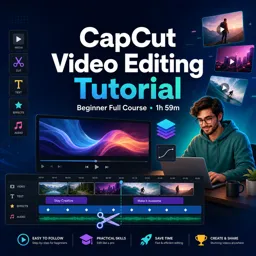


Free ebook on CapCut Desktop and Mobile editing: clean cuts, captions, templates, audio, color, keyframes, and exports.
Free ebook content
-

CapCut Desktop & Mobile Workspace: Projects, Media, and Cross-Device Setup
+ Exercise: When moving a CapCut project between phone and computer, which approach best prevents “missing media” issues caused by broken file paths?
-
Fast Clean Cuts in CapCut: Trimming, Splitting, Ripple Edits, and Story Pacing
+ Exercise: In a two-pass editing workflow for fast, clean cuts, what is the main purpose of the second pass (Tighten)?
-
Beat-Based Editing in CapCut: Syncing Cuts, Transitions, and Motion to Music
+ Exercise: When your montage feels off-beat after using CapCut’s Auto Beat feature, what is the best next step to improve accuracy?


-
Auto-Captions in CapCut: Accuracy, Styling, and Readable Subtitles
+ Exercise: When auto-captions are generated, what is the most appropriate next step to achieve accurate, readable subtitles?
-
Text Styles and Templates in CapCut: On-Brand Titles, Lower Thirds, and Reusable Layouts
+ Exercise: When using a prebuilt text template in CapCut, what approach best keeps your titles looking on-brand and consistent across videos?
-
Basic Effects in CapCut: Clean Enhancements Without Overprocessing
+ Exercise: When adding effects to keep an edit clean, which approach best matches a restrained workflow?
-
Keyframes in CapCut: Smooth Zooms, Reframes, and Motion That Follows the Subject
+ Exercise: A Position keyframe reframe in a 9:16 talking-head edit feels jittery because the face keeps “jumping” slightly. Which approach best fixes this while keeping motion natural?
-
Simple Color Adjustments in CapCut: Balanced Skin Tones, Consistency, and Quick Looks
+ Exercise: When you want multiple clips from the same scene to look consistent, what is the recommended workflow in CapCut?
-
Audio Enhancements in CapCut: Clean Voice, Music Balance, and Sound Effects
+ Exercise: When background music starts competing with speech in your mix, what is the best next step to keep dialogue effortless to understand?
-
Exporting from CapCut Desktop & Mobile: Aspect Ratios, Quality Settings, and Platform-Ready Files
+ Exercise: When exporting a 9:16 video for TikTok/Reels/Shorts, which approach best helps prevent captions and key visuals from being covered by the platform interface?
-
Complete CapCut Workflow Project: From Raw Clips to a Polished Short Using Captions and Templates
+ Exercise: During the pacing pass, which method best checks whether the edit still feels dynamic and visually understandable even without audio?
About the free ebook
CapCut Desktop & Mobile: Clean Edits, Captions, and Templates
Create polished short-form videos with a practical, cross-device CapCut workflow. This free ebook helps you move from raw footage to platform-ready videos while keeping edits clear, consistent, and engaging.
Edit faster without making videos feel rushed
Learn how to organize projects and media across desktop and mobile, then shape footage with precise trims, splits, ripple edits, and intentional pacing. Use music as an editing guide so cuts, transitions, and motion support the rhythm instead of distracting from the story.
Make captions and text easy to read
Explore auto-captions with a focus on accuracy, timing, styling, and subtitle readability. Build recognizable text treatments, lower thirds, and reusable template layouts that fit your visual identity and save time on future edits.
Add polish with restraint
Use effects, keyframes, color adjustments, and audio tools to improve a video without overprocessing it. The ebook shows how to create smooth reframes and zooms, balance skin tones, clarify voice audio, control music levels, and place sound effects with purpose.
Export confidently for different platforms
Choose suitable aspect ratios and quality settings for your intended destination, then complete a guided workflow project that combines clean cutting, captions, templates, motion, audio, and export decisions. By the end, you will have a repeatable approach for producing concise, professional-looking CapCut videos on desktop or mobile.
Designed for creators who want cleaner edits and a dependable production process.
How can I make CapCut auto-captions more accurate and readable?
Review the transcript, correct names and terms, split long caption lines, and use high-contrast text with clear timing.
What CapCut export settings work best for vertical short videos?
Use a 9:16 aspect ratio, match the source frame rate when possible, and export at a quality suitable for the target platform.
How do I sync cuts to music in CapCut?
Identify beats or musical changes, place cuts near those markers, and keep transitions and motion aligned with the rhythm.
This ebook includes:

11 content chapters

Digital certificate of course completion (Free)

Exercises to train your knowledge

100% free, from content to certificate
Ready to get started?

 recommended
In the app you will also find...

Over 5,000 free courses
Programming, English, Digital Marketing and much more! Learn whatever you want, for free.

Study plan with AI
Our app's Artificial Intelligence can create a study schedule for the course you choose.

From zero to professional success
Improve your resume with our free Certificate and then use our Artificial Intelligence to find your dream job.
You can also use the QR Code or the links below.