Select a clip on the timeline, drag its end handles to trim, use Split to cut it at the playhead, then drag clips to rearrange them.

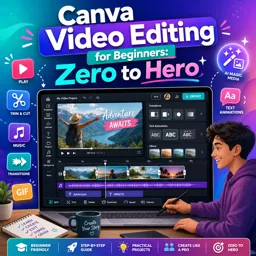
Duration of the online course: 1 hours and 5 minutes
5

(1)
Edit eye‑catching videos fast with this free Canva video editing course—trim, add text, music, transitions, and export confidently. Certificate-friendly skills.
Want to turn raw clips into polished, scroll-stopping content without feeling overwhelmed by complex software? This free online course is built for beginners who want to learn Canva video editing from the ground up and start producing professional-looking videos for social media, marketing, presentations, or personal projects.
You’ll get comfortable inside Canva’s video editor by understanding how the workspace works and how the timeline helps you control pacing and structure. From there, you’ll learn practical, everyday editing skills such as importing and organizing media, trimming and splitting clips, and refining the flow with transitions so your video feels intentional and smooth rather than stitched together.
To help your message land clearly, the course guides you through adding and customizing text, then controlling exactly when it appears and disappears for better storytelling. You’ll also work with audio the right way, including adding your own background music, adjusting volume, muting specific clips, and shaping cleaner sound with fades so the final result feels balanced and watchable.
Beyond the basics, you’ll learn visual enhancements that elevate simple footage: cropping, resizing, repositioning, rotating, flipping, adjusting transparency, and converting clips to black and white. You’ll explore filters and manual adjustments like brightness and contrast to match a style, fix a flat look, or create a more cinematic feel. The course also covers speed changes for fast-forward and slow-motion effects, helping you add energy or emphasis where it matters.
If you want your videos to feel more dynamic, you’ll practice creating engaging text animations and reaction-style picture-in-picture layouts, along with techniques like borders and layer control for a cleaner composition. You’ll also discover helpful workflow features such as rulers, guides, alignment tools, copying styles, and find-and-replace text to keep designs consistent and editing efficient even as projects grow.
Finally, you’ll learn how to export your work in the right format, including standard video exports and GIFs, plus performance tips like adjusting playback quality while editing. By the end, you’ll be able to plan, edit, and finish a complete Canva video with confidence, using repeatable techniques you can apply to content creation, freelancing, or workplace communication.
Explore free online Canva courses designed to help you master graphic design, social media posts, presentations, branding, and more. Learn Canva at your own pace with beginner-friendly lessons, practical projects, and expert guidance. Enroll today, build in-demand creative skills, and earn a certificate with every free course.

Explore free online Canva for video courses and learn to create engaging videos, animations, social media clips, presentations, and branded content with ease. Build practical video editing and design skills through flexible lessons for beginners and creators. Enroll today at no cost and earn a certificate to showcase your new Canva video skills.

1 hours and 5 minutes of online video course

Digital certificate of course completion (Free)

Exercises to train your knowledge

100% free, from content to certificate
How do I trim, split, and reorder video clips in Canva?
Select a clip on the timeline, drag its end handles to trim, use Split to cut it at the playhead, then drag clips to rearrange them.
How can I add transitions, animated text, and background music to a Canva video?
Click the transition icon between pages, select a text box and choose Animate, and upload or select audio before adjusting its timing and volume.
What format should I use to export a finished Canva video or animated GIF?
Choose MP4 Video for a standard, widely compatible video file, or select GIF from the download options for a short looping animation.
Ready to get started?Download the app and get started today.
Install the app now
to access the course
Over 5,000 free courses
Programming, English, Digital Marketing and much more! Learn whatever you want, for free.

Study plan with AI
Our app's Artificial Intelligence can create a study schedule for the course you choose.

From zero to professional success
Improve your resume with our free Certificate and then use our Artificial Intelligence to find your dream job.
You can also use the QR Code or the links below.



Free CourseAfter Effects
5
(2)

22h49m

30 exercises
Free CourseAdobe Express in video edition
5
(1)
25m
6 exercises
Free CourseAdobe After Effects
5
(1)
2h18m
17 exercises
Free CourseAdobe Premiere Pro crash course
5
(2)
1h58m
6 exercises
Free CourseLearn Adobe Premiere Pro from Start to Finish
5
(3)
2h26m
6 exercises
Free CourseFilmora Master Class Filmora Wondershare
5
(1)
1h52m
8 exercises
Free CourseCapCut Video Editing for YouTube: Beginner to Pro
4.9
(8)
4h24m
31 exercises
Free CourseAdobe After effects
4.8

(16)
15h13m
31 exercises
Free CourseShortcut for video editing
4.8
(4)
1h34m
16 exercises
Free CourseDaVince Resolve 18 tutorial for beginners
4.5
(2)
37m
6 exercises
Carry knowledge in your pocket.
Download the Cursa app.
There are hundreds of free courses available, with a free certificate of completion that is saved in your mobile image gallery.
Download the app to access the Course Completion Certificate for Free.


+ 10 million
students

Free and Valid
Certificate

60 thousand free
exercises

4.8/5 rating in
app stores

Free courses in
video and ebooks