Use CapCut’s audio sync feature for a quick match; if it fails, align the audio waveform manually with the video.

Duration of the online course: 4 hours and 24 minutes
New
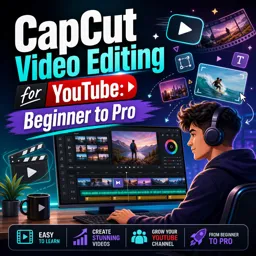
Edit YouTube videos faster with CapCut in this free course—sync audio, add captions, polish color, and export crisp uploads like a pro.
If you want your YouTube videos to look and sound professional without spending weeks guessing your way through editing, this course helps you build a repeatable workflow in CapCut from the ground up. You’ll move from basic navigation and essential settings to a confident, creator-friendly process that keeps projects organized, responsive, and ready to publish. Along the way, you’ll learn how to shape a clear story in the timeline, tighten pacing, and remove distractions so every scene earns its place.
You’ll also develop practical audio skills that make a huge difference on YouTube. Instead of relying on inconsistent volume and messy layers, you’ll learn to sync separate recordings, fix common stereo issues, smooth harsh cuts, and mix dialogue with music so your voice stays clear and the soundtrack supports the message. The goal is a clean, watchable sound that feels intentional and holds attention—especially important for talking-head content, tutorials, reviews, and vlogs.
As you gain momentum, you’ll explore tools that elevate your edits beyond simple cuts. You’ll work with B-roll, still images, transitions, motion, and tracking so visuals reinforce what you’re saying. You’ll practice using keyframes to add movement, cropping for split-screen layouts, and features like auto cutout to create modern depth with text and foreground subjects. You’ll also learn how to improve the overall look through color correction and advanced approaches like LUTs, helping your footage feel consistent from start to finish.
Captions, sound effects, and final polish bring everything together. You’ll discover an efficient caption workflow, ways to keep on-screen text readable, and how to add subtle effects that enhance energy without feeling gimmicky. Finally, you’ll export with settings that support high-quality YouTube processing and create a strong cover image and outro to give your channel a more cohesive brand. By the end, CapCut will feel far less overwhelming, and you’ll have the confidence to turn raw clips into uploads you’re proud to publish.

4 hours and 24 minutes of online video course

Digital certificate of course completion (Free)

Exercises to train your knowledge

100% free, from content to certificate
How do I sync separately recorded audio and video in CapCut for YouTube?
Use CapCut’s audio sync feature for a quick match; if it fails, align the audio waveform manually with the video.
What CapCut settings help edit 4K YouTube footage smoothly?
Enable Proxy mode to improve playback performance, and turn off cloud-upload options for large imported files when you do not need them online.
What export resolution should I use in CapCut for better YouTube quality?
Export in 4K when possible, as it can help YouTube apply a higher-quality conversion even when the original footage is below 4K.
Ready to get started?Download the app and get started today.
Install the app now
to access the course
Over 5,000 free courses
Programming, English, Digital Marketing and much more! Learn whatever you want, for free.

Study plan with AI
Our app's Artificial Intelligence can create a study schedule for the course you choose.

From zero to professional success
Improve your resume with our free Certificate and then use our Artificial Intelligence to find your dream job.
You can also use the QR Code or the links below.



Free CourseAfter Effects
5

(2)

22h49m

30 exercises
Free CourseAdobe Express in video edition
5
(1)
25m
6 exercises
Free CourseAdobe After Effects
5
(1)
2h18m
17 exercises
Free CourseAdobe Premiere Pro crash course
5
(2)
1h58m
6 exercises
Free CourseLearn Adobe Premiere Pro from Start to Finish
5
(3)
2h26m
6 exercises
Free CourseFilmora Master Class Filmora Wondershare
5
(1)
1h52m
8 exercises
Free CourseAdobe After effects
4.8

(16)
15h13m
31 exercises
Free CourseShortcut for video editing
4.8
(4)
1h34m
16 exercises
Free CourseDaVince Resolve 18 tutorial for beginners
4.5
(2)
37m
6 exercises
Free CourseCapCut Crash Course
4.3
(7)
32m
6 exercises
Carry knowledge in your pocket.
Download the Cursa app.
There are hundreds of free courses available, with a free certificate of completion that is saved in your mobile image gallery.
Download the app to access the Course Completion Certificate for Free.


+ 10 million
students

Free and Valid
Certificate

60 thousand free
exercises

4.8/5 rating in
app stores

Free courses in
video and ebooks