Adobe Express lets you create and edit videos online using tools such as clip trimming, combining clips, text, transitions, and templates.

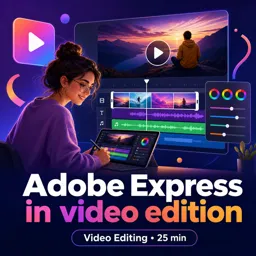
Duration of the online course: 25 minutes
5

(1)
Edit videos faster with Adobe Express: trim clips, add text and transitions, and publish polished content. Try this free online course with certificate.
Create engaging videos without complicated software or a steep learning curve. This course helps you get comfortable with Adobe Express for video editing, showing how to turn raw footage into clean, share-ready content using a simple, browser-based workflow. You will learn how to start quickly from ready-made templates and preset layouts, so you spend less time setting up and more time crafting a message that looks professional.
As you progress, you will understand the main editing tools that make Adobe Express practical for everyday content creation. You will work with key actions like trimming and adjusting duration to fit a platform or story, cutting out unwanted sections, and combining multiple clips into a smooth sequence. The course also guides you in improving clarity and impact by layering text on screen, adding transitions that connect scenes naturally, and shaping the pacing so viewers stay engaged from beginning to end.
Along the way, you will get a clear view of what you can do as a free user and where premium options begin, so you can plan projects confidently without surprises. This makes the course especially useful if you are creating videos for social media, marketing, presentations, or personal projects and want results that feel polished while keeping production simple and efficient.
By the end, you will be able to build videos that communicate a clear idea, look consistent with your style, and can be exported and shared quickly. Whether you are building a creative portfolio, supporting a small business, or leveling up your digital skills for new opportunities, this training will help you edit with confidence using Adobe Express.

25 minutes of online video course

Digital certificate of course completion (Free)

Exercises to train your knowledge

100% free, from content to certificate
How can I edit videos for free with Adobe Express?
Adobe Express lets you create and edit videos online using tools such as clip trimming, combining clips, text, transitions, and templates.
What Adobe Express feature lets me shorten a video or combine multiple clips?
The trim and split editing tools let you remove unwanted sections, adjust clip length, and arrange multiple clips into one video.
Which Adobe Express video features require a premium account?
Some premium templates, stock media assets, and advanced features are restricted to Adobe Express Premium subscribers.
Ready to get started?Download the app and get started today.
Install the app now
to access the course
Over 5,000 free courses
Programming, English, Digital Marketing and much more! Learn whatever you want, for free.

Study plan with AI
Our app's Artificial Intelligence can create a study schedule for the course you choose.

From zero to professional success
Improve your resume with our free Certificate and then use our Artificial Intelligence to find your dream job.
You can also use the QR Code or the links below.



Free CourseAfter Effects
5
(2)

22h49m

30 exercises
Free CourseAdobe After Effects
5
(1)
2h18m
17 exercises
Free CourseAdobe Premiere Pro crash course
5
(2)
1h58m
6 exercises
Free CourseLearn Adobe Premiere Pro from Start to Finish
5
(3)
2h26m
6 exercises

Free CourseFilmora Master Class Filmora Wondershare
5
(1)
1h52m
8 exercises
Free CourseCapCut Video Editing for YouTube: Beginner to Pro
4.9
(8)
4h24m
31 exercises
Free CourseAdobe After effects
4.8

(16)
15h13m
31 exercises
Free CourseShortcut for video editing
4.8
(4)
1h34m
16 exercises
Free CourseDaVince Resolve 18 tutorial for beginners
4.5
(2)
37m
6 exercises
Free CourseCapCut Crash Course
4.3
(7)
32m
6 exercises
Carry knowledge in your pocket.
Download the Cursa app.
There are hundreds of free courses available, with a free certificate of completion that is saved in your mobile image gallery.
Download the app to access the Course Completion Certificate for Free.


+ 10 million
students

Free and Valid
Certificate

60 thousand free
exercises

4.8/5 rating in
app stores

Free courses in
video and ebooks