The course explains the Timeline, Composition, Project, Tool, and Work panels, including key interface customization options.

Duration of the online course: 2 hours and 18 minutes
New
Create stunning motion graphics fast with a free After Effects course—master keyframes, masks, tracking and green screen skills to boost your video editing career.
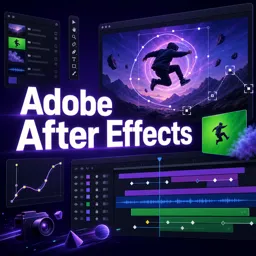
Bring your ideas to life with motion graphics, polished transitions, and cinematic visual effects using Adobe After Effects. This free online course is designed for creators who want to move beyond basic editing and start building animations that look professional, whether you’re working on social media content, YouTube videos, promos, or client projects. You’ll gain confidence in the app from the very first steps, including setup and installation, so you can start creating without confusion.
As you progress, you’ll get comfortable inside the After Effects workspace and learn how to work efficiently with the key areas you’ll use every day. You’ll understand how the timeline drives animation, how compositions affect your final output, and how project organization keeps complex work manageable. Along the way, you’ll develop practical speed through common tools and shortcuts, helping you focus on creativity instead of fighting the interface.
A major focus is building smooth, controlled animation. You’ll learn how to animate with keyframes and refine movement so your graphics feel intentional rather than mechanical. That foundation makes it easier to design title animations, logo reveals, UI-style motion, and subtle adjustments that elevate any video. You’ll also work with shapes and solids to create clean, flexible design elements that can be repurposed across projects and adapted to different formats.
To take your edits further, the course introduces essential compositing skills such as masks for combining elements and controlling visibility, motion tracking for attaching graphics to moving footage, and chroma keying for green or blue screen work. You’ll also explore rotoscoping with tools like the Roto Brush to isolate subjects when a clean key isn’t available, giving you more options to solve real production challenges.
By the end, you’ll be prepared to edit and customize templates responsibly, speed up your workflow, and deliver professional-looking results with fewer iterations. Whether you’re a beginner aiming to learn After Effects or a video editor adding VFX and motion design to your toolkit, this course helps you develop skills that translate directly to modern creative opportunities.

2 hours and 18 minutes of online video course

Digital certificate of course completion (Free)

Exercises to train your knowledge

100% free, from content to certificate
What Adobe After Effects interface panels are covered in this course?
The course explains the Timeline, Composition, Project, Tool, and Work panels, including key interface customization options.
How does the course teach keyframe animation and motion tracking in After Effects?
It covers animating layer properties with keyframes, keyframe velocity concepts, and the fundamentals of motion tracking.
Does the course cover green screen removal and rotoscoping in Adobe After Effects?
Yes. It introduces chroma keying for green or blue screens and rotoscoping with the Roto Brush tool for isolating subjects.
Ready to get started?Download the app and get started today.
Install the app now
to access the course
Over 5,000 free courses
Programming, English, Digital Marketing and much more! Learn whatever you want, for free.

Study plan with AI
Our app's Artificial Intelligence can create a study schedule for the course you choose.

From zero to professional success
Improve your resume with our free Certificate and then use our Artificial Intelligence to find your dream job.
You can also use the QR Code or the links below.



Free CourseAfter Effects
5

(2)

22h49m

30 exercises
Free CourseAdobe Express in video edition
5
(1)
25m
6 exercises
Free CourseAdobe Premiere Pro crash course
5
(2)
1h58m
6 exercises
Free CourseLearn Adobe Premiere Pro from Start to Finish
5
(3)
2h26m
6 exercises
Free CourseFilmora Master Class Filmora Wondershare
5
(1)
1h52m
8 exercises
Free CourseCapCut Video Editing for YouTube: Beginner to Pro
4.9
(8)
4h24m
31 exercises
Free CourseAdobe After effects
4.8

(16)
15h13m
31 exercises
Free CourseShortcut for video editing
4.8
(4)
1h34m
16 exercises
Free CourseDaVince Resolve 18 tutorial for beginners
4.5
(2)
37m
6 exercises
Free CourseCapCut Crash Course
4.3
(7)
32m
6 exercises
Carry knowledge in your pocket.
Download the Cursa app.
There are hundreds of free courses available, with a free certificate of completion that is saved in your mobile image gallery.
Download the app to access the Course Completion Certificate for Free.


+ 10 million
students

Free and Valid
Certificate

60 thousand free
exercises

4.8/5 rating in
app stores

Free courses in
video and ebooks