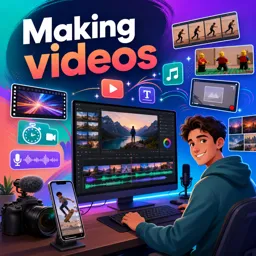
Free Course Image Making videos

Free online courseMaking videos

Duration of the online course: 5 hours and 58 minutes

3.86

StarStarStarStar

(7)

Learn to create captivating videos with Canva in this free online course. Master YouTube intros, TikTok videos, video transitions, voiceovers, sound effects, and more!

In this free course, learn about

  • Getting Started with Canva Video Creation
  • Audio Effects and Enhancement in Canva
  • Using and Managing Sound Effects
  • Stop Motion and Special Video Techniques
  • Advanced Transitions and Screen Recording
  • Montage, Subtitles, and New Canva Features
  • Channel Insights and Premium Search Tricks
  • Stop Motion Projects and Animated Videos
  • Motion Tricks, Photo Videos, and Collaboration
  • Creative Meme and Social Content

Course Description

The course "Making Videos with Canva" is a comprehensive guide for those looking to delve into the realm of video editing using Canva's versatile platform. Spanning a total duration of 5 hours and 58 minutes, this course provides in-depth instruction across various video editing techniques, making it an ideal choice for both amateur and professional video creators who wish to elevate their craft.

Belonging to the Design and Art category, specifically under the subcategory of Video Edition, this course taps into the creative potential of Canva to transform your video projects. Although it has received an average rating of 4 out of 5 stars, the detailed and diverse range of topics covered makes it a valuable resource for individuals keen on mastering video creation.

One of the key highlights of the course is learning how to create a captivating YouTube intro. This segment covers the integration of animations and music using Canva PRO, ensuring your introduction stands out with a professional touch. For Instagram enthusiasts, the course offers insights on crafting intriguing time-lapse videos, while those aiming to enhance their video presentations can explore the subtleties of adding voiceovers.

In addition to this, the course provides a hands-on approach to adding various sound effects, such as fade-ins and fade-outs, which can significantly enhance the auditory experience of your video content. Whether you are creating TikTok videos using photos or inserting sound effects into your videos, detailed tutorials are available to guide you every step of the way.

Another exciting feature of the course is the opportunity to learn about video reflection effects, stop motion animation, and even inserting pictures and text within your videos. Each tutorial is designed to equip you with the necessary skills to make your videos not only visually appealing but also engaging and professional.

For those interested in producing video montages or adding subtitles, the course provides straightforward, easy-to-follow tutorials. Learn how to seamlessly merge different video clips, add movement to your designs, and create personalized memes. Discover the techniques behind making liquid video transitions and turning presentations into dynamic videos with features like circle facecam.

Additionally, the course delves into collaborative video editing, allowing you to work in groups to create compelling group videos. Explore the added functionalities for recording your computer screen, adding audio tracks to videos, and even recording presentations for a more interactive video output.

Whether you are working from a mobile app or a desktop, creating TikTok videos or Facebook ads, "Making Videos with Canva" offers a broad spectrum of tutorials tailored to meet your specific needs. The expert guidance throughout the course, coupled with practical examples and easy-to-understand instructions, empowers you to make the most out of Canva's features for video creation. Unlock your creative potential and produce stunning videos that captivate and engage audiences across multiple platforms.

Course content

  • Video class: How to make a Youtube INTRO with Animations and Music [2022] [Canva PRO] 24m
  • Exercise: What is the primary software used in the video to create a YouTube intro?
  • Video class: How to make a TIME LAPSE on Instagram 10m
  • Exercise: What is the first step in creating an Instagram reel with a timelapse effect, as described in the video?
  • Video class: How to Add Voiceover to a Video in Canva | Free 09m
  • Exercise: How do you add voiceovers to videos in Canva?
  • Video class: FADE IN - FADE OUT Sound Effect in Canva | Shorts 01m
  • Exercise: What new audio feature in Canva can enhance your video's sound quality?
  • Video class: How to create a TikTok Video using Photos [from Canva Mobile App!] 10m
  • Exercise: What is the correct process to set an image as a background in Canva when creating a video?
  • Video class: Create this Awesome REFLECTION Effect in a VIDEO | Canva Shorts 01m
  • Exercise: What is the final step to create a reflection effect video using Canva?
  • Video class: How to Insert SOUND EFFECTS to Videos (and How to Find them) - Canva Tutorial 15m
  • Exercise: What is a limitation when using sound effects in Canva?
  • Video class: How Good is the Canva Video Editor | Editing a Facebook Video Ad 44m
  • Exercise: What is the recommended aspect ratio for a Facebook video ad created in Canva?
  • Video class: Make Irresistible Youtube VIDEOS with Canva PRESENTATIONS | Shorts 00m
  • Exercise: How can you record a presentation and share it using Canva?
  • Video class: How to make STOP MOTION Videos with Canva | Shorts 01m
  • Exercise: What is the main subject of the audio clip?
  • Video class: How to MAKE a Video TUTORIAL in CANVA 24m
  • Exercise: What is a crucial step before starting to edit a tutorial in Canva?
  • Video class: How to Insert a PICTURE and TEXT in a VIDEO for FREE | Canva Tutorial 14m
  • Exercise: What is the initial step in editing a video using Canva?
  • Video class: How to make irresistible LIQUID video TRANSITIONS 15m
  • Video class: How to RECORD your Computer SCREEN with Canva [FREE] 09m
  • Exercise: _What is the new feature in Canva that allows you to record your computer screen?
  • Video class: Canva: How to Add AUDIO tracks to Videos and RECORDINGS to Presentations (2021) 09m
  • Exercise: How can you record your own voice directly in Canva?
  • Video class: How to make a video montage - Tutorial - FREE, QUICK 06m
  • Video class: How to Add SUBTITLES in Canva for Free (Easy Tutorial) 07m
  • Video class: How to make VIDEOS with Canva [Easier than ever!] 27m
  • Exercise: _What is the new feature that Canva recently announced for all users?
  • Video class: RonDi Behind the Scenes | The video you've been waiting for! 03m
  • Exercise: What milestone did the channel celebrate in the video?
  • Video class: PREMIUM: Keyword to find amazing videos in Canva | Shorts with Diana Muñoz 00m
  • Video class: How to TURN PRESENTATIONS into VIDEOS (with a CIRCLE FACECAM!) | Canva Tutorial 09m
  • Video class: How to Create a STOP MOTION Animation | Easy Canva Tutorial 14m
  • Exercise: _What is the recommended Canva format for creating a stop motion animation in this tutorial?
  • Video class: How to Create Videos with Animations and Music in Canva FOR FREE! - 2021 Updated Tutorial 21m
  • Video class: How to MAKE a TIK TOK VIDEO in Canva with your phone - with text, music, animation and more! 19m
  • Video class: Canva: 4 tricks to ADD MOVEMENT to your designs - Make your designs move! 13m
  • Video class: How to create Videos with Photos in Canva - Canva video Tutorial 2020 - Add motion to your best pics 18m
  • Video class: Collaborative video editing - How to make a group video in Canva - New feature - Canva tutorial 2020 15m
  • Video class: How to make memes in Canva - Canva Tutorial 2020 - Create your own personalized meme 08m

This free course includes:

5 hours and 58 minutes of online video course

Digital certificate of course completion (Free)

Exercises to train your knowledge

100% free, from content to certificate

Ready to get started?Download the app and get started today.

Install the app now

to access the course
Icon representing technology and business courses

Over 5,000 free courses

Programming, English, Digital Marketing and much more! Learn whatever you want, for free.

Calendar icon with target representing study planning

Study plan with AI

Our app's Artificial Intelligence can create a study schedule for the course you choose.

Professional icon representing career and business

From zero to professional success

Improve your resume with our free Certificate and then use our Artificial Intelligence to find your dream job.

You can also use the QR Code or the links below.

QR Code - Download Cursa - Online Courses

Course comments: Making videos

red love

An amazing course for video editing on Canva

Syed Muhammad Haider Raza Rizvi

Amazing course.

Asiya batool

very nice

More free courses at Video edition

Free Ebook + Audiobooks! Learn by listening or reading!

Download the App now to have access to + 3300 free courses, exercises, certificates and lots of content without paying anything!

  • 100% free online courses from start to finish

    Thousands of online courses in video, ebooks and audiobooks.

  • More than 48 thousand free exercises

    To test your knowledge during online courses

  • Valid free Digital Certificate with QR Code

    Generated directly from your cell phone's photo gallery and sent to your email

Cursa app on the ebook screen, the video course screen and the course exercises screen, plus the course completion certificate

+ 9 million
students

Free and Valid
Certificate

60 thousand free
exercises

4.8/5 rating in
app stores

Free courses in
video and ebooks