Apply Easy Ease to keyframes, then refine timing and velocity in the Graph Editor’s Speed Graph.

Duration of the online course: 1 hours and 46 minutes
New
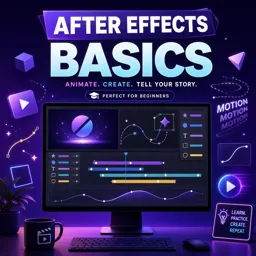
Build job-ready motion graphics skills with this free After Effects course: master keyframes, easing, text reveals, and logo animations fast.
Want to turn static designs into polished animations that look professional and feel smooth? This free online course helps you get comfortable in Adobe After Effects from the ground up, so you can start creating motion graphics for videos, social media, brand intros, and UI-style animations with confidence. Instead of guessing what buttons to press, you will understand how the workspace is organized, how compositions function, and how layers, footage, and panels connect into a clear editing workflow.
You will build the core skill behind almost everything in After Effects: animation with keyframes. Learn how to move, time, and refine motion so it feels natural, then take your animations further with interpolation and easing. By understanding the difference between spatial and temporal interpolation, you can control not only where an object goes, but how it gets there. You will also use the Graph Editor to shape speed and smoothness, helping your work look intentional rather than mechanical.
As you progress, you will practice essential tools and keyboard shortcuts that speed up your workflow and make complex projects more manageable. You will animate text in practical ways, including reveals, handwriting-style effects, and clean motion that can be reused across multiple projects. Along the way you will use techniques like masks and track mattes to create controlled reveals, giving you the ability to build modern title sequences and transitions without relying on third-party plugins.
Finally, you will bring it together with simple, effective logo reveals and shape-based animations that are ideal for portfolios, client work, or content creation. Whether you are new to video editing or expanding your design skill set, this course gives you a solid foundation in motion graphics principles and the After Effects habits that lead to smoother, faster, and better-looking results.

1 hours and 46 minutes of online video course

Digital certificate of course completion (Free)

Exercises to train your knowledge

100% free, from content to certificate
How do you make keyframe animation smoother in After Effects?
Apply Easy Ease to keyframes, then refine timing and velocity in the Graph Editor’s Speed Graph.
What is the difference between spatial and temporal interpolation in After Effects?
Spatial interpolation controls a layer’s motion path, while temporal interpolation controls how its speed changes over time.
How can you create a text reveal using a Track Matte in After Effects?
Place an animated shape or mask layer above the text, then set the text layer’s Track Matte to Alpha Matte.
Ready to get started?Download the app and get started today.
Install the app now
to access the course
Over 5,000 free courses
Programming, English, Digital Marketing and much more! Learn whatever you want, for free.

Study plan with AI
Our app's Artificial Intelligence can create a study schedule for the course you choose.

From zero to professional success
Improve your resume with our free Certificate and then use our Artificial Intelligence to find your dream job.
You can also use the QR Code or the links below.



Free CourseAfter Effects
5

(2)

22h49m

30 exercises

Free CourseAdobe Express in video edition
5
(1)
25m
6 exercises
Free CourseAdobe After Effects
5
(1)
2h18m
17 exercises

Free CourseAdobe Premiere Pro crash course
5
(2)
1h58m
6 exercises

Free CourseLearn Adobe Premiere Pro from Start to Finish
5
(3)
2h26m
6 exercises

Free CourseFilmora Master Class Filmora Wondershare
5
(1)
1h52m
8 exercises
Free CourseCapCut Video Editing for YouTube: Beginner to Pro
4.9
(8)
4h24m
31 exercises
Free CourseAdobe After effects
4.8

(16)
15h13m
31 exercises

Free CourseShortcut for video editing
4.8
(4)
1h34m
16 exercises
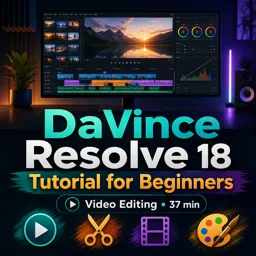
Free CourseDaVince Resolve 18 tutorial for beginners
4.5
(2)
37m
6 exercises
Carry knowledge in your pocket.
Download the Cursa app.
There are hundreds of free courses available, with a free certificate of completion that is saved in your mobile image gallery.
Download the app to access the Course Completion Certificate for Free.


+ 10 million
students

Free and Valid
Certificate

60 thousand free
exercises

4.8/5 rating in
app stores

Free courses in
video and ebooks