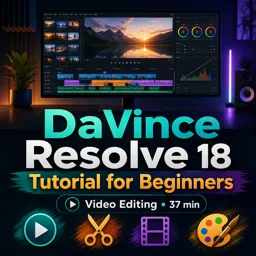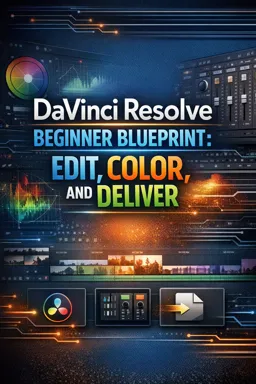

A free ebook on DaVinci Resolve project setup, editing, color correction, audio cleanup, titles, and reliable video export.
Free ebook content
-

DaVinci Resolve Beginner Blueprint: Project Setup, Media Import, and Organization
+ Exercise: When DaVinci Resolve prompts you to change the project frame rate to match imported media, what should you do if you already set the correct timeline frame rate before editing?
-
DaVinci Resolve Edit Page Essentials: Interface, Navigation, and Playback Control
+ Exercise: When you need to precisely adjust the cut between two clips without moving the entire clips around, which approach best matches the intended tool choice?
-
DaVinci Resolve Beginner Blueprint: Trimming Fundamentals and Clean Clip Assembly
+ Exercise: You need to place a marked clip range into the middle of a timeline but want the overall sequence length to stay the same. Which edit type best fits this goal?
-
DaVinci Resolve Timeline Building: Story Order, Pacing, and Basic B-Roll Editing
+ Exercise: When adding B-roll to cover a tightened A-roll jump cut while keeping dialogue continuous, what is the recommended placement approach?
-
DaVinci Resolve Beginner Blueprint: Simple Transitions, Speed Changes, and Basic Effects
+ Exercise: When a video cross dissolve causes the audio to sound louder or “doubled,” what is the best beginner-friendly fix?


-
DaVinci Resolve Fusion Titles for Beginners: Text, Lower Thirds, and Timing
+ Exercise: Why is it considered the “safe” beginner approach to start Fusion work from a Fusion Title clip placed above the video (instead of starting from the video clip itself)?
-
DaVinci Resolve Color Page Basics: Scopes, Primary Correction, and Consistent Shots
+ Exercise: When matching multiple shots in a scene for consistent color, what should you prioritize first using scopes?
-
DaVinci Resolve Intro Color Workflow: Nodes, Secondary Adjustments, and Simple Looks
+ Exercise: In a beginner-friendly DaVinci Resolve node workflow aimed at repeatability, what is the best rationale for placing a creative Look node after Balance and Contrast?
-
DaVinci Resolve Fairlight Essentials: Audio Cleanup, Levels, and Basic Mixing
+ Exercise: When balancing dialogue and music in Fairlight, which combination of controls best matches a beginner-friendly workflow for consistent dialogue and smooth music ducking?
-
DaVinci Resolve Delivery Settings: Exporting Reliable Files for Web and Review
+ Exercise: Which export setup is the most reliable default for a client review file that needs broad playback compatibility and quick uploading?
-
DaVinci Resolve Beginner Blueprint Capstone: Finish a Complete Project From Import to Export
+ Exercise: When preparing your final deliverables, what is the intended purpose of exporting both a MASTER and a REVIEW file?
About the free ebook
DaVinci Resolve Beginner Blueprint: Edit, Color, and Deliver
Build a practical foundation for editing video in DaVinci Resolve with this free ebook for aspiring editors, creators, and filmmakers. Learn a reliable workflow for turning raw footage into a polished, shareable video.
Develop a complete post-production workflow
Start by setting up projects, importing footage, and organizing media so your edit stays manageable. Explore the Edit page interface, navigation tools, playback controls, and trimming techniques used to assemble clean sequences.
Shape stories with editing tools
- Create timelines with clear story order and effective pacing.
- Add B-roll, simple transitions, speed changes, and basic effects.
- Create readable titles and lower thirds in Fusion.
- Clean up dialogue, set levels, and create a basic audio mix in Fairlight.
Make footage look consistent
Learn the essentials of the Color page, including scopes, primary correction, nodes, secondary adjustments, and simple looks. The ebook emphasizes controlled corrections that help shots match without overcomplicating the grade.
Export with confidence
Finish with practical Delivery page settings for dependable web and review files. A final capstone brings the full process together, from media import through editing, color, audio, and export.
What you will be able to do
DaVinci Resolve Beginner Blueprint: Edit, Color, and Deliver focuses on repeatable techniques that support confident editing and a smooth start-to-finish workflow.
How do I organize media in DaVinci Resolve before editing?
Create a project, import footage, and use bins to group video, audio, graphics, and other assets.
What are the basic steps for color correcting footage in DaVinci Resolve?
Use scopes, adjust primary controls, match shots, and use nodes for focused secondary corrections.
Which DaVinci Resolve page is used to export a finished video?
Use the Delivery page to choose export settings, render location, and create the final file.
This ebook includes:

11 content chapters

Digital certificate of course completion (Free)

Exercises to train your knowledge

100% free, from content to certificate
Ready to get started?

 recommended
In the app you will also find...

Over 5,000 free courses
Programming, English, Digital Marketing and much more! Learn whatever you want, for free.

Study plan with AI
Our app's Artificial Intelligence can create a study schedule for the course you choose.

From zero to professional success
Improve your resume with our free Certificate and then use our Artificial Intelligence to find your dream job.
You can also use the QR Code or the links below.