
Free ebook on video editing fundamentals: organize footage, build timelines, cut stories, mix audio, add titles, and export quality videos.
Free ebook content
-

Video Editing Fundamentals: The Complete Workflow from Media to Timeline
+ Exercise: When playback stutters during editing, which action is the most reliable way to improve performance while still exporting from the original media?
-
Importing and Organizing Footage for Efficient Video Editing
+ Exercise: Which ingest approach is most reliable for avoiding offline media when camera cards are formatted or reused?
-
Timelines, Tracks, and Sync: Building a Clean Editing Foundation
+ Exercise: When syncing external audio to a talking-head clip, sync looks correct at the start but becomes noticeably off 30–60 seconds later. What is the most likely cause?


-
Core Cutting Skills: Selecting, Trimming, and Assembling the Story
+ Exercise: In a dialogue scene, when you want to swap in a better angle for one line while keeping the overall scene duration the same, which edit action best fits this goal?
-
Pacing and Structure: Making Cuts Feel Invisible and Intentional
+ Exercise: A scene feels rushed because key information and reactions don’t have time to land. Which targeted adjustment best addresses this without simply slowing everything down?
-
B-Roll and Cutaways: Hiding Edits and Adding Visual Information
+ Exercise: When using b-roll to hide a jump cut while keeping the narration continuous, which approach best helps the b-roll actually cover the edit?
-
Transitions and Continuity: When to Cut, When to Transition
+ Exercise: You’re editing a fast-paced dialogue sequence where continuity is strong and each new shot reveals a reaction or key detail. What is the best default approach to transitions?
-
Audio Basics for Video Editing: Dialogue, Music, and Clean Mixes
+ Exercise: When mixing dialogue with background music, what workflow best follows standard audio priorities for clarity?
-
Titles and Simple Graphics: Readable Text That Supports the Video
+ Exercise: Which approach best ensures a lower-third remains readable and professional across different shots and devices?
-
Exporting and Deliverables: Codecs, Settings, and Quality Checks
+ Exercise: When preparing two deliverables from the same edit (a master for future use and an upload file for sharing), which approach best matches the goal of each export?
About the free ebook
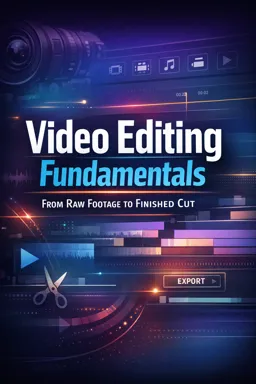
Video Editing Fundamentals: From Raw Footage to Finished Cut
Build a practical editing workflow that turns unorganized clips into clear, engaging videos. This free ebook introduces the essential decisions behind a polished edit, from importing media and creating a reliable timeline to refining pacing, sound, titles, and export settings.
Edit with purpose, not guesswork
Learn how to organize footage so it stays easy to find, synchronize video and audio, and assemble a strong first cut. The lessons focus on transferable techniques that work in any major video editor, helping you make confident choices instead of relying on effects to solve storytelling problems.
Develop essential post-production skills
- Media organization: prepare clips, bins, labels, and project assets for efficient editing.
- Cutting and trimming: select the strongest takes and shape scenes with precise edits.
- Pacing and continuity: create intentional rhythm while keeping action, screen direction, and viewer attention clear.
- B-roll and audio: use supporting visuals, clean dialogue, music, and balanced sound to strengthen the story.
- Titles and delivery: add readable graphics and export files that match the needs of the platform.
Create cleaner, more watchable videos
Whether you are editing interviews, tutorials, social videos, or short films, this ebook explains how each stage of the workflow supports the final result. You will also learn to recognize common beginner problems, such as choppy pacing, distracting transitions, messy timelines, poor audio balance, and incorrect export choices.
A foundation for any editing application
The focus is on editing principles rather than one piece of software. Apply these methods in desktop or browser-based editors and build a repeatable process for producing finished cuts with greater clarity and consistency.
How do I organize footage before editing a video?
Create folders or bins for video, audio, graphics, and exports, then label clips by scene, take, or subject.
What is the purpose of B-roll in video editing?
B-roll adds visual context, covers cuts, supports narration, and helps maintain viewer attention.
Which export settings should I use for online video?
Use the platform's recommended resolution and frame rate, then review the exported file for image and audio quality.
This ebook includes:

11 content chapters

Digital certificate of course completion (Free)

Exercises to train your knowledge

100% free, from content to certificate
Ready to get started?

 recommended
In the app you will also find...

Over 5,000 free courses
Programming, English, Digital Marketing and much more! Learn whatever you want, for free.

Study plan with AI
Our app's Artificial Intelligence can create a study schedule for the course you choose.

From zero to professional success
Improve your resume with our free Certificate and then use our Artificial Intelligence to find your dream job.
You can also use the QR Code or the links below.