Free Course Image Adobe After effects

Free online courseAdobe After effects

Duration of the online course: 15 hours and 13 minutes

4.75

StarStarStarStarHalf star

(16)

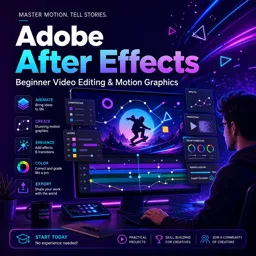
Master Adobe After Effects with this free online beginner's course. Explore layers, compositions, keyframes, and more to kickstart your video editing skills.

In this free course, learn about

  • Course Overview and Core Concepts
  • Animation Fundamentals and Basic Editing
  • Importing, Shapes, and Path Animation
  • Effects, Presets, and Text Animation
  • Masking, Mattes, and Exporting Essentials
  • Project Planning and Setup
  • Intermediate Animation Projects
  • Complex Layouts, Still Images, and 2D Scenes

Course Description

Dive into the world of video editing and animation with the "Adobe After Effects" course. Spanning over a comprehensive duration of 15 hours and 13 minutes, this course has garnered an impressive average rating of 4.8 out of 5 stars, reflecting its high-quality content and effectiveness. Positioned within the Design and Art category, and specifically focusing on Video Edition, this course is your go-to resource for mastering Adobe After Effects from the ground up.

The course is meticulously designed as a complete beginner’s guide, introducing the learners to the foundational concepts and functionalities of Adobe After Effects. It starts by addressing common questions such as "What is After Effects?" and progresses through various episodes, each aimed at building a strong conceptual and practical understanding of the software.

The initial episodes include an interface introduction, familiarizing students with the layout and tools within Adobe After Effects. From managing layers and compositions to understanding the project panel and its link functionalities, each step is crafted to ensure that learners can navigate the software with ease and confidence.

Animation principles are a significant focus of this course. Episodes dedicated to keyframes, simple video editing, and animation, alongside principles of easing and time stretching, pave the way for learners to create smooth and dynamic animations. Additional techniques, such as precomposing and file importing, are also covered to enhance the efficiency and creativity of your projects.

Instruction extends to creating and manipulating shapes using tools like the Pen Tool. Lessons on effects, text animation presets, and transition presets further expand the visual possibilities within After Effects. The course delves into color effects, adjustment layers, and blending modes to refine the stylistic aspects of your creations.

Masking, an essential skill in After Effects, is explored through episodes focusing on animating shape layer masks and track mattes. Understanding null objects and parenting techniques allows for more complex animations and interactions between various elements in your project.

The latter part of the course focuses on exporting your work, ensuring that you can share your animations in the highest quality possible. Additionally, valuable tips and practical projects, such as animating type with an image, creating seamless transitions, and synchronizing animations to music are offered.

Engage with this course to animate a variety of elements, including bouncing pins, British flag sequences, still images, and simple 2D scenes. Learn to enhance your footage with color correction techniques and bring static images to life through detailed animations. Each lesson is designed to incrementally build your skills, leading you to create professional-grade videos and animations by the course's end.

Whether you're an aspiring video editor or a designer looking to broaden your skill set, "Adobe After Effects" provides all the tools and knowledge you'll need to excel in the realm of video edition and animation.

Course content

  • Video class: The Complete Beginner’s Guide To Adobe After Effects 06m
  • Exercise: What is a key feature of the course described in the transcript?
  • Video class: What is After Effects? Ep1/48 [Adobe After Effects for Beginners] 04m
  • Exercise: What is the primary purpose of Adobe After Effects?
  • Video class: Interface Introduction to Adobe After Effects Ep2/48 [Adobe After Effects for Beginners 17m
  • Exercise: _What should you do to make sure you have the same setup as the instructor in Adobe After Effects?
  • Video class: Layers 17m
  • Exercise: What is the main function of the timeline panel in Adobe After Effects?
  • Video class: Compositions in Adobe After Effects Ep4/48 [Adobe After Effects for Beginners] 12m
  • Exercise: _What is a composition in Adobe After Effects?
  • Video class: The Project Panel ‘Links panel’ In Adobe After Effects Ep5/48 [Adobe After Effects for Beginners] 16m
  • Exercise: What is one important function of the Project Panel in Adobe After Effects?
  • Video class: Animation Principles in After Effects Ep6/48 [Adobe After Effects for Beginners] 06m
  • Exercise: _What are the four key animation principles in After Effects?
  • Video class: Keyframes in Adobe After Effects Ep7/48 [Adobe After Effects for Beginners] 14m
  • Exercise: What is the role of keyframes in Adobe After Effects?
  • Video class: Simple Video Editing in After Effects Ep8/48 [Adobe After Effects for Beginners] 17m
  • Exercise: _What is Adobe After Effects primarily used for?
  • Video class: Simple Animation in After Effects Ep9/48 [Adobe After Effects for Beginners] 27m
  • Exercise: What is the purpose of keyframes in Adobe After Effects?
  • Video class: Easing in After Effects Ep10/48 [Adobe After Effects for Beginners] 21m
  • Exercise: _What is easing in Adobe After Effects?
  • Video class: Time Stretching in After Effects Ep11/48 [Adobe After Effects for Beginners] 10m
  • Exercise: How can you adjust the speed of a video in After Effects using a specific feature?
  • Video class: Precomposing in After Effects Ep12/48 [Adobe After Effects for Beginners] 12m
  • Exercise: _What is pre-composing in Adobe After Effects?
  • Video class: Importing Files Into After Effects Ep13/48 [Adobe After Effects for Beginners] 30m
  • Exercise: How can media files be imported and managed in Adobe After Effects?
  • Video class: Creating Shapes in After Effects Ep14/48 [Adobe After Effects for Beginners] 24m
  • Exercise: _What are the four easiest types of shapes you can create in After Effects?
  • Video class: Pen Tool 26m
  • Exercise: What tool is used in After Effects to draw and modify paths?
  • Video class: Fill 22m
  • Exercise: What are the main effects you can apply to shapes in Adobe After Effects?
  • Video class: Animating Along a Path in After Effects Ep17/48 [Adobe After Effects for Beginners] 44m
  • Exercise: What is the main focus of this After Effects tutorial video?
  • Video class: Effects 19m
  • Exercise: _Where can you find the effects and presets panel in Adobe After Effects?
  • Video class: Text Animation Presets in After Effects Ep19/48 [Adobe After Effects for Beginners] 19m
  • Exercise: What can you use Adobe After Effects for in terms of text manipulation?
  • Video class: Transition Presets in After Effects Ep20/48 [Adobe After Effects for Beginners] 12m
  • Exercise: _What are the three folders that contain transition presets in Adobe After Effects?
  • Video class: Colour Effects in After Effects Ep21/48 [Adobe After Effects for Beginners] 15m
  • Video class: Adjustment Layers in After Effects Ep22/48 [Adobe After Effects for Beginners] 10m
  • Exercise: _What are adjustment layers in Adobe After Effects?
  • Video class: Blending Modes in After Effects Ep23/48 [Adobe After Effects for Beginners] 18m
  • Video class: Masking in After Effects Ep24/48 [Adobe After Effects for Beginners] 24m
  • Exercise: _What is masking in Adobe After Effects?
  • Video class: Animate a Shape Layer Mask In After Effects Ep25/48 [Adobe After Effects for Beginners] 21m
  • Video class: Track Mattes in After Effects Ep26/48 [Adobe After Effects for Beginners] 20m
  • Exercise: _What is a track matte in Adobe After Effects?
  • Video class: Null Objects and Parenting in After Effects Ep27/48 [Adobe After Effects for Beginners] 16m
  • Video class: Exporting in After Effects Ep28/48 [Adobe After Effects for Beginners] 15m
  • Video class: 10 Handy Tips In After Effects For Beginners Ep29/48 [Adobe After Effects for Beginners] 39m
  • Video class: What We Will Be Creating on This Course Ep30/48 [Adobe After Effects for Beginners] 08m
  • Exercise: _What is the recommended action to take if you get an error message when opening the final document in After Effects?
  • Video class: Plan 16m
  • Video class: Prepare 07m
  • Exercise: _What is the purpose of creating a project folder before starting a new project in Adobe After Effects?
  • Video class: Animating Type With an Image In After Effects Ep33/48 [Adobe After Effects for Beginners] 13m
  • Video class: Animating a Bouncing PIN In After Effects Ep34/48 [Adobe After Effects for Beginners] 13m
  • Exercise: _What is the next animation element that will be added in this tutorial?
  • Video class: Animating a Simple Transition In After Effects Ep35/48 [Adobe After Effects for Beginners] 15m
  • Video class: Animating a British Flag Sequence In After Effects Ep36/48 [Adobe After Effects for Beginners] 24m
  • Video class: Synchronising to Music After Effects Ep37/48 [Adobe After Effects for Beginners] 19m
  • Video class: Edit a Video Sequence In After Effects Ep38/48 [Adobe After Effects for Beginners] 20m
  • Exercise: _What is the focus of this tutorial in Adobe After Effects?
  • Video class: Duplicate 11m
  • Video class: Build a Complex Layout 19m
  • Exercise: _What is the shortcut to activate the Type tool in After Effects?
  • Video class: Animate a Shape Layer Mask in After Effects Ep41/48 [Adobe After Effects for Beginners] 09m
  • Video class: Duplicate 34m
  • Exercise: _What topics will be covered in this tutorial on Adobe After Effects?
  • Video class: Animating Still images in After Effects Ep43/48 [Adobe After Effects for Beginners] 23m
  • Video class: Colour Enhancing Footage in After Effects Ep44/48 [Adobe After Effects for Beginners] 12m
  • Video class: Create a 2D Scene in After Effects Ep45/48 [Adobe After Effects for Beginners] 35m
  • Video class: Animate a simple 2D Scene in After Effects Ep46/48 [Adobe After Effects for Beginners] 23m
  • Exercise: _What is the first thing the author does to animate the buildings in the 2D scene in Adobe After Effects?
  • Video class: Simple 2D Animation in After Effects Ep47/48 [Adobe After Effects for Beginners] 26m
  • Video class: Exporting in After Effects Ep48/48 [Adobe After Effects for Beginners] 07m

This free course includes:

15 hours and 13 minutes of online video course

Digital certificate of course completion (Free)

Exercises to train your knowledge

100% free, from content to certificate

Ready to get started?Download the app and get started today.

Install the app now

to access the course
Icon representing technology and business courses

Over 5,000 free courses

Programming, English, Digital Marketing and much more! Learn whatever you want, for free.

Calendar icon with target representing study planning

Study plan with AI

Our app's Artificial Intelligence can create a study schedule for the course you choose.

Professional icon representing career and business

From zero to professional success

Improve your resume with our free Certificate and then use our Artificial Intelligence to find your dream job.

You can also use the QR Code or the links below.

QR Code - Download Cursa - Online Courses

Course comments: Adobe After effects

Mary Nyambura mwangi

increase duration please

More free courses at Video edition

Free Ebook + Audiobooks! Learn by listening or reading!

Download the App now to have access to + 3300 free courses, exercises, certificates and lots of content without paying anything!

  • 100% free online courses from start to finish

    Thousands of online courses in video, ebooks and audiobooks.

  • More than 48 thousand free exercises

    To test your knowledge during online courses

  • Valid free Digital Certificate with QR Code

    Generated directly from your cell phone's photo gallery and sent to your email

Cursa app on the ebook screen, the video course screen and the course exercises screen, plus the course completion certificate

+ 9 million
students

Free and Valid
Certificate

60 thousand free
exercises

4.8/5 rating in
app stores

Free courses in
video and ebooks