Track targeting determines which timeline tracks receive inserts, overwrites, and certain edit commands, helping place clips on the intended tracks.

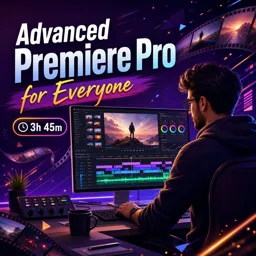
Duration of the online course: 3 hours and 45 minutes
New
Edit videos faster and with pro-level precision in this free Premiere Pro course—master track targeting, source patching, and clean, synced timelines.
Take your video editing skills beyond the basics and start working with the kind of precision that makes professional timelines feel effortless. This free online course is designed for creators who already know their way around Premiere Pro and want to tighten their workflow, improve accuracy, and make edits that hold up under real-world demands. Whether you edit for YouTube, social media, client projects, or a portfolio, you will learn how to move faster without sacrificing control.
A major difference between casual editing and advanced editing is intention: knowing exactly where clips will land, which tracks will receive them, and how to keep everything organized as the project grows. You will develop practical habits for placing footage precisely, using timeline tools and targeting options in a way that reduces mistakes and prevents the common frustrations that slow editors down. The course also emphasizes consistency, helping you build a repeatable process you can use on every new project.
Audio problems can quickly make an edit feel unprofessional, especially when sync starts to slip. You will explore reliable approaches that help you avoid audio drift and maintain clean alignment throughout your timeline, so your work stays polished from the first cut to the final export. Along the way, you will strengthen your understanding of how Premiere Pro handles tracks, ensuring that your edits behave exactly as you expect when you add, replace, or refine clips.
You will also work with techniques that make complex edits easier to manage, including track targeting and source patching. These features are essential when you need to route video and audio correctly, maintain an organized structure, and perform changes with confidence, especially on multi-track edits. You will gain clarity on when to use each option and how they support a smoother, more controlled editing experience.
Finally, you will improve the way you handle playback speed and timing so you can refine pacing, adjust rhythm, and polish transitions while staying in control of your edits. By the end, you will have a stronger grasp of advanced Premiere Pro workflow choices that translate into faster delivery, fewer errors, and more professional results.

3 hours and 45 minutes of online video course

Digital certificate of course completion (Free)

Exercises to train your knowledge

100% free, from content to certificate
How does track targeting affect edits in Adobe Premiere Pro?
Track targeting determines which timeline tracks receive inserts, overwrites, and certain edit commands, helping place clips on the intended tracks.
What is source patching in Premiere Pro and when should I use it?
Source patching maps video and audio from a source clip to selected timeline tracks before an edit, so the correct media components are inserted.
How can I prevent audio drift when editing video in Premiere Pro?
Use matching frame rates and sample rates, keep linked audio and video synchronized, and avoid repeatedly converting or retiming clips.
Ready to get started?Download the app and get started today.
Install the app now
to access the course
Over 5,000 free courses
Programming, English, Digital Marketing and much more! Learn whatever you want, for free.

Study plan with AI
Our app's Artificial Intelligence can create a study schedule for the course you choose.

From zero to professional success
Improve your resume with our free Certificate and then use our Artificial Intelligence to find your dream job.
You can also use the QR Code or the links below.



Free CourseAfter Effects
5

(2)

22h49m

30 exercises
Free CourseAdobe Express in video edition
5
(1)
25m
6 exercises
Free CourseAdobe After Effects
5
(1)
2h18m
17 exercises
Free CourseAdobe Premiere Pro crash course
5
(2)
1h58m
6 exercises
Free CourseLearn Adobe Premiere Pro from Start to Finish
5
(3)
2h26m
6 exercises

Free CourseFilmora Master Class Filmora Wondershare
5
(1)
1h52m
8 exercises
Free CourseCapCut Video Editing for YouTube: Beginner to Pro
4.9
(8)
4h24m
31 exercises
Free CourseAdobe After effects
4.8

(16)
15h13m
31 exercises
Free CourseShortcut for video editing
4.8
(4)
1h34m
16 exercises
Free CourseDaVince Resolve 18 tutorial for beginners
4.5
(2)
37m
6 exercises
Carry knowledge in your pocket.
Download the Cursa app.
There are hundreds of free courses available, with a free certificate of completion that is saved in your mobile image gallery.
Download the app to access the Course Completion Certificate for Free.


+ 10 million
students

Free and Valid
Certificate

60 thousand free
exercises

4.8/5 rating in
app stores

Free courses in
video and ebooks