
Open Export, choose a preset such as H.264, select the output location, and click Export File.

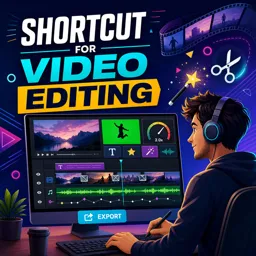
Duration of the online course: 1 hours and 34 minutes
5

(3)
Edit videos faster with Shotcut: cut, add effects, titles, transitions and export like a pro in this free course—ideal for creators building a strong portfolio.
Want to turn raw footage into clean, engaging videos without paying for expensive software? This free online course teaches you how to edit confidently with Shotcut, a powerful editor widely used by creators who need professional results on a budget. You will learn to move from first launch to finished export with a workflow that keeps your timeline organized and your edits precise, so you spend less time fighting the interface and more time crafting the story.
From the start, you will practice the essentials that make editing feel smooth: downloading Shotcut safely, setting up a project, arranging clips on the timeline, trimming and splitting footage, and avoiding common mistakes like unwanted gaps that ruin timing. As you build confidence, you will shape pacing with speed controls, lock in stronger continuity with transitions and crossfades, and elevate clarity through text, title screens, and simple motion using keyframes. These skills translate directly to the kind of polished social media edits, YouTube videos, and client deliverables that stand out.
The course also focuses on the creative tools that give your work a signature look. You will apply video effects and learn efficient ways to reuse the same styling across multiple clips, making your projects consistent and faster to produce. Audio is treated as part of the storytelling too, with guidance on adding separate audio tracks and improving sound using audio effects so your final output feels balanced and intentional rather than thrown together.
To help you solve real production challenges, you will work with practical techniques such as chroma key for green screen, freezing a frame for emphasis, and adapting vertical video for wider formats by adding visually pleasing blurred sides. You will also learn how to convert images into video and bring in image sequences, giving you options for slideshows, stop motion, or animated cutaways. By the end, you will be able to export and save your projects with confidence, creating videos that are ready to publish, share, or deliver to clients.

1 hours and 34 minutes of online video course

Digital certificate of course completion (Free)

Exercises to train your knowledge

100% free, from content to certificate
How do I export a finished video project in Shotcut?
Open Export, choose a preset such as H.264, select the output location, and click Export File.
How can I apply the same filter to multiple clips in Shotcut?
Copy the filtered clip, then use Paste Filters on the other selected clips or add the filter to a track.
How do I create a crossfade transition between two clips in Shotcut?
Place the clips on the same track and overlap their ends; Shotcut automatically creates a crossfade transition.
Ready to get started?Download the app and get started today.
Install the app now
to access the course
Over 5,000 free courses
Programming, English, Digital Marketing and much more! Learn whatever you want, for free.

Study plan with AI
Our app's Artificial Intelligence can create a study schedule for the course you choose.

From zero to professional success
Improve your resume with our free Certificate and then use our Artificial Intelligence to find your dream job.
You can also use the QR Code or the links below.



Free CourseAfter Effects
5
(2)

22h49m

30 exercises
Free CourseAdobe Express in video edition
5
(1)
25m
6 exercises
Free CourseAdobe After Effects
5
(1)
2h18m
17 exercises
Free CourseAdobe Premiere Pro crash course
5
(2)
1h58m
6 exercises
Free CourseLearn Adobe Premiere Pro from Start to Finish
5
(3)
2h26m
6 exercises

Free CourseFilmora Master Class Filmora Wondershare
5
(1)
1h52m
8 exercises
Free CourseCapCut Video Editing for YouTube: Beginner to Pro
4.9
(8)
4h24m
31 exercises
Free CourseAdobe After effects
4.8

(16)
15h13m
31 exercises
Free CourseDaVince Resolve 18 tutorial for beginners
4.5
(2)
37m
6 exercises
Free CourseCapCut Crash Course
4.3
(7)
32m
6 exercises
Carry knowledge in your pocket.
Download the Cursa app.
There are hundreds of free courses available, with a free certificate of completion that is saved in your mobile image gallery.
Download the app to access the Course Completion Certificate for Free.


+ 10 million
students

Free and Valid
Certificate

60 thousand free
exercises

4.8/5 rating in
app stores

Free courses in
video and ebooks


Course comments: Shortcut for video editing
Kyawzinoo
Nice Course