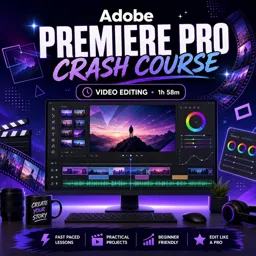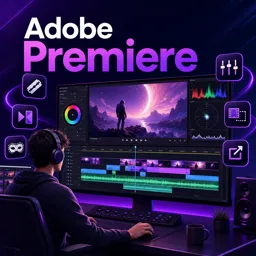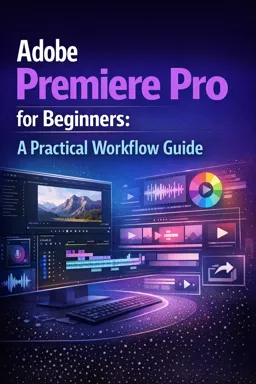

Free ebook on Adobe Premiere Pro beginner workflows, from project setup and editing to audio, color, captions, titles, and export.
Free ebook content
-

Premiere Pro Beginner Workflow: Project Setup and Scratch Disks
+ Exercise: When setting up a new Premiere Pro project for portability and easy archiving, what is the most reliable beginner approach to scratch disks and auto-saves?
-
Premiere Pro Beginner Workflow: Importing Media and Organizing the Project Panel
+ Exercise: Which workflow best prevents clutter and duplicate imports when bringing new media into a Premiere Pro project?
-
Premiere Pro Beginner Workflow: Creating Sequences the Right Way
+ Exercise: When should you manually create a new sequence instead of using “New Sequence from Clip” in Premiere Pro?


-
Premiere Pro Beginner Workflow: Essential Editing Tools for Clean Cuts
+ Exercise: You want to change where the cut happens between two adjacent clips without changing the total duration of the sequence section. Which tool is the best choice?
-
Premiere Pro Beginner Workflow: Timeline Organization and Edit Structure
+ Exercise: In a beginner-friendly Premiere Pro timeline structure, what is the best reason to keep your main story footage on V1 and place B-roll on V2 above it?
-
Premiere Pro Beginner Workflow: Audio Basics for Clear Dialogue and Balanced Mix
+ Exercise: A dialogue clip in your timeline is consistently too loud and occasionally hits red on the meters. What is the best first step to fix it so processing behaves predictably?
-
Premiere Pro Beginner Workflow: Simple Color Correction with Lumetri
+ Exercise: When matching multiple shots in a scene, what is the recommended order to adjust them for consistent results?
-
Premiere Pro Beginner Workflow: Captions and Subtitles for Accessibility
+ Exercise: When exporting captions from Premiere Pro, which option best matches a sidecar caption delivery?
-
Premiere Pro Beginner Workflow: Graphics Templates and Basic Titles
+ Exercise: When customizing a lower-third MOGRT in Premiere Pro, what workflow best keeps the design consistent and avoids breaking the template?
-
Premiere Pro Beginner Workflow: Export Settings for YouTube, Social, and Review Links
+ Exercise: When exporting a vertical video for Instagram Reels or TikTok from Premiere Pro, which export approach best matches the recommended workflow?
About the free ebook
Adobe Premiere Pro for Beginners: A Practical Workflow Guide
Build a reliable editing process in Adobe Premiere Pro with this free online ebook for new video editors. Learn how to move from raw footage to a polished, shareable video while keeping projects organized, efficient, and easy to revise.
Create an editing workflow you can repeat
Good editing begins before the first cut. This guide explains practical habits for setting up projects, choosing appropriate sequence settings, managing media, and maintaining a clean timeline. You will work with the core tools used to assemble footage, trim clips, shape pacing, and avoid common organizational problems.
Improve clarity, accessibility, and presentation
Explore the essentials of clear dialogue, balanced audio, simple Lumetri color correction, captions, basic titles, and graphics templates. The focus is on making purposeful improvements without overcomplicating the edit.
Export confidently for different destinations
Learn how export choices affect quality, file size, and playback. The ebook helps you prepare edits for platforms such as YouTube, social media, and client or team review, so your final video is ready to share.
What you will gain
- A structured approach to Premiere Pro projects
- Practical techniques for clean, organized edits
- Foundational audio, color, caption, and title skills
- A clearer understanding of export settings and delivery formats
Use this guide as a hands-on reference while editing your own videos and develop a workflow that supports faster, more consistent results.
How do scratch disks help organize a Premiere Pro project?
Scratch disks set where previews, cache files, and other project-generated media are stored, helping keep files organized.
What sequence settings should match my video footage?
Match the sequence frame size, frame rate, and field order to your primary footage for smoother editing and export.
Which Premiere Pro export format is commonly used for YouTube?
H.264 is a common choice for YouTube because it provides good quality with manageable file sizes.
This ebook includes:

10 content chapters

Digital certificate of course completion (Free)

Exercises to train your knowledge

100% free, from content to certificate
Ready to get started?

 recommended
In the app you will also find...

Over 5,000 free courses
Programming, English, Digital Marketing and much more! Learn whatever you want, for free.

Study plan with AI
Our app's Artificial Intelligence can create a study schedule for the course you choose.

From zero to professional success
Improve your resume with our free Certificate and then use our Artificial Intelligence to find your dream job.
You can also use the QR Code or the links below.