Begin by identifying the action, material, scale, and mood, then layer recorded, synthesized, or sampled sounds to match it.

Duration of the online course: 26 minutes
4

(1)
Create immersive audio for any scene with this free course—learn sound design essentials, polish your edits, and earn a certificate-ready skill set.
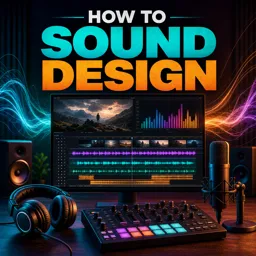
Strong sound design can turn an ordinary edit into an experience. This free online course helps you learn how to craft believable, impactful audio for virtually anything you can imagine on screen—from subtle movement and ambience to bold cinematic hits. If your videos look great but feel flat, sound is often the missing piece. You will develop a practical workflow that makes your edits feel larger, clearer, and more professional, even when you start with limited resources.
Designed for creators working in video editing and post-production, the course focuses on how to think like a sound designer: how to listen with intention, break down a moment into layers, and rebuild it so it supports the story. You will learn how to choose or create the right sounds, shape them with basic processing, and place them in a scene so they feel natural and consistent. The goal is not just louder audio, but audio with depth—sounds that have texture, space, and emotional weight.
Through a focused lesson and hands-on exercise, you will practice building sound from scratch using repeatable techniques you can apply to any project, including social media videos, short films, ads, or YouTube content. By the end, you will be better prepared to approach a silent clip and give it life with purposeful audio choices, making your work more engaging and credible. If you want a career-boosting skill that instantly elevates production quality, this course gives you a clear starting point and a workflow you can keep using long after the lesson ends.

26 minutes of online video course

Digital certificate of course completion (Free)

Exercises to train your knowledge

100% free, from content to certificate
How do you start sound designing an object or scene from scratch?
Begin by identifying the action, material, scale, and mood, then layer recorded, synthesized, or sampled sounds to match it.
What sounds are commonly layered to create convincing impact effects?
Impact effects often combine a low-end thump, a sharp transient, material-specific texture, and a short reverb tail.
How can sound design make edited video feel more realistic?
Well-timed foley, ambience, transitions, and effects add weight, space, movement, and emotional emphasis to visual edits.
Ready to get started?Download the app and get started today.
Install the app now
to access the course
Over 5,000 free courses
Programming, English, Digital Marketing and much more! Learn whatever you want, for free.

Study plan with AI
Our app's Artificial Intelligence can create a study schedule for the course you choose.

From zero to professional success
Improve your resume with our free Certificate and then use our Artificial Intelligence to find your dream job.
You can also use the QR Code or the links below.



Free CourseAfter Effects
5
(2)

22h49m

30 exercises
Free CourseAdobe Express in video edition
5
(1)
25m
6 exercises
Free CourseAdobe After Effects
5
(1)
2h18m
17 exercises
Free CourseAdobe Premiere Pro crash course
5
(2)
1h58m
6 exercises
Free CourseLearn Adobe Premiere Pro from Start to Finish
5
(3)
2h26m
6 exercises
Free CourseFilmora Master Class Filmora Wondershare
5
(1)
1h52m
8 exercises
Free CourseCapCut Video Editing for YouTube: Beginner to Pro
4.9
(8)
4h24m
31 exercises
Free CourseAdobe After effects
4.8

(16)
15h13m
31 exercises
Free CourseShortcut for video editing
4.8
(4)
1h34m
16 exercises
Free CourseDaVince Resolve 18 tutorial for beginners
4.5
(2)
37m
6 exercises
Carry knowledge in your pocket.
Download the Cursa app.
There are hundreds of free courses available, with a free certificate of completion that is saved in your mobile image gallery.
Download the app to access the Course Completion Certificate for Free.


+ 10 million
students

Free and Valid
Certificate

60 thousand free
exercises

4.8/5 rating in
app stores

Free courses in
video and ebooks