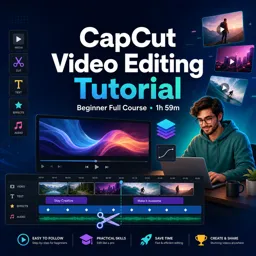


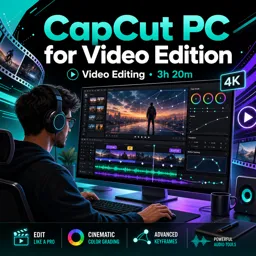
CapCut is a video editing app and desktop editor used to trim clips, add music, captions, effects, transitions, and export videos for social media or YouTube.

4

1



Mastering CapCut Filters: Elevate Your Video Aesthetics with Creative Effects
Descubra como aplicar e ajustar filtros no CapCut para transformar seus vídeos com estética profissional e impacto visual criativo.

How to Create Dynamic Transitions in CapCut: Enhance Your Video Edits
Aprenda a aplicar e personalizar transições no CapCut para criar vídeos dinâmicos, envolventes e com aparência profissional.

Adding Music and Sound Effects in CapCut: A Step-by-Step Guide
Easily enhance your CapCut videos by adding background music and sound effects. Import, trim, and position audio clips, adjust volume, and use fades for smooth transitions.

How to Add Text and Subtitles in CapCut for Social Media
Enhance social media videos with CapCut by adding custom text and subtitles. Use the Text tool for engaging captions, auto-captions for fast subtitling, and adjust style for clarity.
Develop practical video editing skills with our selection of free CapCut online courses. These educational courses are designed for beginners, content creators, students, social media professionals, and anyone interested in learning how to produce engaging videos. Study essential CapCut tools through structured lessons, complete exercises to reinforce your knowledge, and earn free certification after completing an eligible course.
CapCut is a versatile video editing platform used to create content for TikTok, Instagram, YouTube, presentations, marketing campaigns, and personal projects. The courses introduce the editing interface and gradually explore more advanced production techniques. Because the classes are online, you can organize your learning schedule, review lessons, and progress at your own pace.
Every learning option listed on this page is free and includes exercises that help you apply editing concepts in realistic projects. These practical activities support skill development, knowledge review, and independent practice. The courses also offer free certification, allowing you to document your studies and add educational achievements to your résumé, professional profile, or learning portfolio.
| Learning format | Free online lessons |
| Practice | Exercises and video editing activities |
| Certification | Free digital certificate |
| Recommended level | Beginner, intermediate, and advanced learners |
To access and study the courses, it is necessary to install the Cursa application. Android users can obtain the app through Google Play at Download for Android. iPhone users can install it from the App Store at Download for iOS / iPhone.
Install the application, choose a free CapCut course, and begin building valuable video editing knowledge today. With guided instruction, practical exercises, flexible online study, and free certification, you can improve your audiovisual communication skills without course fees.
What is CapCut used for?
CapCut is a video editing app and desktop editor used to trim clips, add music, captions, effects, transitions, and export videos for social media or YouTube.
Can beginners learn CapCut video editing?
Yes. CapCut is beginner-friendly, with tools for cutting clips, adding text, applying templates, and exporting polished videos.
Is CapCut available on PC and mobile?
Yes. CapCut can be used on desktop and mobile, allowing creators to edit videos with tools suited to each device.
How do I add captions in CapCut?
You can add captions by using the text tools or automatic caption feature, then edit the wording, timing, style, and placement.
Can CapCut be used to edit YouTube videos?
Yes. CapCut can be used to create YouTube videos with cuts, overlays, audio, captions, transitions, and export settings for high-quality uploads.
What will I learn in a CapCut crash course?
A CapCut crash course typically covers the editor layout, importing media, basic cuts, text, audio, effects, captions, and exporting a finished video.
What are CapCut templates?
CapCut templates are pre-designed video formats that let you insert your own clips or photos into ready-made edits with effects, music, and timing.

Complete any course and issue your certificate via the app — at no cost.

Download the app! to have access to more than 4,000 Online Courses + Certificate, all free!
Download the app! 100% free courses.


Carry knowledge in your pocket.
Download the Cursa app.
There are hundreds of free courses available, with a free certificate of completion that is saved in your mobile image gallery.
Download the app to access the Course Completion Certificate for Free.


+ 10 million
students

Free and Valid
Certificate

60 thousand free
exercises

4.8/5 rating in
app stores

Free courses in
video and ebooks