The Color page is the dedicated workspace for grading, correcting, and enhancing clip colors.

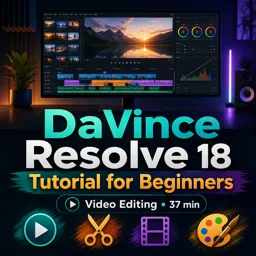
Duration of the online course: 37 minutes
4.5


(2)
Edit videos with confidence in this free DaVinci Resolve 18 course—learn cutting, color grading, audio cleanup, and stabilization, plus workflows that save time.
Want to turn raw footage into polished videos that look and sound professional? This free online course helps beginners get comfortable in DaVinci Resolve 18 and build real editing confidence from the first project. You will learn how the software is organized, what each workspace is designed for, and how to move smoothly from importing clips to delivering a finished video that feels intentional and clean.
As you practice, you will develop practical editing habits that make your workflow faster and your results more consistent. You will discover how to handle common challenges beginners face, such as uneven lighting, dull colors, shaky handheld shots, and dialogue that needs to be clearer. Instead of guessing, you will learn where to make the right adjustments and how small changes can dramatically improve the final look.
A major focus is learning to enhance your image using the dedicated color tools. You will understand where color grading and correction happen in Resolve, how to bring balance back to footage, and how to brighten shadowy areas without blowing out highlights. By focusing on decisions that improve contrast and readability, you will start creating videos that feel more cinematic and easier to watch.
You will also work with smart features designed to save time, including automatic improvements that can help standardize color quickly and make spoken audio more pleasant. Along the way, you will learn how to evaluate what your clip needs, when to trust automated options, and when to refine the result manually for a more natural finish.
By the end, you will have a strong foundation in video editing inside DaVinci Resolve 18 and the confidence to keep improving through practice. Whether you are creating content for social media, YouTube, school, or your first client projects, this course gives you the skills to make edits that look intentional, sound clear, and hold attention.

37 minutes of online video course

Digital certificate of course completion (Free)

Exercises to train your knowledge

100% free, from content to certificate
Which DaVinci Resolve 18 page is used for color grading and color correction?
The Color page is the dedicated workspace for grading, correcting, and enhancing clip colors.
How can DaVinci Resolve 18 automatically improve spoken dialogue audio?
Use the Voice Isolation feature to reduce background noise and make dialogue clearer.
How do you fix shaky video footage in DaVinci Resolve 18?
Use the Stabilization controls in the Inspector or Color page to smooth camera movement.
Ready to get started?Download the app and get started today.
Install the app now
to access the course
Over 5,000 free courses
Programming, English, Digital Marketing and much more! Learn whatever you want, for free.

Study plan with AI
Our app's Artificial Intelligence can create a study schedule for the course you choose.

From zero to professional success
Improve your resume with our free Certificate and then use our Artificial Intelligence to find your dream job.
You can also use the QR Code or the links below.



Free CourseAfter Effects
5
(2)

22h49m

30 exercises
Free CourseAdobe Express in video edition
5
(1)
25m
6 exercises
Free CourseAdobe After Effects
5
(1)
2h18m
17 exercises
Free CourseAdobe Premiere Pro crash course
5
(2)
1h58m
6 exercises
Free CourseLearn Adobe Premiere Pro from Start to Finish
5
(3)
2h26m
6 exercises
Free CourseFilmora Master Class Filmora Wondershare
5
(1)
1h52m
8 exercises
Free CourseCapCut Video Editing for YouTube: Beginner to Pro
4.9
(8)
4h24m
31 exercises
Free CourseAdobe After effects
4.8
(16)
15h13m
31 exercises
Free CourseShortcut for video editing
4.8
(4)
1h34m
16 exercises
Free CourseCapCut Crash Course
4.3
(7)
32m
6 exercises
Carry knowledge in your pocket.
Download the Cursa app.
There are hundreds of free courses available, with a free certificate of completion that is saved in your mobile image gallery.
Download the app to access the Course Completion Certificate for Free.


+ 10 million
students

Free and Valid
Certificate

60 thousand free
exercises

4.8/5 rating in
app stores

Free courses in
video and ebooks