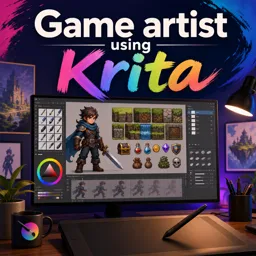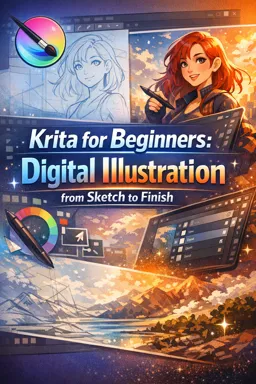

Free ebook for learning Krita digital illustration, from workspace setup and sketching to shading, finishing, and export.
Free ebook content
-

Krita for Beginners: Installing, Setting Up, and Navigating the Workspace
+ Exercise: When setting up a new document in Krita for a project that will only be viewed on screens, what is the most practical way to ensure it looks the size you want?
-
Krita for Beginners: Brushes, Brush Settings, and Clean Stroke Control
+ Exercise: When a stroke feels “too strong immediately” and you want it to build up more gradually within a single stroke, which adjustment is most appropriate?
-
Krita for Beginners: Layers, Groups, and Non-Destructive Habits
+ Exercise: Which workflow choice best demonstrates a non-destructive approach when you want to adjust the overall mood (like warmth/coolness) later?
-
Krita for Beginners: Selections and Masks for Precise Editing
+ Exercise: You want to hide a character’s background non-destructively and keep the option to refine the cutout later. Which approach best matches this workflow?


-
Krita for Beginners: Sketching and Building a Simple Illustration Plan
+ Exercise: When building a beginner-friendly illustration plan, what is the main purpose of the rough sketch stage?
-
Krita for Beginners: Lineart Workflow for Crisp, Editable Lines
+ Exercise: Which approach best supports crisp, editable lineart when a clean stroke looks good but is placed slightly incorrectly?
-
Krita for Beginners: Flat Colors with Quick Fill Tools and Color Organization
+ Exercise: When flat colors show a thin unpainted “halo” between the lineart and the filled area, which Fill Tool adjustment is typically used to push the flat color slightly under the lineart?
-
Krita for Beginners: Shading Fundamentals Using Multiply, Gradients, and Form
+ Exercise: When adding a second Multiply layer for occlusion in a beginner shading workflow, what is its primary purpose?
-
Krita for Beginners: Highlights, Rim Light, and Material Cues
+ Exercise: When building highlights so they look believable and not “pasted on,” which approach best follows the recommended workflow?
-
Krita for Beginners: Blending, Edge Control, and Texture Without Over-Smearing
+ Exercise: Which approach is recommended as the cleanest way to blend large areas while avoiding muddy midtones and preserving texture?
-
Krita for Beginners: Finishing Passes, Color Tweaks, and Common Beginner Fixes
+ Exercise: When doing a grayscale value check during finishing passes, what adjustment best improves readability without making the whole image equally high-contrast?
-
Krita for Beginners: Exporting for Web and Print with Correct Settings
+ Exercise: When preparing an illustration for web viewing, which choice best reflects what matters most and the recommended export approach?
About the free ebook
Krita for Beginners: Digital Illustration from Sketch to Finish
Build practical digital illustration skills with this free ebook for new Krita users. Learn how to turn a simple idea into a polished image while developing an organized, editable workflow.
Create confidently in Krita
Start by setting up Krita and navigating its workspace, then gain control over brushes, brush settings, and clean strokes. The lessons emphasize useful habits that make artwork easier to revise, including layer groups, non-destructive editing, selections, and masks.
Develop an illustration step by step
Move from planning and sketching to crisp lineart, organized flat colors, and convincing light. Explore how multiply layers, gradients, highlights, rim light, edge control, and texture can give forms depth without making the painting look overblended.
Practical skills included
- Workspace setup and brush control for smoother drawing
- Layers, groups, masks, and selections for flexible editing
- Sketch, lineart, fill, shading, and finishing workflows
- Color adjustments and common fixes for early illustration problems
- Export settings for sharing online or preparing artwork for print
The ebook concludes with a complete start-to-finish illustration project that brings the techniques together. By following the workflow, you can practice making deliberate creative decisions at every stage, from the first sketch to the final exported file.
Use this guide as a hands-on foundation for creating clean, organized digital illustrations in Krita.
How do I create clean lineart in Krita?
Use a stabilized brush, work on a separate lineart layer, and adjust brush size and smoothing for controlled strokes.
Which Krita layer mode is useful for basic shading?
Multiply is a practical starting mode for adding shadows over flat colors while keeping the base palette visible.
What file settings should I use to export Krita artwork for the web?
Export a copy as PNG for crisp images with transparency, or JPEG for smaller files when transparency is not needed.
This ebook includes:

13 content chapters

Digital certificate of course completion (Free)

Exercises to train your knowledge

100% free, from content to certificate
Ready to get started?

 recommended
In the app you will also find...

Over 5,000 free courses
Programming, English, Digital Marketing and much more! Learn whatever you want, for free.

Study plan with AI
Our app's Artificial Intelligence can create a study schedule for the course you choose.

From zero to professional success
Improve your resume with our free Certificate and then use our Artificial Intelligence to find your dream job.
You can also use the QR Code or the links below.