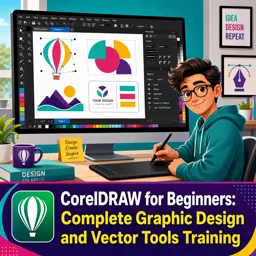
Free online course CorelDRAW Project-Based Design Training - Beginner to Advanced
Duration of the online course: 13 hours and 44 minutes
New
Build job-ready CorelDRAW skills with a free online course: create logos, layouts, print files, and effects through hands-on projects from beginner to advanced.
In this free course, learn about
CorelDRAW basics: interface, selecting objects, and applying fill colors via the color palette
Resizing/duplicating with modifier keys while keeping shapes centered and consistent
Logo creation workflows using shapes + text, alignment, and simple vector construction
Text handling: text inside shapes, text on curves, and keeping curved text editable
3D and depth effects for text using Extrude/3D tools and Blend-based smooth 3D builds
Layering skills: selection tricks, stacking order, and object positioning with page coordinates
Fills & effects: gradients, transparency control, and applying uniform transparency to objects
Blend tool mastery including loop blend and typography/effect variations
Image workflows: cropping, PowerClip, picture frames, background removal, and text wrap
Pen tool proficiency and using Smart Fill to create closed filled shapes from curves
Special effects: fisheye lens (locked effect), neon, wet paint, splatter, torn paper, reflections
Mesh Fill and Artistic Media: brushes/sprays, converting text to curves, and custom brush edits
Print & layout production: business cards/IDs/flyers/brochures, bleed, CMYK/RGB, PDF export
About the free online course
Turn your ideas into polished vector designs with a practical CorelDRAW learning experience built around doing, not just watching. This free online course guides you from the first clicks of the interface to confident, professional workflows used in graphic design for branding, marketing, and print. Instead of relying on theory alone, you will grow your skills by creating real design outcomes, helping you build speed, accuracy, and a stronger design eye along the way.
As you progress, you will learn to shape and refine vector artwork, work efficiently with color and fills, manage stacking order, and handle typography with control. You will explore ways to place text inside shapes, flow it along curves, and transform it for clean logo-type and layout-ready headlines. The course also helps you become comfortable with key tools for modern visual design, including transparency, gradients, blending, lens-style effects, masking, and a range of stylized treatments that can elevate posters, social graphics, and brand assets.
Real-world tasks are woven throughout so you can practice creating frames, mockups, text effects, and image-based compositions that look ready for clients or portfolios. You will also gain confidence working with imported files, clipping and wrapping content for layout, and producing graphics that maintain editability when you need revisions later. That emphasis on non-destructive habits is especially valuable when you are iterating on concepts or collaborating.
Beyond creative effects, the course prepares you for practical production. You will learn design considerations for print versus digital, set up documents correctly, handle bleed for accurate trimming, and export files in common professional formats so your artwork prints cleanly and shares reliably. By the end, you will have a clearer, repeatable workflow for designing everything from logos and business cards to flyers, brochures, ID cards, and packaging-style layouts using CorelDRAW with confidence.
Course content
Video class: Introduction to Corel Draw Exercise No.1 | YN Tutor11m
Exercise: In CorelDRAW, what does left-clicking a color on the color palette do to a selected shape?
Video class: Creating Logo Design in Corel Draw Exercise No. 2 | YN Tutor11m
Video class: Creating Logo with Text and shape in Corel Draw Exercise No. 3 | YN Tutor11m
Exercise: When resizing a circle in CorelDRAW while keeping it centered, which key should you hold?
Video class: Text in Shape in Corel Draw Exercise No. 4 | YN Tutor12m
Video class: Text on curve path in Corel Draw Exercise No. 5 | YN Tutor10m
Exercise: When you want to keep the ability to edit text that follows a curve later, what should you do?
Video class: Combine intersect trim in Corel Draw Exercise No. 6 | YN Tutor08m
Video class: Shape editing commands in Corel Draw Exercise No. 7 | YN Tutor04m
Exercise: What is the main result of using the Create Boundary command on two overlapping shapes?
Video class: Transform text in shape in Corel Draw Exercise 8 | YN Tutor06m
Video class: Making Coffee Cup in Corel Draw Exercise No. 9 | YN Tutor13m
Exercise: Which three shape-editing commands are used to build the vector object in this lesson?
Video class: Multi color text and background in Corel Draw Exercise No. 10 | YN Tutor10m
Video class: Creating 3d Text in Corel Draw Exercise No. 11 | YN Tutor15m
Exercise: Which tool is used to create the 3D effect on text in CorelDRAW?
Video class: Selection and Stacking order in Corel Draw Exercise No. 12 | YN Tutor12m
Video class: Gradient and Transparency Tool in Corel Draw Exercise No. 13 | YN Tutor12m
Exercise: Which option is used to apply the same transparency amount across an entire balloon object?
Video class: Typography with Transparency Tool in Corel Draw Exercise No. 14 | YN Tutor08m
Video class: Understanding Blend Tool in Corel Draw. Exercise No. 15 | YN Tutor17m
Exercise: Which action activates the loop blend feature in the Blend tool controls?
Video class: Picture Frame and Cropping image in Corel Draw Exercise. No. 16 | YN Tutor10m
Video class: Remove image background and wrap Text around in Corel Draw Exercise No. 17 | YN Tutor12m
Exercise: After clipping an image to remove its background, which Text Wrap setting makes the paragraph flow around the clipped object?
Video class: Import PSD image file to corel draw and wrap text Exercise No. 18 | YN Tutor08m
Video class: Understanding PEN TOOL in Corel Draw Exercise No. 19 | YN Tutor16m
Exercise: When duplicating a heart shape that already has a drop shadow applied, what must you select before pressing the plus key (+) to copy the shadow too?
Video class: Make Flower Using Eraser Tool in Corel Draw Exercise No. 20 | YN Tutor14m
Video class: Artistic Media Tool in Corel Draw Exercise No. 21 | YN Tutor16m
Exercise: How can you make Artistic Media apply as a clean single-stroke effect on text instead of a double outline?
Video class: Artistic Media Tool24m
Video class: Artistic Media12m
Exercise: Why should text be converted to curves before applying an Artistic Media brush effect?
Video class: Create smooth 3D text with Blend Tool Exercise No. 24 | YN Tutor11m
Video class: Create Fish Eye Lens Effect in Corel Draw Exercise No. 25 | YN Tutor17m
Exercise: When applying the Fish Eye Lens effect, which option should you enable so the effect stays applied after moving the lens object away?
Video class: Create Realistic Neon light Text in Corel Draw Exercise No. 26 | YN Tutor11m
Video class: Create Wet Paint Effect in Corel Draw Exercise. No. 27 | YN Tutor08m
Exercise: Which sequence is used to create a more realistic wet paint text effect with ripples?
Video class: Create Text Mask with Image in Corel Draw Exercise No. 28 | YN Tutor09m
Video class: Create Easy Photo frame in corel draw Exercise No. 29 | YN Tutor07m
Exercise: A photo frame design project in CorelDRAW can be enhanced by adding which effect mentioned?
Video class: Transparency and Power clip in Corel Draw Exercise No. 30 | YN Tutor08m
Video class: Multiple Frame Effect on Image in Corel Draw Exercise No. 31 | YN Tutor07m
Exercise: To clip the same image inside multiple star frames while keeping one copy as the background, how many duplicates of the image are needed in total?
Video class: Create Realistic Wooden Frame in Corel Draw Exercise No. 32 | YN Tutor24m
Video class: Create Easy15m
Exercise: Which technique is used to create the embossed look on the text?
Video class: Create Peeled Text Effect in Corel Draw Exercise No. 34 | YN Tutor10m
Video class: Create Splatter Effect on Text in Corel Draw Exercise No. 35 | YN Tutor07m
Exercise: To keep the splatter details when converting the imported splatter image into vectors, which Trace Bitmap method should be used?
Video class: Disperse an Image using Splatter Paint in Corel Draw Exercise No. 36 | YN Tutor11m
Video class: Torn or Tear paper effect in corel draw Exercise No. 37 | YN Tutor12m
Exercise: Which CorelDRAW feature is used to clip the duplicated image inside the custom inner shape for the torn paper window?
Video class: Create Realistic Water Drops in corel draw Exercise No. 38 | YN Tutor13m
Video class: Create Realistic Reflection using Text and Image in Corel Draw Exercise No. 39 | YN Tutor10m
Exercise: After creating a mirrored text for a reflection, what must be done before applying the Ripple distortion effect?
Video class: Create Page Curl Effect using an Image in Corel Draw Exercise No. 40 | YN Tutor14m
Video class: Create Stylish Photo Collage in Corel Draw Exercise No. 41 | YN Tutor18m
Exercise: Which set of three methods is taught for creating a stylish photo collage in CorelDRAW?
Video class: Blend image with any surface realistically in Corel Draw Exercise No. 42 | YN Tutor09m
Video class: Envelope Tool VS Add Prospective in Corel Draw Exercise No. 43 | YN Tutor16m
Exercise: In CorelDRAW 2020, where is the Add Perspective command found?
Video class: How To Add Your Love Ones Photo To Phone Cover in Corel Draw Exercise No. 44 | YN Tutor10m
Video class: Understanding Object Position13m
Exercise: In CorelDRAW, how can you move an object exactly to the bottom-left corner of the page using page coordinates?
Video class: How To Create Vignette Effect on Image using any shape in Corel Draw Exercise No. 46 | YN Tutor09m
Video class: How To Create Speed Effect on Image with Motion Blur in Corel Draw Exercise No. 47 | YN Tutor06m
Exercise: Which workflow creates a speed effect by blurring the entire image and then limiting the blur to a specific area?
Video class: Advance Power Clip using 3 Different Methods in Corel Draw Exercise No. 48 | YN Tutor10m
Video class: Understanding Mesh Tool in Corel Draw Exercise No. 49 | YN Tutor17m
Exercise: When using the Mesh Fill tool, what is created on the selected object by default?
Video class: How To Use Pen Tool in Corel Draw Exercise No. 50 | YN Tutor10m
Video class: How to Create Beautiful Sunrays Background in Corel Draw Exercise No. 51 | YN Tutor07m
Exercise: Which CorelDRAW feature is used to rotate a triangle by a specific angle and create multiple copies for a sun rays background?
Video class: How to Create Beautiful Wall Painting Using Smart Fill Tool in Corel Draw Exercise No. 52 | YN Tutor08m
Video class: How to Create Custom Rainbow Brush Using Artistic Media in Corel Draw Exercise No. 53 | YN Tutor07m
Exercise: After saving a custom brush, what must you do first to enable applying Gaussian blur to the brush stroke?
Video class: How to Create Beautiful Realistic Gold Effect in Corel Draw Exercise No. 54 | YN Tutor13m
Video class: How to Create Frame Using Texture Fill in Corel Draw Exercise No. 55 | YN Tutor05m
Exercise: Which feature is used to create a realistic wooden frame effect in CorelDRAW?
Video class: How to Create Custom Artistic Media Spray In Corel Draw Exercise No. 56 | YN Tutor09m
Video class: How to Add Waving Effect on any Fabric Texture In Corel Draw Exercise No. 57 | YN Tutor03m
Exercise: Which CorelDRAW feature is used to turn a flat flag image into a waving flag using a custom shape?
Video class: How to Create Background Design with Lighting Effect in Corel Draw Exercise No. 58 | YN Tutor09m
Video class: How to Create Multiple Outline Text Effect in Corel Draw Exercise No. 59 | YN Tutor06m
Video class: How to Use Fit Objects to Path Feature in Corel Draw Exercise No. 60 | YN Tutor10m
Video class: How to Create Business Card Design in Corel Draw Exercise No. 61 | YN Tutor12m
Exercise: When starting a new document for a business card intended for printing, which color mode should be selected?
Video class: How to Create 2 sided Business Card Design in Corel Draw Exercise No. 62 | YN Tutor13m
Video class: How to set Bleed06m
Exercise: What is the main purpose of setting a bleed limit (cropping area) around a business card design?
Video class: How to set Bleed04m
Video class: How to Export Corel Draw File to PDF Exercise No. 65 | YN Tutor06m
Exercise: Which setting helps prevent missing fonts when exporting a CorelDRAW file to PDF?
Video class: Understanding the standard ID card sizes and their uses Exercise No. 66 | YN Tutor03m
Video class: How to design09m
Exercise: What width and height values are used to create the CR80 ID card rectangle in CorelDRAW?
Video class: How to Print Corel Draw Design in MS Word Perfectly Exercise No. 68 | CorelDraw Tutorial | YN Tutor03m
Video class: How to Design Student ID Card in Corel Draw Exercise No. 69 | CorelDraw Tutorial | YN Tutor07m
Exercise: What size is used to set up the standard CR80 student ID card layout?
Video class: How to Create Bulk of ID Cards in Corel Draw Exercise No. 70 | CorelDraw Tutorial | YN Tutor08m
Video class: How to Print Multiple ID Card on A4 in Corel Draw Exercise No. 71 | CorelDraw Tutorial | YN Tutor12m
Exercise: What is the key setup step to print multiple ID cards on one A4 sheet using Print Merge?
Video class: How to Create Flyer Design in Corel Draw Exercise No. 72 | CorelDraw Tutorial | YN Tutor10m
Video class: social media design illustrator | social media post Exercise No. 73 | CorelDraw Tutorial | YN Tutor10m
Exercise: Which document color mode should be used when designing a social media post for web platforms?
Video class: how to design in corel draw 2021 | Brochure in Corel Draw Exercise No. 74 | YN Tutor09m
Video class: How to Design Trifold brochure in Corel Draw Exercise No. 75 | CorelDraw Tutorial | YN Tutor09m
Exercise: Which tool is used to create a filled shape between curved paths after drawing them with the Pen tool?
Video class: How to make dieline packaging design in Corel Draw Exercise No. 76 | CorelDraw Tutorial | YN Tutor08m
How do I keep text editable when placing it on a curve in CorelDRAW?
Use Text on Path and keep the text and curve unconverted; do not convert the text to curves if you need to edit it later.
Which CorelDRAW tools are covered for creating realistic text effects such as neon, wet paint, and 3D lettering?
The course uses tools and effects including Blend, Transparency, Contour, Drop Shadow, Artistic Media, and distortions to build stylized text projects.
What settings should I use when preparing CorelDRAW business cards or ID cards for print?
Set the document to CMYK, use the required card dimensions (such as CR80), add bleed, and export to PDF with fonts embedded or converted to curves.
Ready to get started?Download the app and get started today.