Canva's Beat Sync feature automatically aligns video clips and cuts with the beat of a background music track.

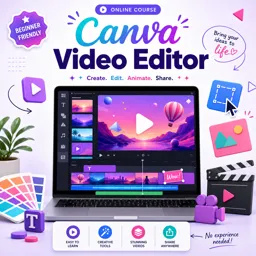
Duration of the online course: 21 minutes
4.9

(13)
Edit eye‑catching videos faster with Canva. Take this free course to create reels, ads and promos, sync clips to music, and polish graphics with confidence.
Learn how to turn simple ideas into polished videos using Canva Video Editor, a practical skill for anyone creating content for social media, marketing, online portfolios, or small business promotions. In this free online course, you’ll move from beginner-friendly editing basics to producing short-form videos that look intentional, branded, and ready to publish. Instead of feeling stuck with scattered clips, you’ll learn a streamlined workflow to assemble scenes, add motion and text, and build consistency across your designs.
Canva makes video creation approachable because it combines design and editing in one place. You’ll discover how to work quickly with templates while still making the final result feel original. You’ll also practice refining pacing so your message lands clearly, choosing layouts that keep attention, and building a clean visual style through fonts, colors, and on-screen elements that support the story rather than clutter it.
A key advantage you’ll explore is Canva’s ability to synchronize cuts to music with a single tool, helping you match visuals to rhythm without complicated timelines. This is especially valuable for reels, shorts, and upbeat promotional videos where timing drives engagement. At the same time, you’ll learn to make smart decisions when Canva’s editor feels different from traditional software, including the limitations noted in the tutorial and the unique challenge of adding B-roll or overlay footage in the way you might be used to elsewhere. Knowing these constraints helps you plan scenes more effectively and still deliver professional-looking results.
By the end, you’ll feel confident editing videos in Canva with a repeatable process that saves time and elevates quality. Whether you’re building a creator brand, supporting a business, or adding a modern design skill to your resume, this course helps you produce videos that look cohesive, dynamic, and ready to share.

21 minutes of online video course

Digital certificate of course completion (Free)

Exercises to train your knowledge

100% free, from content to certificate
What Canva feature automatically syncs video clips and cuts to the beat of music?
Canva's Beat Sync feature automatically aligns video clips and cuts with the beat of a background music track.
How do you add B-roll or overlay footage in Canva Video Editor?
Canva typically requires B-roll or overlays to be added as separate layers on the page timeline, which can be less flexible than dedicated video editors.
What limitation does Canva Video Editor have compared with professional editing software?
Canva has more limited multi-track timeline controls, making precise placement and editing of overlays or B-roll more challenging.
Ready to get started?Download the app and get started today.
Install the app now
to access the course
Over 5,000 free courses
Programming, English, Digital Marketing and much more! Learn whatever you want, for free.

Study plan with AI
Our app's Artificial Intelligence can create a study schedule for the course you choose.

From zero to professional success
Improve your resume with our free Certificate and then use our Artificial Intelligence to find your dream job.
You can also use the QR Code or the links below.



Free CoursePro Logo Design
4.9
(9)

10h16m

45 exercises
Free CourseBeginners guide to Graphic Design
4.8
(289)
6h26m
22 exercises
Free CourseGame artist using Krita
4.8
(9)
8h54m
31 exercises
Free CourseGraphic design for Beginners
4.8
(13)
11h12m
Free CourseAdobe illustrator
4.7

(54)
5h32m
20 exercises
Free CourseCorelDRAW for Beginners: Complete Graphic Design and Vector Tools Training
4.7
(3)
8h03m
46 exercises
Free CourseAnimation
4.6
(8)
31m
5 exercises
Free CourseCanva tool for beginners
4.6
(36)
32m
11 exercises
Free CourseGraphic design Basics
4.6
(20)
48m
8 exercises
Free CourseTypography Design Course
4.5
(2)
1h47m
16 exercises
Carry knowledge in your pocket.
Download the Cursa app.
There are hundreds of free courses available, with a free certificate of completion that is saved in your mobile image gallery.
Download the app to access the Course Completion Certificate for Free.


+ 10 million
students

Free and Valid
Certificate

60 thousand free
exercises

4.8/5 rating in
app stores

Free courses in
video and ebooks
Course comments: Canva Video Editor
Jacobs Adeoye Joseph
thanks for putting me through this, I so much appreciate, the lecturer explained it all in full detail.
This Course Is Amazing
Samson Arikhan
Straight to the point and very helpful.