Artboards are separate canvas areas within one Illustrator file, letting you create multiple designs, pages, or size variations together.

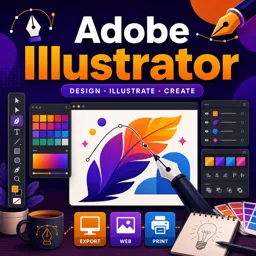
Duration of the online course: 5 hours and 32 minutes
4.7


(53)
Build job-ready vector design skills with this free Adobe Illustrator course—master tools, color, type, and export for web or print with confidence.
Strengthen your graphic design skills by learning to create clean, scalable vector artwork from scratch. This free online course guides you through Adobe Illustrator with a beginner-friendly approach, helping you move from opening the app confidently to producing finished designs you can share, print, or add to a portfolio. If you have ever felt overwhelmed by panels, tools, and settings, you will learn a clear workflow that makes Illustrator feel practical and intuitive.
You will start by getting comfortable with the interface and essential setup choices, including workspaces, panels, and artboards. From there, you will develop core vector fundamentals: selecting and transforming objects, working with fill and stroke, and understanding how shapes behave. As you progress, you will gain control over color using swatches, gradients, and professional color thinking for digital versus print, so your work looks consistent across different outputs.
The course emphasizes hands-on creation. You will learn how to build artwork using shape tools, grouping and compounding methods, and more advanced drawing options like the Pen, Pencil, and Blob Brush tools. Along the way, you will also work with typography, which is a must-have skill for posters, logos, and social graphics, and you will understand how to combine type and visuals without losing clarity.
To bridge the gap between inspiration and execution, you will practice turning sketches into vector artwork using image tracing and refining techniques. Finally, you will learn how to prepare your document properly, including settings like bleed when needed, and export correctly for common use cases such as print-ready PDFs and digital assets. By the end, you will be able to produce professional-looking vector designs and navigate Illustrator with confidence, whether you are starting a creative career, upskilling for work, or building personal projects.

5 hours and 32 minutes of online video course

Digital certificate of course completion (Free)

Exercises to train your knowledge

100% free, from content to certificate
How do artboards work in Adobe Illustrator?
Artboards are separate canvas areas within one Illustrator file, letting you create multiple designs, pages, or size variations together.
What is the difference between the Blob Brush and Brush tools in Illustrator?
The Blob Brush creates and merges filled vector shapes, while the Brush tool applies a brush appearance to a path.
How do I prepare an Adobe Illustrator design for professional printing?
Set the correct document size and bleed, check colors and fonts, then export a print-ready PDF.
Ready to get started?Download the app and get started today.
Install the app now
to access the course
Over 5,000 free courses
Programming, English, Digital Marketing and much more! Learn whatever you want, for free.

Study plan with AI
Our app's Artificial Intelligence can create a study schedule for the course you choose.

From zero to professional success
Improve your resume with our free Certificate and then use our Artificial Intelligence to find your dream job.
You can also use the QR Code or the links below.



Free CourseCanva Video Editor
4.9
(14)

21m

5 exercises
Free CoursePro Logo Design
4.9
(9)
10h16m
45 exercises
Free CourseBeginners guide to Graphic Design
4.8
(289)
6h26m
22 exercises
Free CourseGame artist using Krita
4.8
(9)
8h54m
31 exercises
Free CourseGraphic design for Beginners
4.8
(12)
11h12m
Free CourseCorelDRAW for Beginners: Complete Graphic Design and Vector Tools Training
4.7
(3)
8h03m
46 exercises
Free CourseAnimation
4.6
(8)
31m
5 exercises
Free CourseCanva tool for beginners
4.6
(36)
32m
11 exercises
Free CourseGraphic design Basics
4.6
(20)
48m
8 exercises
Free CourseTypography Design Course
4.5
(2)
1h47m
16 exercises
Carry knowledge in your pocket.
Download the Cursa app.
There are hundreds of free courses available, with a free certificate of completion that is saved in your mobile image gallery.
Download the app to access the Course Completion Certificate for Free.


+ 10 million
students

Free and Valid
Certificate

60 thousand free
exercises

4.8/5 rating in
app stores

Free courses in
video and ebooks
Course comments: Adobe illustrator
Lx Rony
nic job
Md. Shiam Sorkar Shuvo
very very helpful course
MD REZU AHMED
Good Course sir
Abdullahi Kheire Mohamed
Great course Thank you