

Krita is a free, open-source digital painting program used for illustration, concept art, comics, textures, and animation.

1

1



Exploring Krita’s Brush Engines: Unlocking Unlimited Creative Potential
Discover Krita’s brush engines, learn customization tips, and unlock new creative possibilities to enhance your digital art workflow.

Mastering Krita’s Animation Tools: Bring Your Art to Life
Learn how to use Krita’s animation tools to create frame-by-frame animations, from setup to export, and bring your digital art to life.

Creating Stunning Digital Paintings with Krita: Tips for Professional Artists
Master Krita by customizing brushes, using layers and masks, perfecting blending, adding textures, and enhancing with lighting effects. Export in high-quality for pro results.

Getting Started with Krita: A Beginner’s Guide to Digital Art Creation
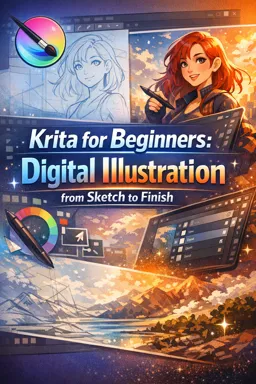
Beginner’s guide to Krita: set up your workspace, learn core tools, master layers, sketch and ink, color with palettes, add highlights, and export your polished art.
Explore our selection of free online Krita courses and learn how to create digital art, illustrations, paintings, and graphic projects with one of the most popular open-source creative tools. These educational courses are suitable for beginners, students, aspiring illustrators, and experienced artists who want to improve their digital drawing skills. Study essential Krita features through structured lessons, practical exercises, and accessible learning materials without paying tuition fees.
Krita courses introduce the software interface, canvas settings, layers, brushes, color tools, selection methods, masks, shortcuts, and workflow organization. As you progress, you can study sketching, line art, coloring, shading, lighting, textures, composition, and digital painting techniques. The educational content helps learners understand both technical tools and artistic principles while building confidence through guided practice.
All listed Krita courses are completely free and include exercises that support active learning and skill development. By completing a course, learners can also receive free certification. A certificate can document your educational progress, complement a resume, support academic or professional development, and demonstrate your commitment to learning digital illustration and painting.
These free Krita classes are ideal for anyone interested in concept art, comics, character design, digital painting, illustration, or visual communication. You can learn at your own pace, review lessons when necessary, and apply each technique in personal, academic, or portfolio projects. No expensive software is required because Krita itself is a free digital art program.
To access the lessons, exercises, and free certification, you must install the Cursa application. Android users can select Download for Android through Google Play. Apple users can select Download for iOS / iPhone through the App Store. Install the app, choose a free Krita course, and begin your educational journey in digital art today.
What is Krita used for?
Krita is a free, open-source digital painting program used for illustration, concept art, comics, textures, and animation.
Is Krita good for beginners?
Yes. Krita offers beginner-friendly brushes, drawing assistants, layers, and tutorials for learning digital illustration step by step.
Can I learn digital illustration with Krita?
Yes. You can learn sketching, line art, coloring, shading, lighting, and finishing techniques using Krita.
Is Krita suitable for game artists?
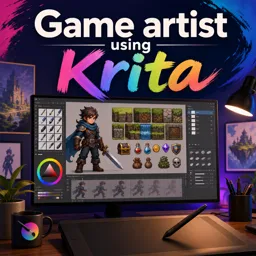
Yes. Game artists can use Krita to create concept art, character designs, environments, props, UI assets, and game textures.
Does Krita support animation?
Yes. Krita includes timeline and animation tools for creating frame-by-frame 2D animations and animated illustrations.
Can Krita be used for comic art?
Yes. Krita includes tools for ink work, panel layouts, speech bubbles, layer management, and comic-style coloring.
What will I learn in a Krita course for beginners?
A beginner course typically covers the interface, brushes, layers, sketching, coloring, shading, and exporting completed artwork.

Complete any course and issue your certificate via the app — at no cost.

Download the app! to have access to more than 4,000 Online Courses + Certificate, all free!
Download the app! 100% free courses.


Carry knowledge in your pocket.
Download the Cursa app.
There are hundreds of free courses available, with a free certificate of completion that is saved in your mobile image gallery.
Download the app to access the Course Completion Certificate for Free.


+ 10 million
students

Free and Valid
Certificate

60 thousand free
exercises

4.8/5 rating in
app stores

Free courses in
video and ebooks